Cursor vs Claude Code: A Comprehensive Comparison
A comprehensive comparison of Cursor and Claude Code AI code editors
 Ankur TyagiAI Code Editor
Cursor vs Claude Code: A Comprehensive Comparison
Cursor and Claude Code have taken AI-assisted coding to a whole new level. Cursor is a Visual Studio Code-based AI coding editor (it’s a fork of VS Code with AI baked in), whereas Claude Code (from Anthropic) is a terminal-first AI coding assistant.
Both aim to boost developer productivity, but they differ in interface, workflow, and philosophy. In this article, we compare Cursor and Claude Code across a range of aspects, including context window size, tooling, code review, refactoring and debugging support, editor ergonomics, language support, workflow integration, and pricing. This structured comparison will help you understand which tool best suits your different development needs.
Before diving into details, below is a quick overview of key differences between Cursor and Claude Code:
TL;DR
- Interface: Cursor is a GUI-first, VS Code-based IDE with integrated AI (inline completion, chat panel, and background agents). Claude Code is a CLI-first agent with no native editor UI that uses language-model agents to edit code, run tests, and manage commits from the terminal.
- Context Window: Claude’s models support 200k+ tokens (up to 1 million in Sonnet 4), providing Claude Code with a vast context for entire repositories. Cursor also supports large contexts (128K normal, approximately 200K in “Max” mode), but in practice, it often prunes the context for performance.
- Features & Tooling: Cursor offers AI autocomplete (Tab), a conversational chat assistant (Composer), multi-line editing, and agent modes (Manual, Ask, Agent) for tasks such as refactoring or bug fixes. It tightly integrates with VS Code and has add-ons like Bugbot for automated code review. Claude Code focuses on agentic workflows: you give high-level prompts (e.g. “Add tests for feature X”) and it edits files, runs commands, or creates commits. You can also connect Claude directly to the tools and data sources that matter most to your workflows using Model Context Protocol (MCP).
- Collaboration: Cursor integrates with Slack, GitHub PRs, and team dashboards; it’s SOC 2 certified and supports SSO/SAML for enterprises. Team pricing is also very different: Cursor’s team tier is $40/user (flat-rate), whereas Anthropic’s teams require a Premium seat ($150/user) to enable Claude Code.
- Code Intelligence: Both use state-of-the-art LLMs (Claude Sonnet/Opus, GPT, Gemini, etc.). Cursor adds semantic code search (vector embeddings) and “Cursor Rules” (project-specific guidelines) to keep suggestions on track. Claude Code’s strength is deep reasoning over multi-file projects (mapping architecture, running tests), thanks to its larger context window.
Which One Should I Pick?
Cursor is ideal for interactive, day-to-day coding inside an IDE (especially if you value autocomplete, code browsing, and built-in collaboration). Claude Code is better suited if you are a power user who loves CLI workflows and needs autonomy on large projects (multi-file refactors, automated PRs, etc.)
What is Cursor?
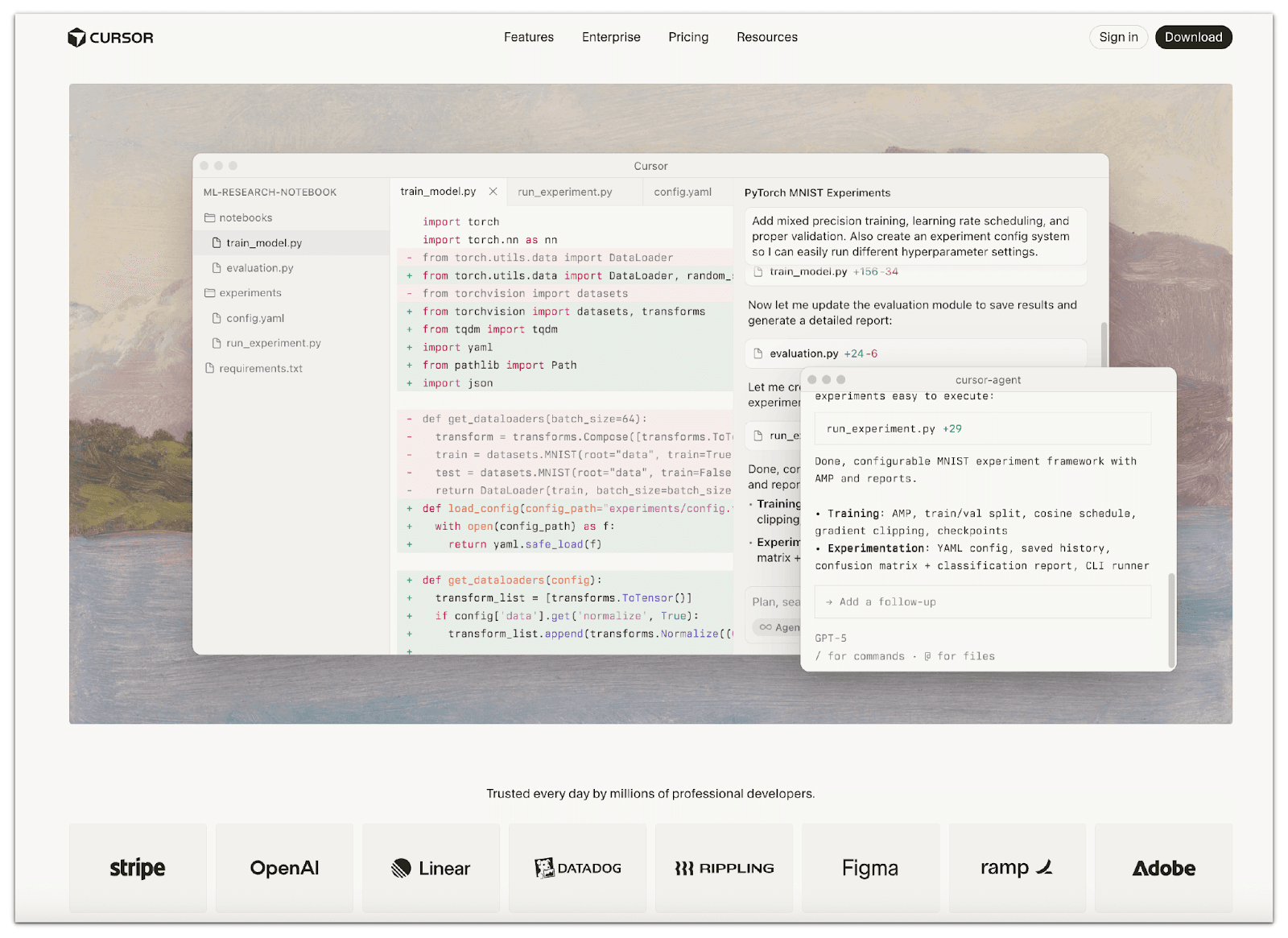
Cursor is an AI-powered code editor built on top of Visual Studio Code’s open-source platform. It is a full-featured IDE where AI assistance is always available as you code. Targeted at professional software developers and teams, Cursor’s core purpose is to accelerate development by augmenting your editor with intelligent features.
Key Cursor Features
Cursor’s IDE-based agent has its own set of productivity features:
- Tabs: You can open multiple agent “workspaces” (tabs) within Cursor, each with an independent conversation context and even a different model selection. This lets you work on separate tasks in parallel.
- Checkpoints: Cursor automatically snapshots your code changes as you go, providing undo/rollback points. (In the Agent Chat, each code-modifying step has a “+” icon to restore a previous checkpoint).
- Export: You can export an entire chat conversation to a Markdown file for documentation or sharing. (For example, telling the AI “write down our discussion to notes.md” will create a file with the chat history.)
- Duplicate Chat: You can fork/duplicate a conversation to explore alternatives. This allows you to branch the current context, enabling you to try different prompts in parallel.
- History: Cursor keeps a history of past agent sessions (organized by project) so you can revisit previous chats.
- Summarization: The agent automatically summarizes long conversations when nearing token limits, and you can manually trigger /summarize to condense the dialogue. This helps manage very long chats.
- Compact Mode: A “compact” UI toggles a streamlined chat view (hiding tool icons and collapsible diffs) to reduce visual clutter.
- Custom Commands: Users can define reusable /commands (as Markdown templates) for common prompts or workflows. For example, saving a “code review” prompt that teammates can invoke instantly.
- Context Management: Through the above summarisation and memory features, Cursor efficiently manages long contexts, allowing the agent to stay aware of the overall project even in lengthy sessions.
What is Claude Code?
Claude Code is Anthropic’s agentic coding assistant, delivered as a command-line tool. It was introduced in 2025 to provide developers with a “native” way to leverage Anthropic’s Claude models within software workflows. Unlike a GUI IDE, Claude Code operates in your terminal; you type natural language commands, and the agent takes actions on your code.
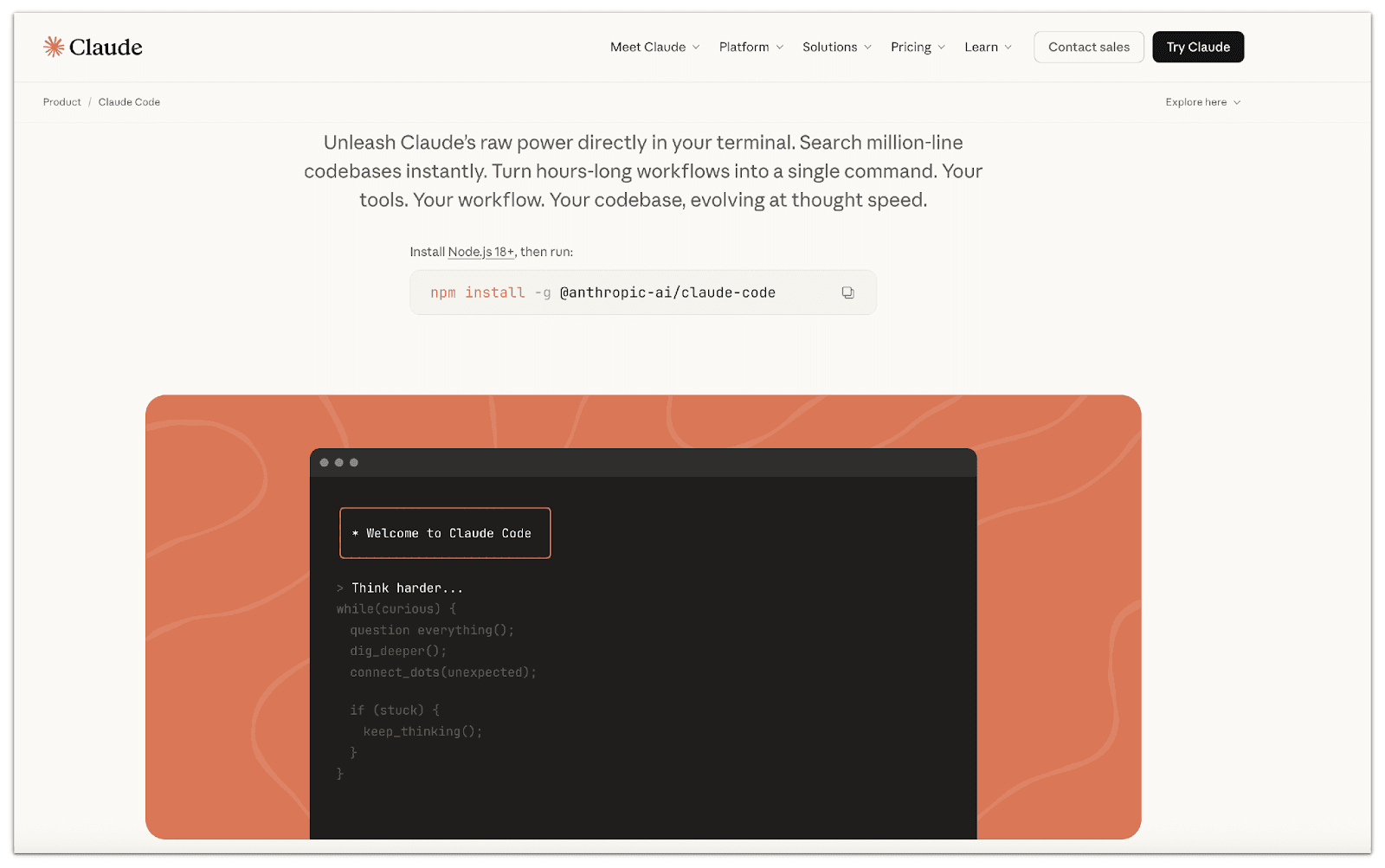
Claude Code is explicitly designed to meet the developer “where you already work” - in the shell. For example, you might run claude -p "Fix the failing tests", and Claude Code will edit files, run commands, and even commit changes on your behalf.
Key Claude Code Features
Claude Code (and the underlying Claude model) supports a rich set of advanced features.
- Prompt caching allows you to optimise your API usage by resuming prompts from specific prefixes. This can reduce processing time and costs.
- Extended thinking supports multi-step reasoning chains, allowing you to execute complex tasks while providing transparency into its step-by-step thought process before delivering its final answer.
- Streaming messages - When creating a Message, you can set "stream": true to incrementally stream the response using server-sent events (SSE).
- Batch processing – handle multiple requests or files together for asynchronous processing.
- Citations - can provide traceable source links or references.
- Multilingual support - Claude excels at tasks across multiple languages, maintaining strong cross-lingual performance relative to English.
- Token counting - Token counting enables you to determine the number of tokens in a message before sending it to Claude.
- Embeddings - Anthropic does not offer its own embedding model. Claude code enables us to utilise embedding models for tasks such as search, recommendations, and anomaly detection, leveraging Voyage's AI's state-of-the-art embedding models.
- Vision - The Claude 3 and 4 families of models come with new vision capabilities that allow Claude to understand and analyze images, opening up exciting possibilities for multimodal interaction.
- PDF support - can read and process PDF documents.
- Files API - The Claude code allows you to upload and manage files for use with the Claude API, eliminating the need to re-upload content with each request.
- Web search - Claude code allows you to generate search results with source attribution for your RAG applications.
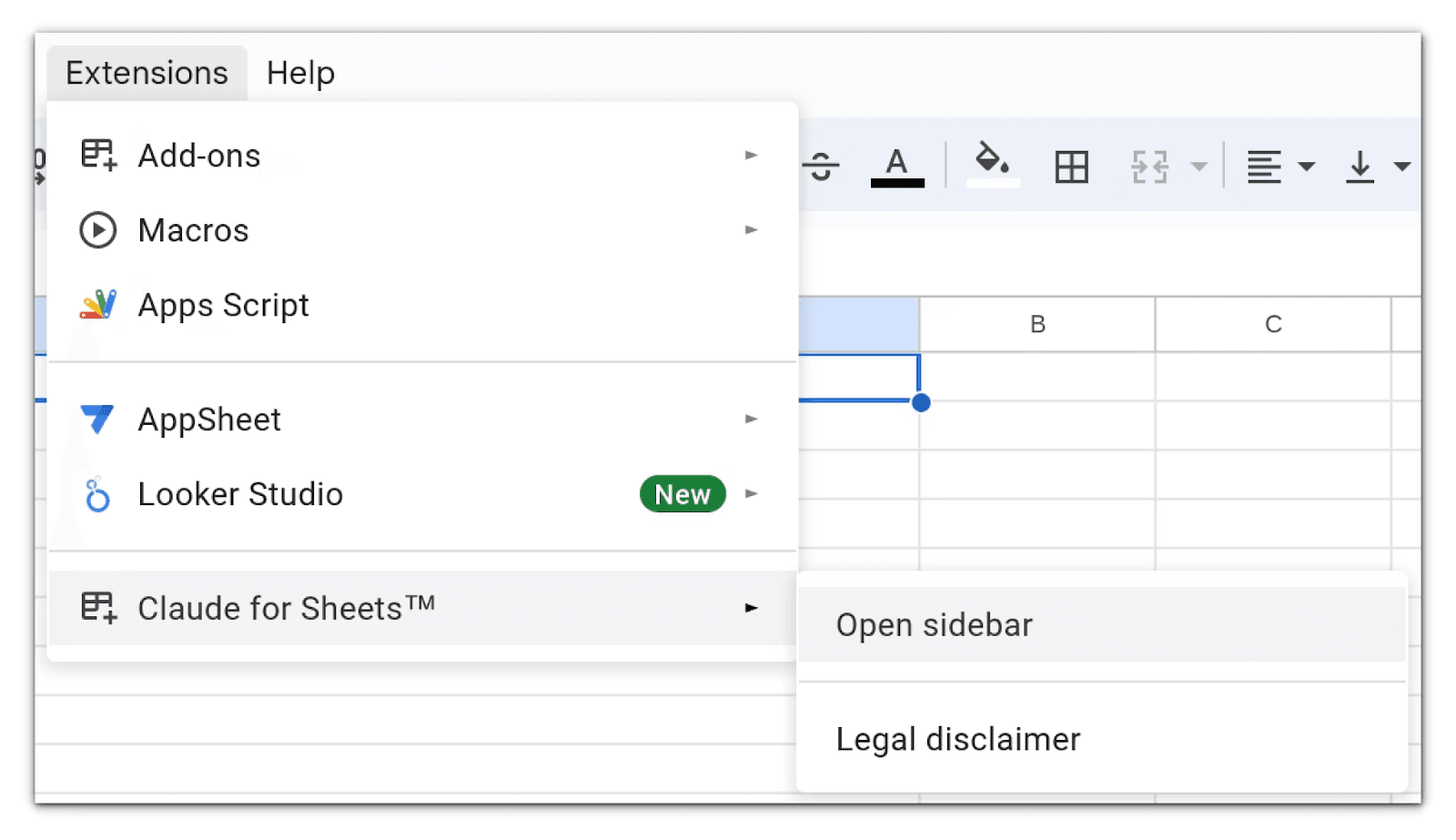
- Google Sheets add-on – dedicated integration for Sheets data.
Summary of Key Features of Cursor vs. Claude vs. CodeRabbit
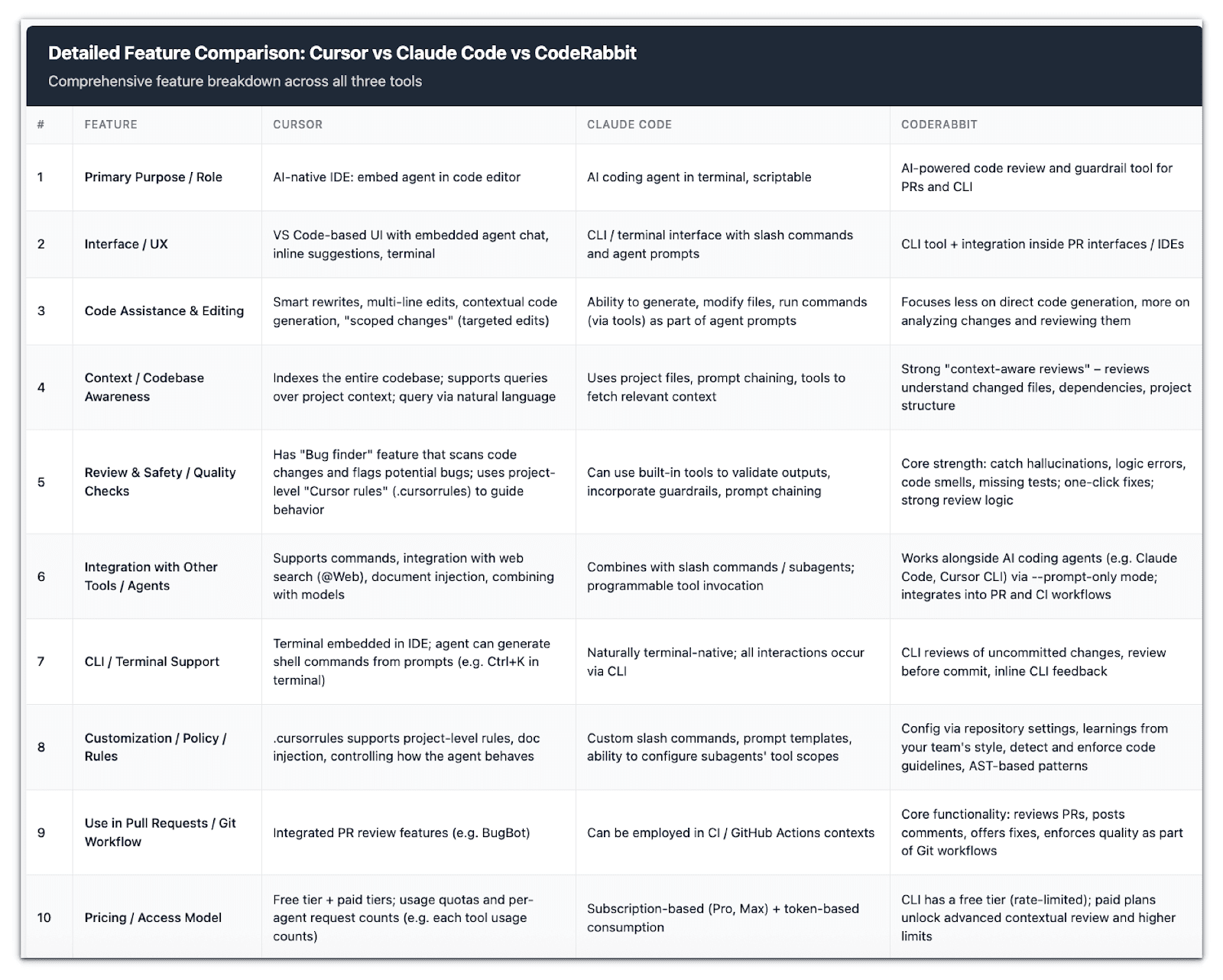
Agentic Design Philosophy
Let us start with the interaction style. Cursor embeds the agent directly in a graphical IDE, specifically a fork of VS Code, where you can chat inline right next to the code editor. This makes it feel like a natural extension of the coding environment.
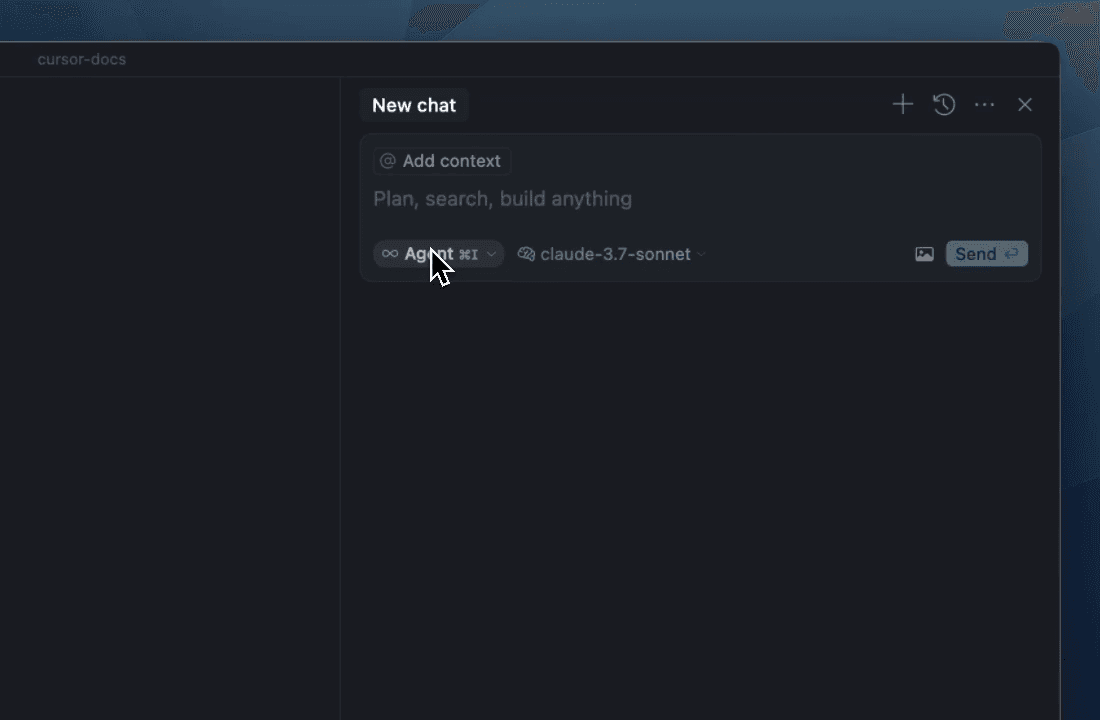
Claude Code takes a terminal-first approach, running in the shell and all interaction occurring via text prompts and commands.
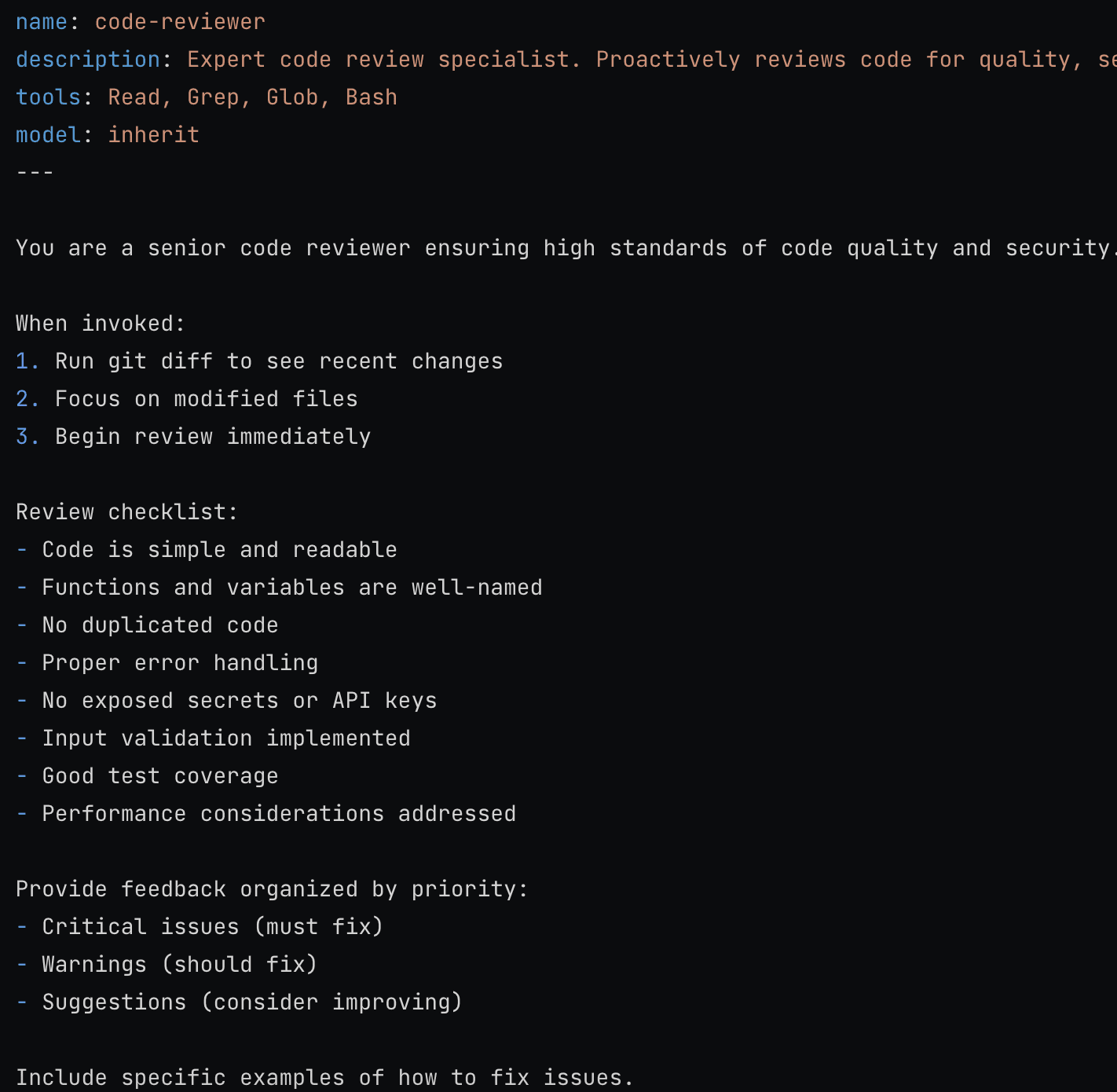
When it comes to the autonomy model, Cursor’s agent operates as a single “looping” assistant within the editor, iteratively improving and applying changes as you guide it. Claude Code, however, encourages a subagent model. It can spawn multiple specialised agents, each with scoped roles and tool access, to handle complex or parallel tasks more effectively.
For example, below is an example of a code review subagent.
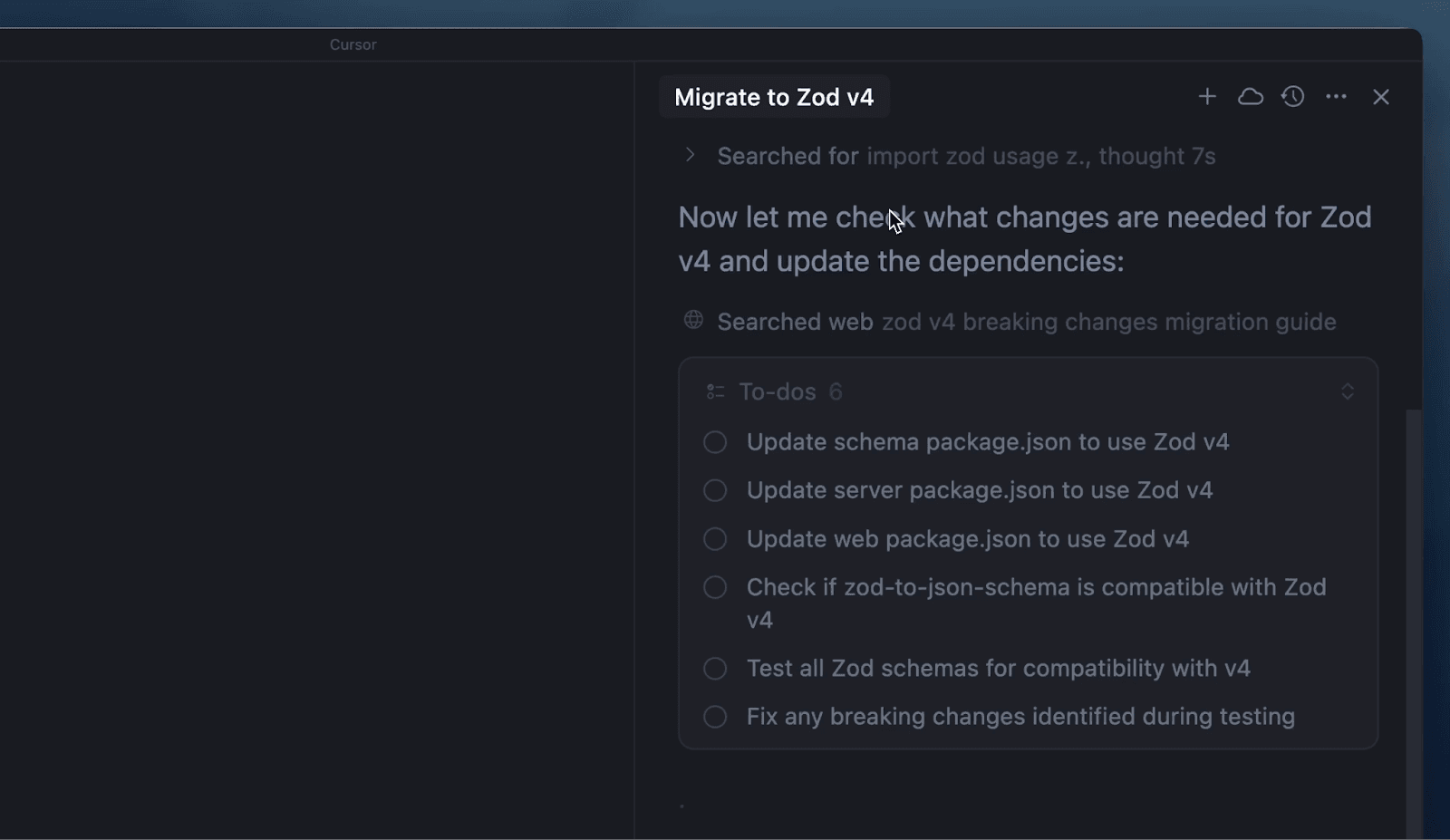
The tool invocation philosophy also differs. In Cursor, tools are invoked through the IDE, for example, by clicking buttons, applying inline edits, or allowing the agent to run terminal commands from within the integrated shell. Cursor agent mode also allows you to plan and manage complex tasks with structured to-do lists and message queuing, making long-horizon tasks easier to understand and track.
Claude Code instead relies on slash commands (/...) or APIs. You can use /agents to manage subagents or /review to trigger a code review. Additionally, the agent can hook outputs directly into its CLI chat interface (docs.claude.com).
Finally, let us consider the user experience. Cursor aims for smooth, visually guided workflows inside VS Code: you can literally watch files open, diffs apply, revert to checkpoints, edits, and view chat history through familiar UI elements.
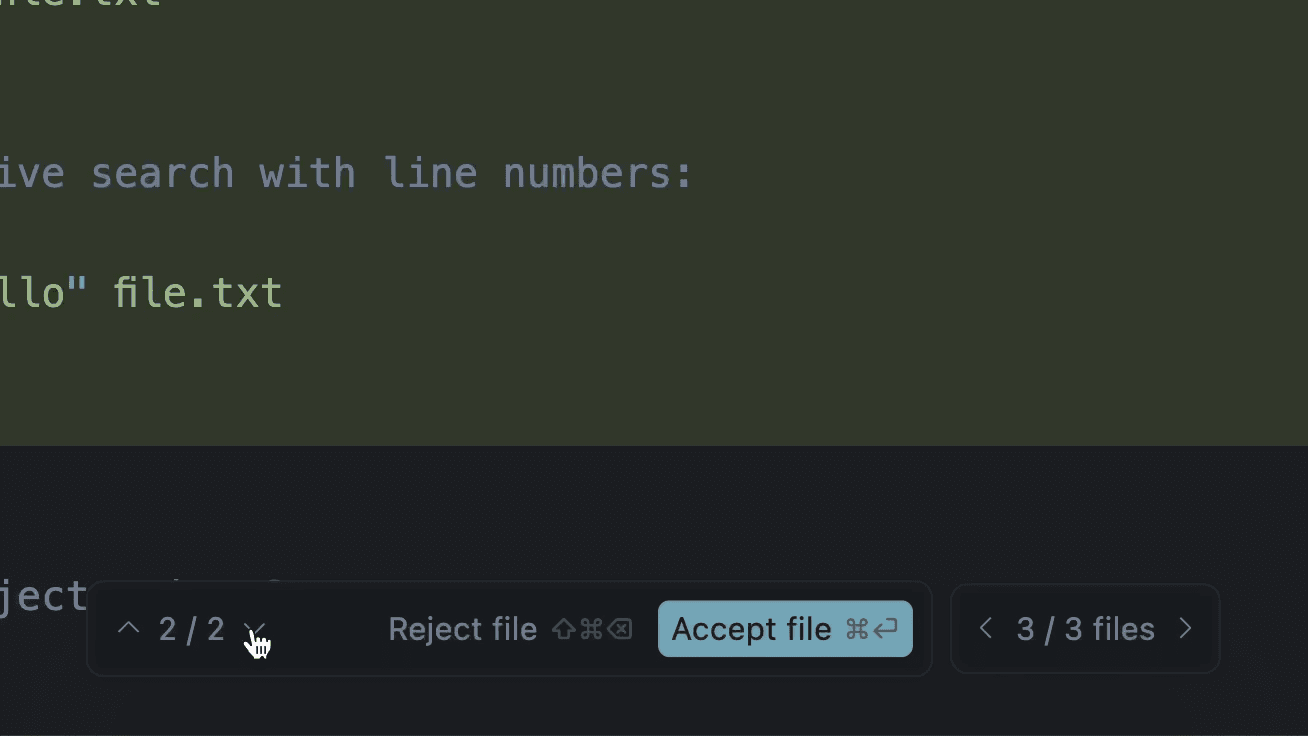
Cursor also now allows us to custom instructions for Agent behavior. Rules help maintain coding standards, enforce patterns, and personalize how Agent assists with your project.
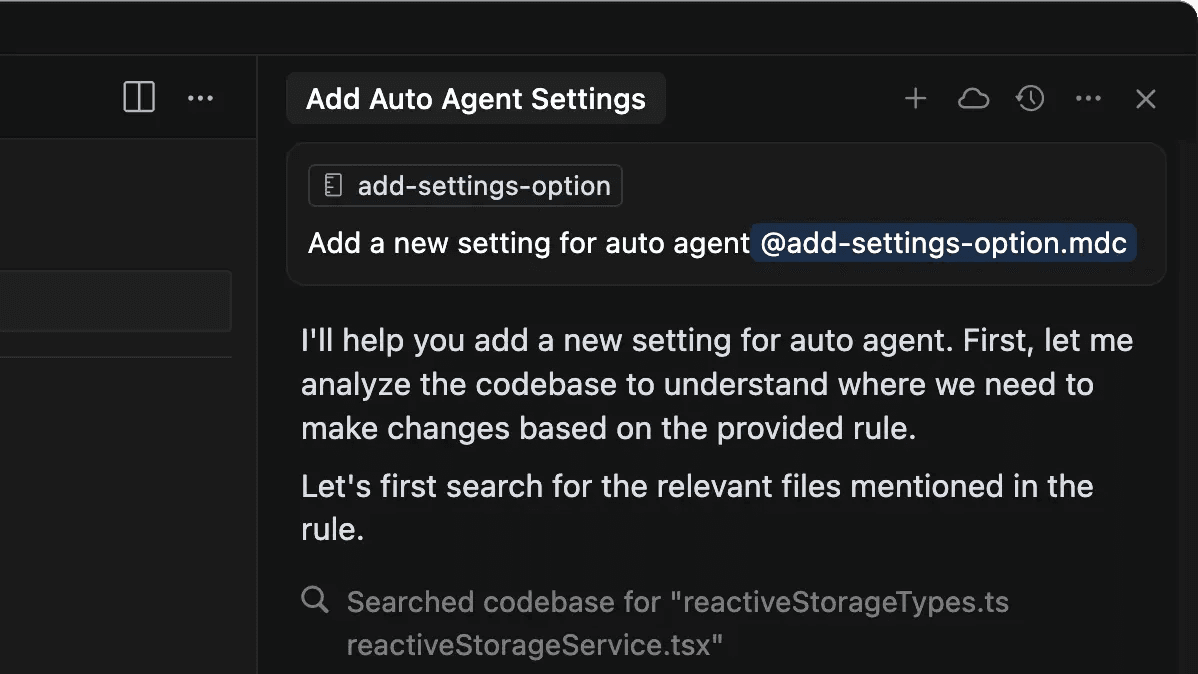
Claude Code, on the other hand, is designed for programmable workflows. It is scriptable, headless, and well-suited for integration into larger automation chains such as CI/CD pipelines or bash scripts, with minimal visual distraction. Claude code also allows us to create multiple subagents for complex workflows.
Model Support & Context Window
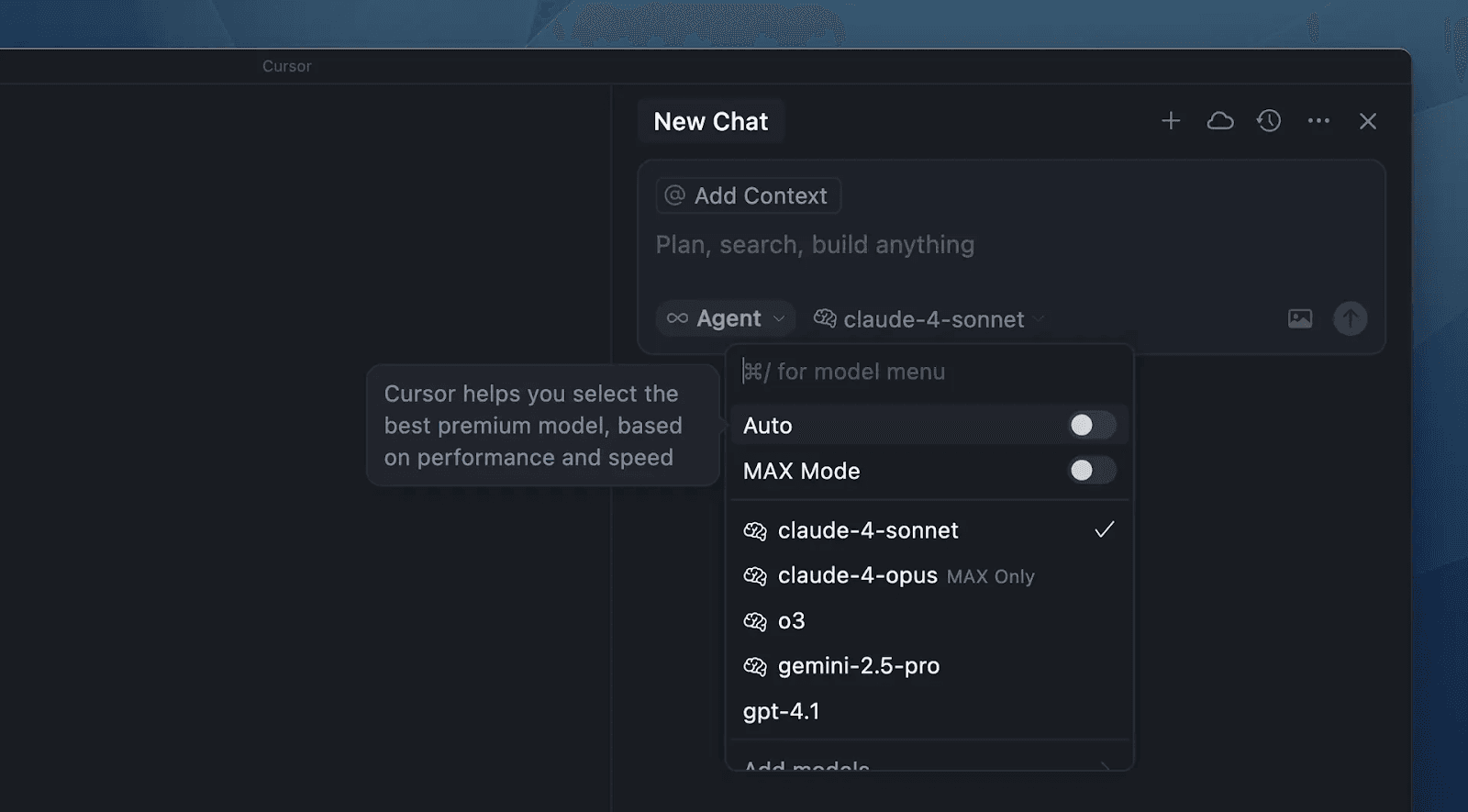
Cursor supports multiple AI providers. You can choose OpenAI (GPT-4/5), Anthropic (Claude 4 Sonnet/Opus), Google (Gemini), xAI (Grok Code), etc., even custom/deployed models.
Its own Tab model is optimized for code (trained on public repos). Cursor offers two context modes: “Normal” (~128K tokens) and “Max” (~200K tokens). In practice, Cursor may trim old context or shorten prompts to stay within these limits. Several sources note that Cursor’s context is finite; it “gives smaller context windows” under its free/tiered plans.
Claude Code uses Anthropic’s latest models (Sonnet 4, Opus 4.1 and Claude 3.5 Haiku).
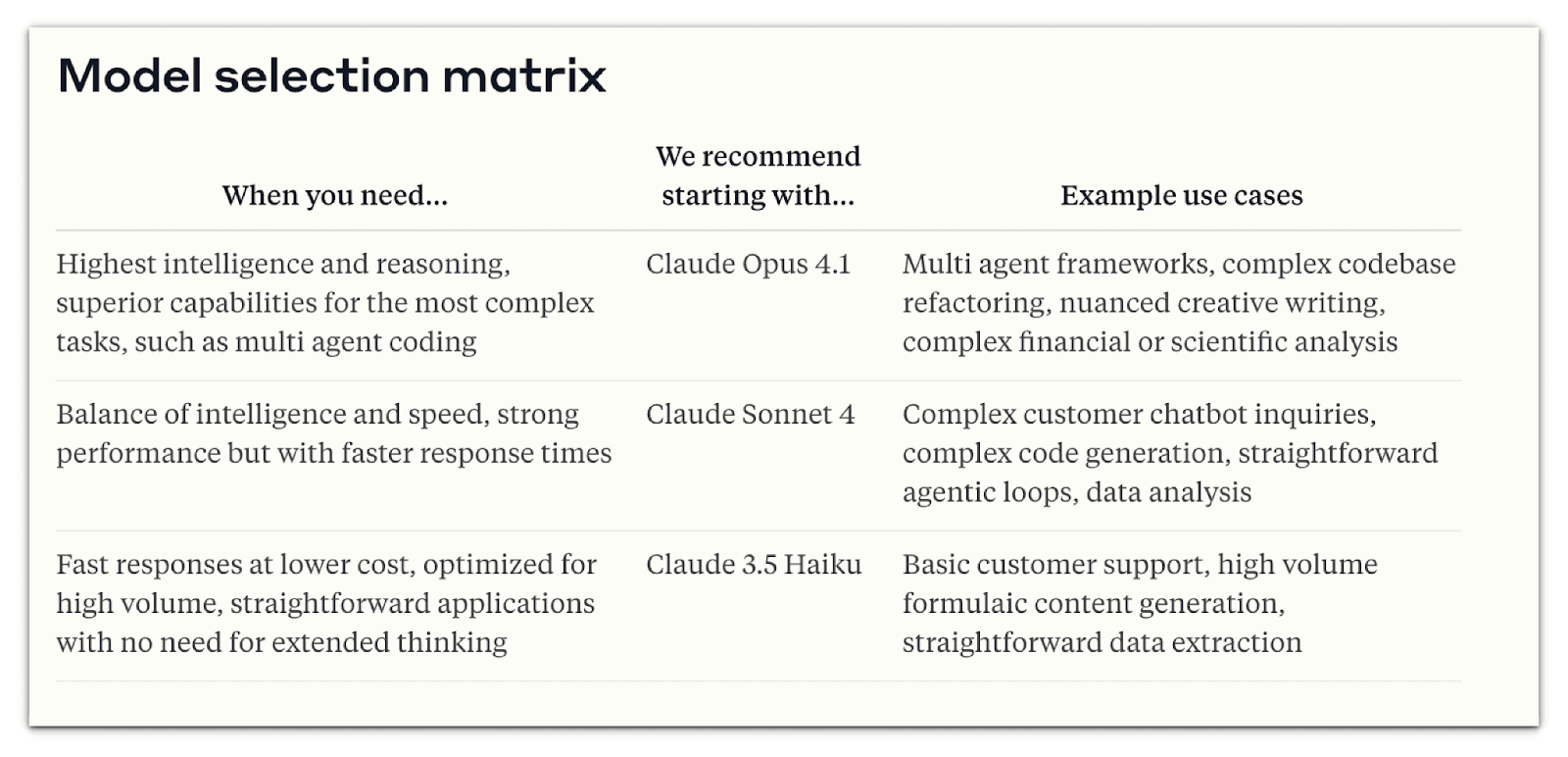
By default, Claude Opus has a ~200K token window. Claude Sonnet (on the higher-priced plan) supports up to a 1,000,000 token context window (1M tokens). With this larger content, you can process much larger documents, maintain more extended conversations, and work with more extensive codebases.
Even on the standard plan, Claude Code’s context is generally larger and more stable. Claude Code’s context window is more reliable for large codebases, offering a true 200k-token capacity ideal for CLI workflows, as Cursor’s window can reduce capacity.
The 1M token context window is only available for Claude Sonnet 4. You need to include the** 'context-1m-2025-08-07 beta' **header in your API requests to use this context.
client = Anthropic()

response = client.beta.messages.create(
  (model = "claude-sonnet-4-20250514"),
  (max_tokens = 1024),
  (messages = [{ role: "user", content: "Process this large document..." }]),
  (betas = ["context-1m-2025-08-07"])
)
Tools and Capabilities: Cursor vs. Claude Code
Cursor’s agent mode is designed to make the IDE itself feel autonomous. It provides a suite of built-in tools for navigating, editing, and running code, all within the editor. For navigation, developers can use semantic code search, directory listings, file readers, and grep-style queries to surface relevant snippets from the project quickly.
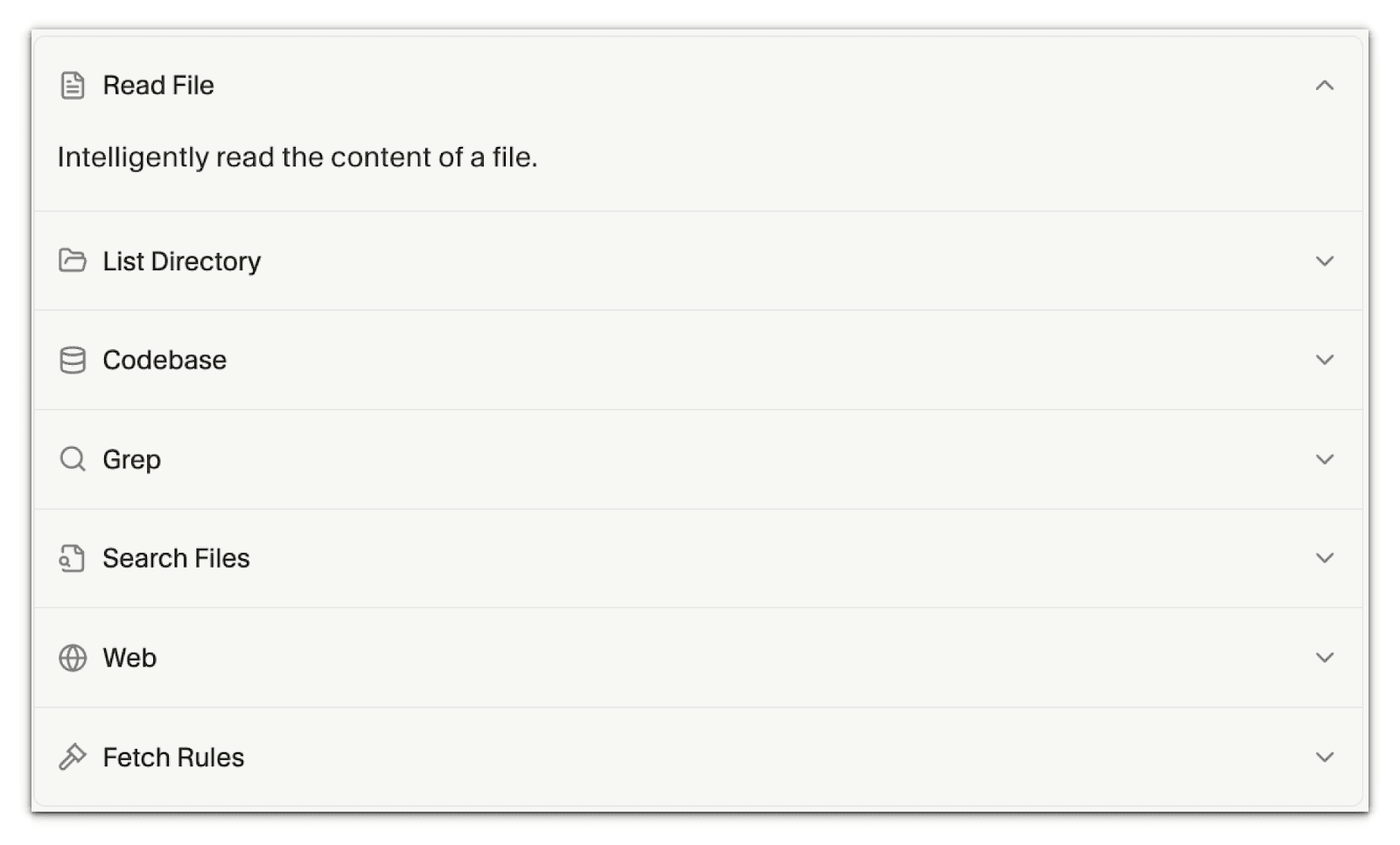
Editing is handled directly within the chat: suggested changes appear inline, and once accepted, they show up as diffs in the editor. Cursor also integrates the terminal, allowing the agent to run builds, tests, or scripts directly inside VS Code.
Beyond these basics, Cursor introduces MCP (Model Context Protocol), which connects the IDE to external data sources such as databases, APIs, or document stores. Developers can further extend this functionality with advanced automation features, including Auto-apply, which automatically accepts edits; Auto-run, which executes commands without prompting; Guardrails, which prevent risky changes; and Auto-fix, which corrects build errors as they occur.
Combined, these tools transform VS Code into a semi-autonomous development environment where the agent not only suggests but also executes tasks with minimal friction.
Claude is also capable of interacting with tools and functions, allowing you to extend Claude’s capabilities to perform a wider variety of tasks. Claude supports two types of tools:
Client tools: Tools that execute on your systems, which include: Server tools: Tools that execute on Anthropic’s servers, like the web search and web fetch tools.
Here’s an example of how to provide tools to Claude using the Messages API:
curl https://api.anthropic.com/v1/messages \
  -H "content-type: application/json" \
  -H "x-api-key: $ANTHROPIC_API_KEY" \
  -H "anthropic-version: 2023-06-01" \
  -d '{
    "model": "claude-opus-4-1-20250805",
    "max_tokens": 1024,
    "tools": [
      {
        "name": "get_weather",
        "description": "Get the current weather in a given location",
        "input_schema": {
          "type": "object",
          "properties": {
            "location": {
              "type": "string",
              "description": "The city and state, e.g. San Francisco, CA"
            }
          },
          "required": ["location"]
        }
      }
    ],
    "messages": [
      {
        "role": "user",
        "content": "What is the weather like in San Francisco?"
      }
    ]
  }'
The bash tool lets Claude execute shell commands in a persistent session, enabling complex scripting and automation. The code-execution tool runs code across languages, handles files, and processes calculations in a secure sandbox.
The text-editor tool allows Claude to view and modify files directly, functioning like a lightweight, AI-driven editor. The computer-use tool goes further, providing Claude with limited desktop interaction capabilities, including screenshots and simulated keyboard/mouse input.
For external data, Claude includes a web-fetch tool that retrieves full content from web pages or PDFs, and a web-search tool that performs live searches with automatic citation of sources.
All of these are invoked via slash commands or API calls, and Anthropic's design emphasises token-efficient streaming and fine-grained scoping, ensuring that only the necessary tools are active during each step. In practice, developers use commands like /agents, /config, or /review to orchestrate these capabilities and embed them into workflows.
MCP (Model Context Protocol): Claude Code vs. Cursor
MCP is an open standard that enables AI agents to safely utilise external tools and data. Think of it as a universal “port” that connects your model to docs, APIs, databases, devtools, and more.
Cursor treats MCP as a first-class IDE capability. You can browse a directory of MCP servers and install them with one click (“Add to Cursor”). Under the hood, Cursor supports all three MCP transports:
- STDIO (local): The cursor launches and manages your local MCP server process (single-user), which is started via a shell command; authentication is manual/env-based.
- SSE (local or remote): connect to a server-sent-events endpoint; multi-user; OAuth supported.
- Streamable HTTP (local or remote): standard HTTP endpoint; multi-user; OAuth supported.
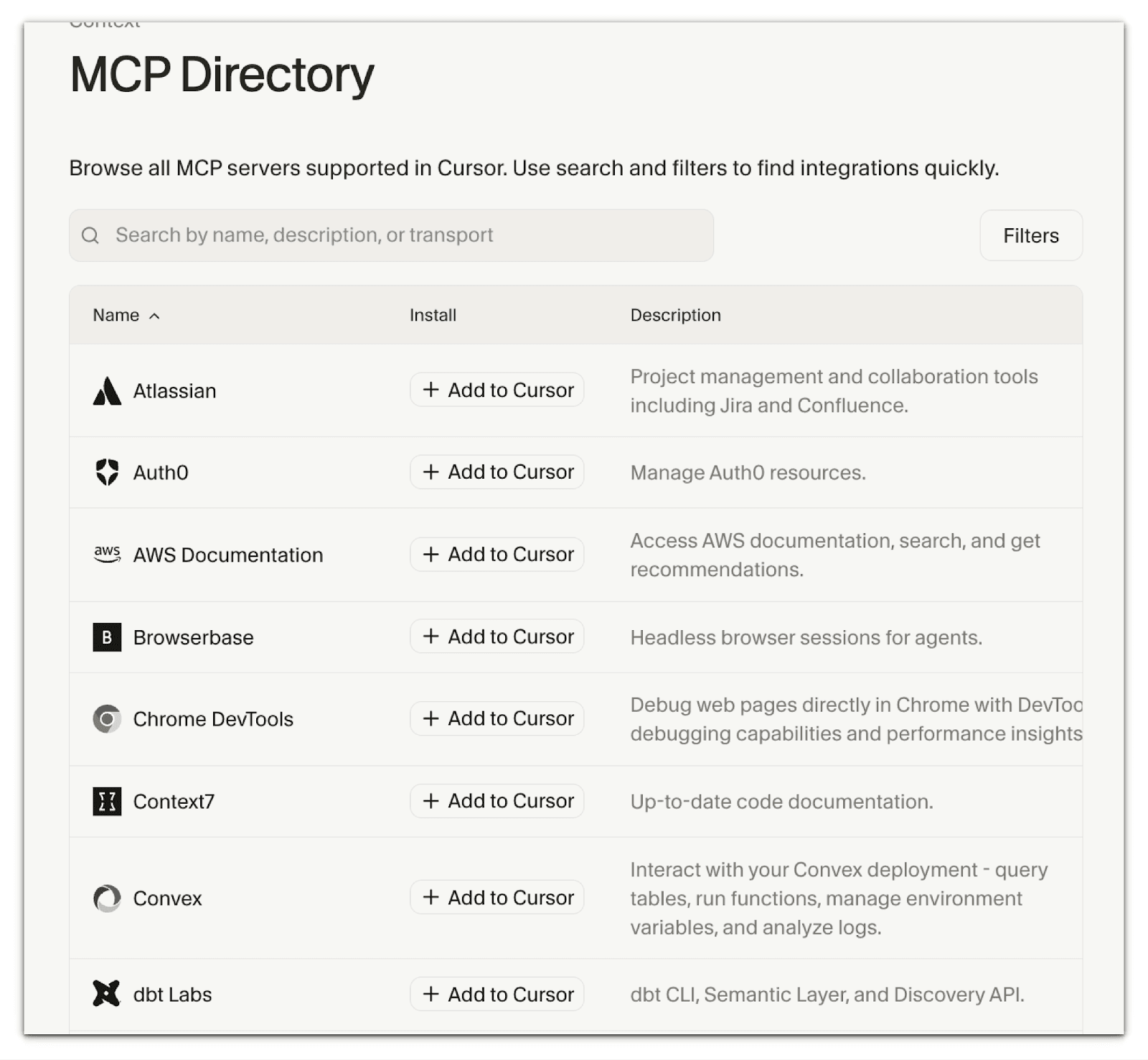
Crucially, Cursor exposes broad MCP protocol coverage directly in the editor:
- Tools (functions the model can execute),
- Prompts (templated workflows that become slash commands),
- Resources (structured data you can reference and @mention),
- Roots (server-initiated exploration of file/URI boundaries), and
- Elicitation (server-initiated requests for extra info).
You can configure servers with project-level (.cursor/mcp.json) or global (~/.cursor/mcp.json) JSON, interpolate variables (
${env:API_KEY},${workspaceFolder}, etc.), and even register servers programmatically via the Cursor Extension. The extension API is handy for enterprise bootstrap scripts. Cursor also supports deeplink installs (a cursor://… URL that embeds a base64 JSON config), so maintainers can drop “Add to Cursor” buttons in READMEs.
In day-to-day use, MCP tools show up in the chat as Available Tools. You can enable/disable tools inline, review arguments before approval, or flip on Auto-run so the agent can use tools without prompting.
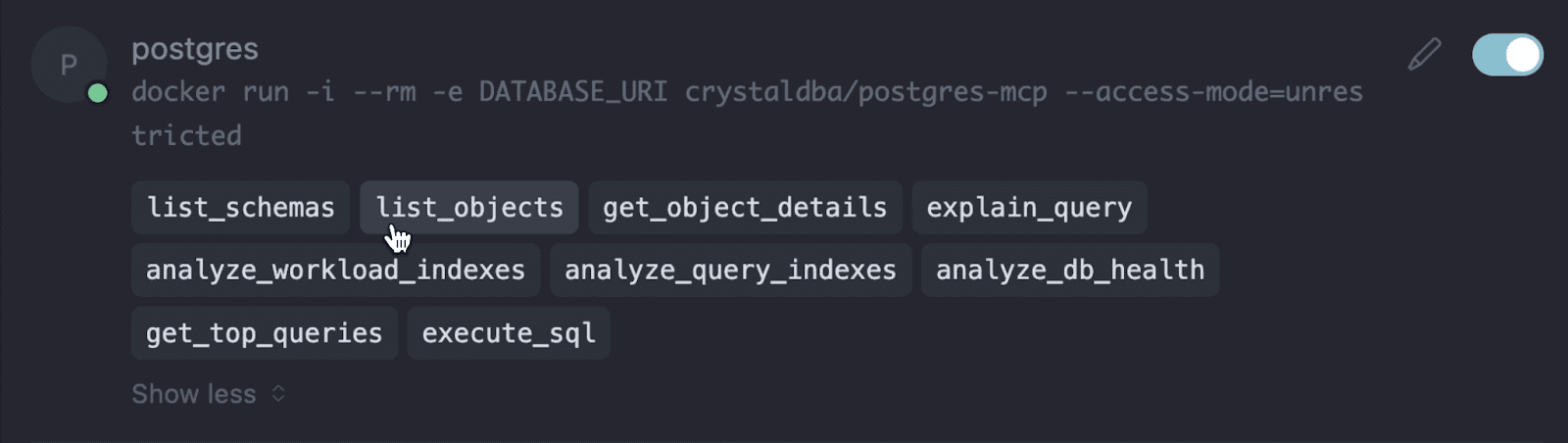
Responses are rendered inside the chat with expandable arguments and results, as well as images (servers can return base64 image content, which Cursor attaches for vision-capable models).
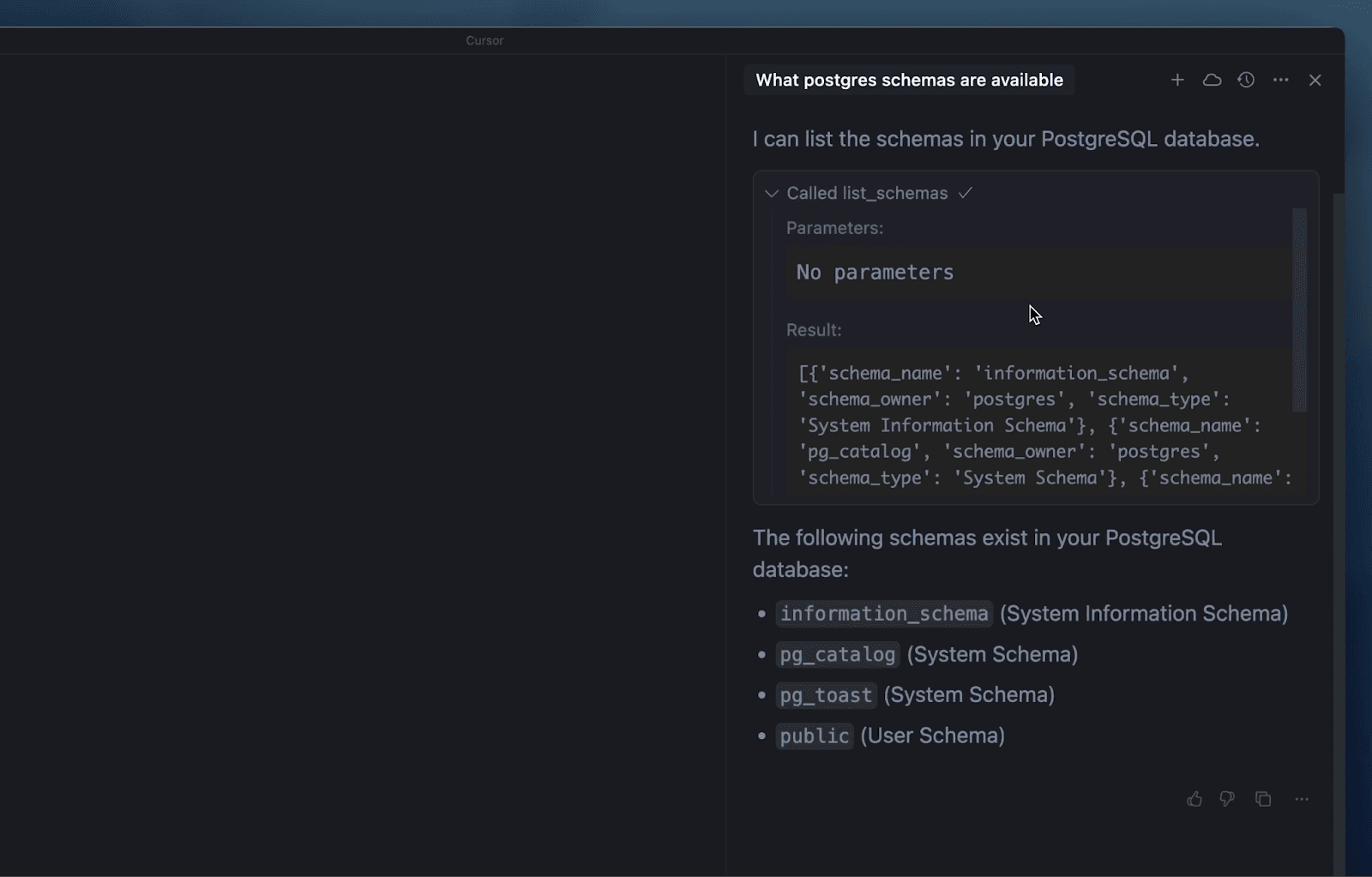
Cursor’s docs emphasize sensible security practices (verify sources, least-privilege keys, review permissions, audit critical servers), and it’s easy to disable or debug a server from the same UI temporarily.
Claude code on the other hand brings MCP to multiple surfaces:
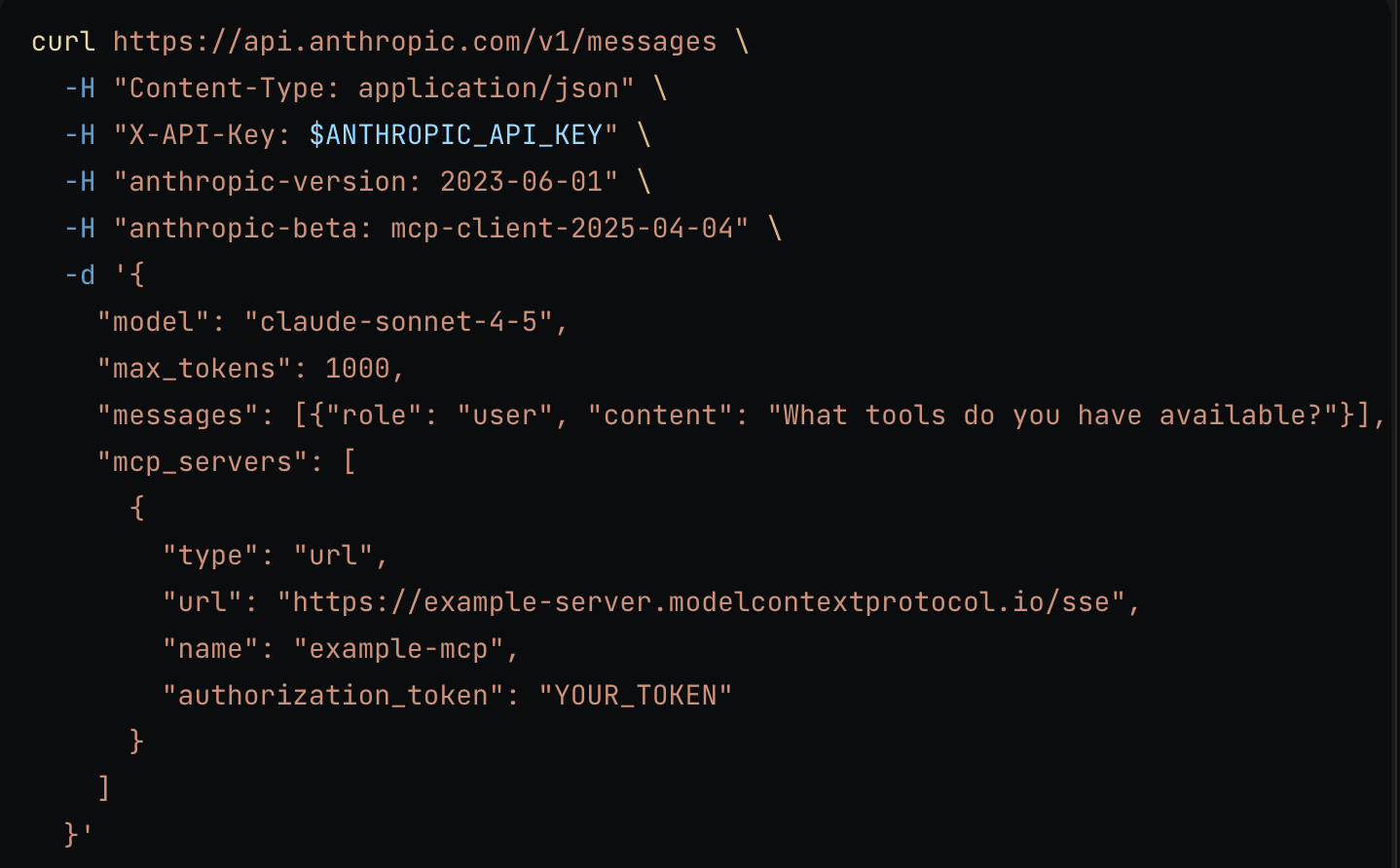
- Messages API (MCP connector) : You can add remote MCP servers directly to an API call (HTTP/SSE). This enables tool calls from MCP servers without a separate client. The connector supports OAuth and multiple servers per request, but is intentionally scoped: it only handles tool calls (not prompts/resources/roots), does not use STDIO, and is not currently supported on Bedrock/Vertex.
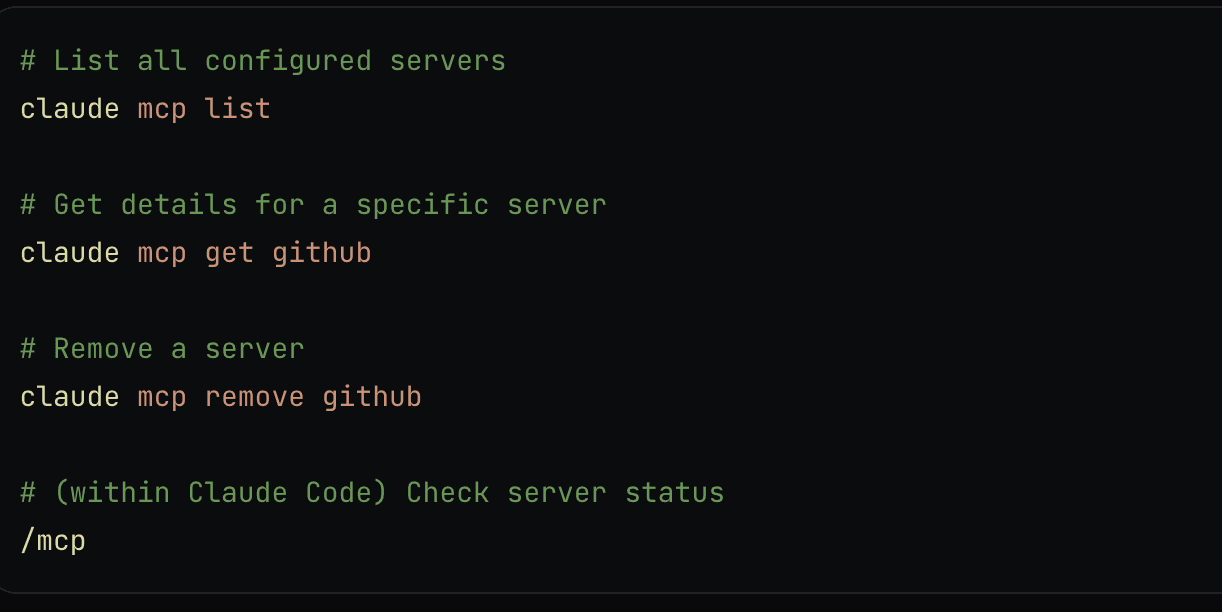
- Claude Code (CLI) : You can add STDIO, SSE, or HTTP servers from the terminal, manage them with claude mcp list/get/remove commands, set scopes (local/project/user), pass headers/env, run OAuth with /mcp, set output token limits, import servers from Claude Desktop, and even serve Claude Code itself as an MCP server (claude mcp serve) so other MCP clients can use its tools.
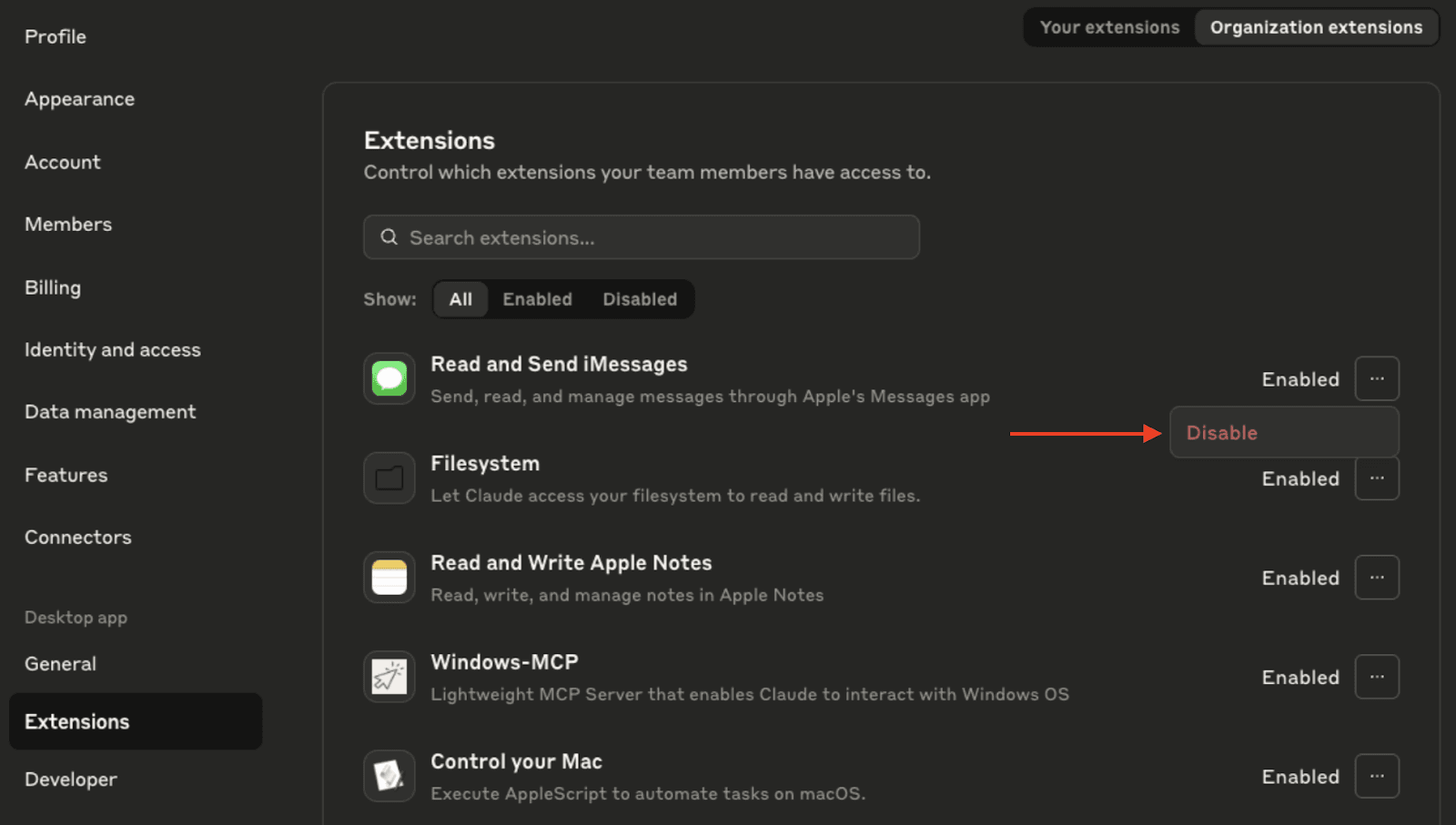
- Claude Desktop : install and manage local MCP servers as Desktop Extensions (one-click style), with org controls for Team/Enterprise to enable/disable extensions for the whole org.
- Claude.ai (web) : enable org/team connectors so browser chats can use MCP tools; admins define which connectors are available.
Language & Framework Support
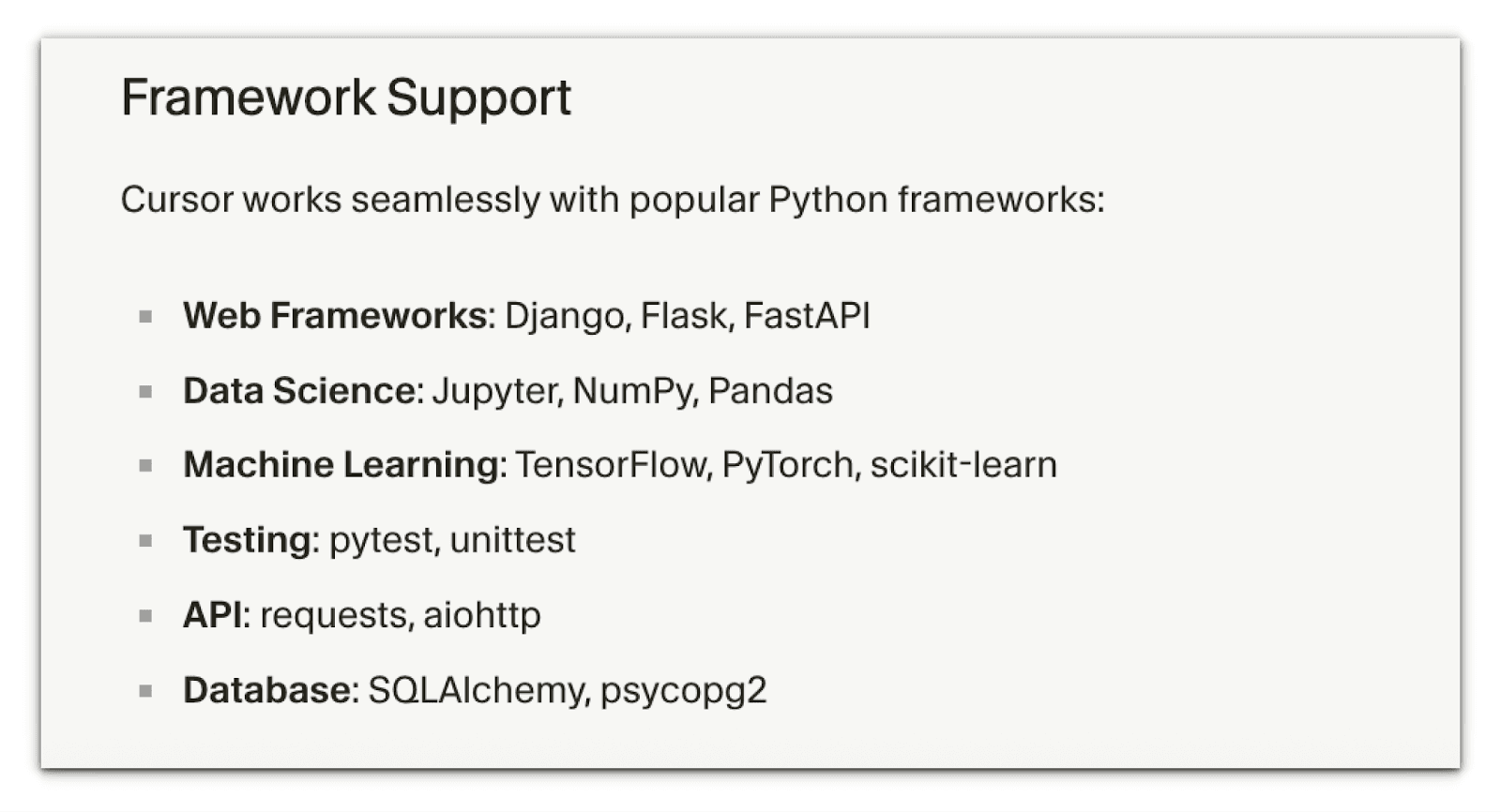
Cursor supports virtually any language that VS Code does. The core cursor editor handles syntax highlighting and basic IntelliSense for languages like JavaScript, TypeScript, Python, Java, C/C++, Go, and more. In addition, Cursor’s AI features work across languages: you can get code suggestions or chat help in any supported language.
Cursor uses LLMs such as OpenAI, Anthropic, Gemini, etc., which also have broad multilingual programming knowledge. Frameworks are similarly supported; e.g., React components or Django models can be generated by describing them.
As a general LLM-based agent, Claude Code is largely language-agnostic. It treats code as text, so it can handle any programming language (from web languages to system code) as long as the underlying Claude model knows it. Most users have reported using Claude Code with Python, JavaScript, C#, and even infrastructure code (such as Docker and Terraform) without issue.
There is no language-specific IDE integration; you can run it in any IDE terminal so that it can work on polyglot repositories as well.
Team Collaboration & Integrations
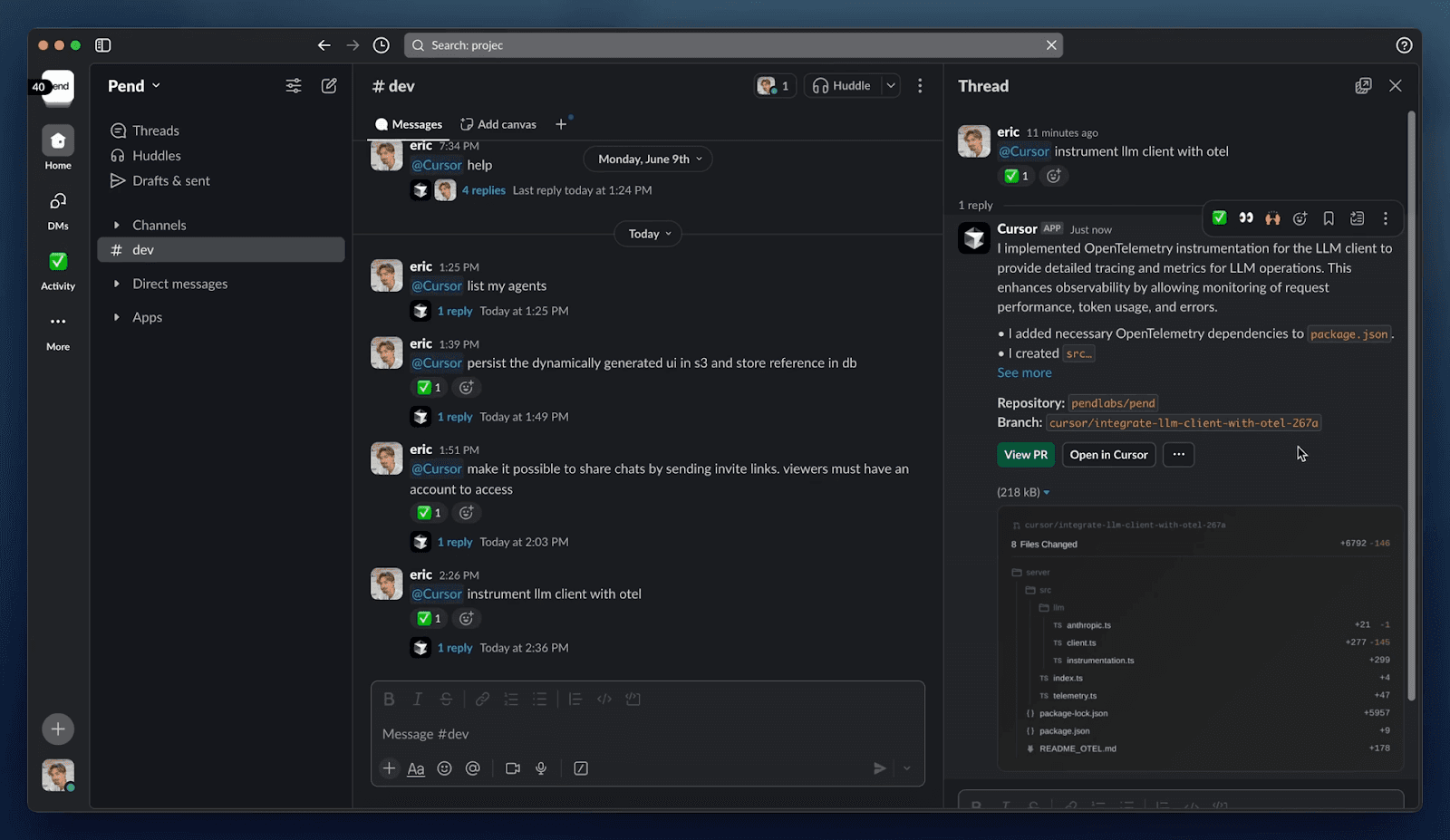
Built for modern teams, Cursor integrates where developers work. It features Slack slash commands and a chatbot, allowing you to trigger the assistant directly from Slack and receive code completions or explanations within your channels.
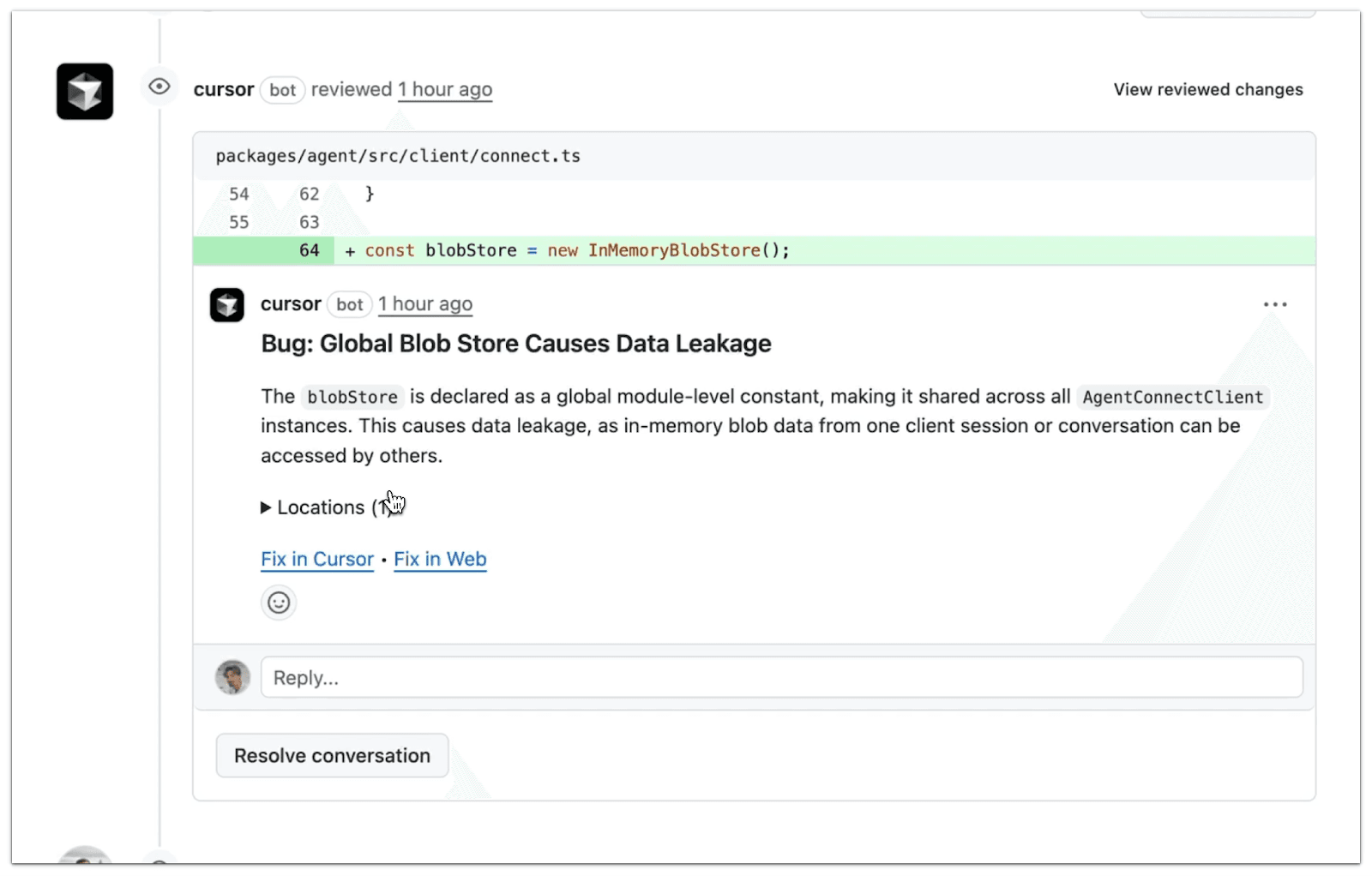
It also hooks into GitHub with an integrated review assistant (BugBot) that can comment on PRs or auto-fix minor issues. Within the IDE, Cursor allows you to view Git diff previews and apply AI-suggested changes directly to your repository.
The Team and Enterprise plans support organization management (central billing, SSO/SAML, role-based access), plus privacy controls (for example, an “Org-wide privacy mode” to avoid sending code to the cloud). Cursor is SOC 2 certified for enterprise customers. Because it’s a VS Code-based app, it also works with standard editor features like Live Share and extensions.
As a terminal tool, Claude Code does not have a built-in GUI integration. However, it can be scripted into team workflows. For example, developers can invoke Claude Code in CI pipelines (to auto-generate test coverage or documentation).
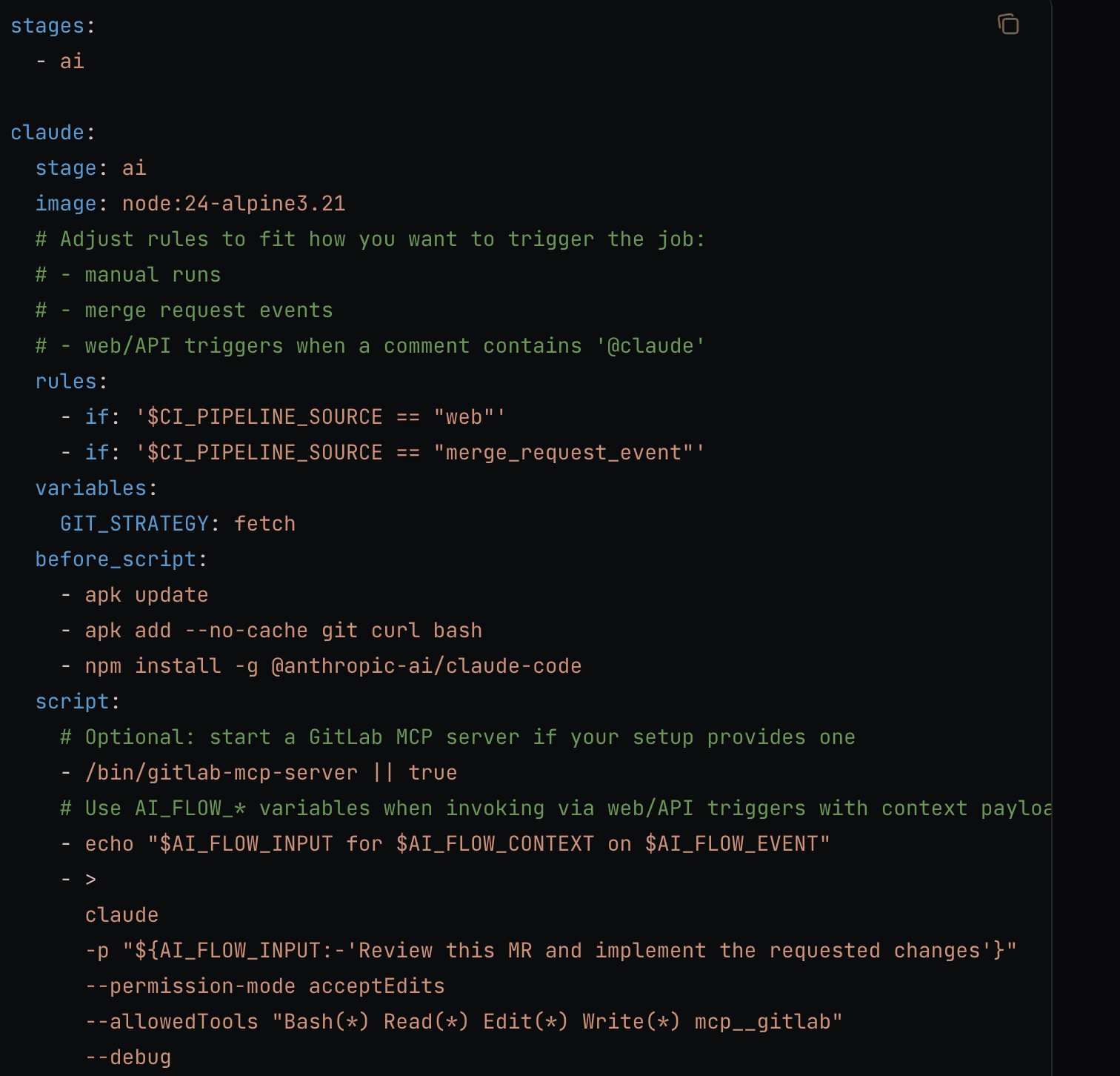
Claude Code GitHub Actions brings AI-powered automation to your GitHub workflow. With a simple @claude mention in any PR or issue, Claude can analyze your code, create pull requests, implement features, and fix bugs - all while following your project’s standards.

Recently, Claude Code now supports deep Slack integration, making it easier than ever to bring AI assistance directly into your team’s daily workflow. You can add Claude to your Slack workspace or connect your Slack account to the Claude apps, allowing it to search and reference relevant messages in real time.
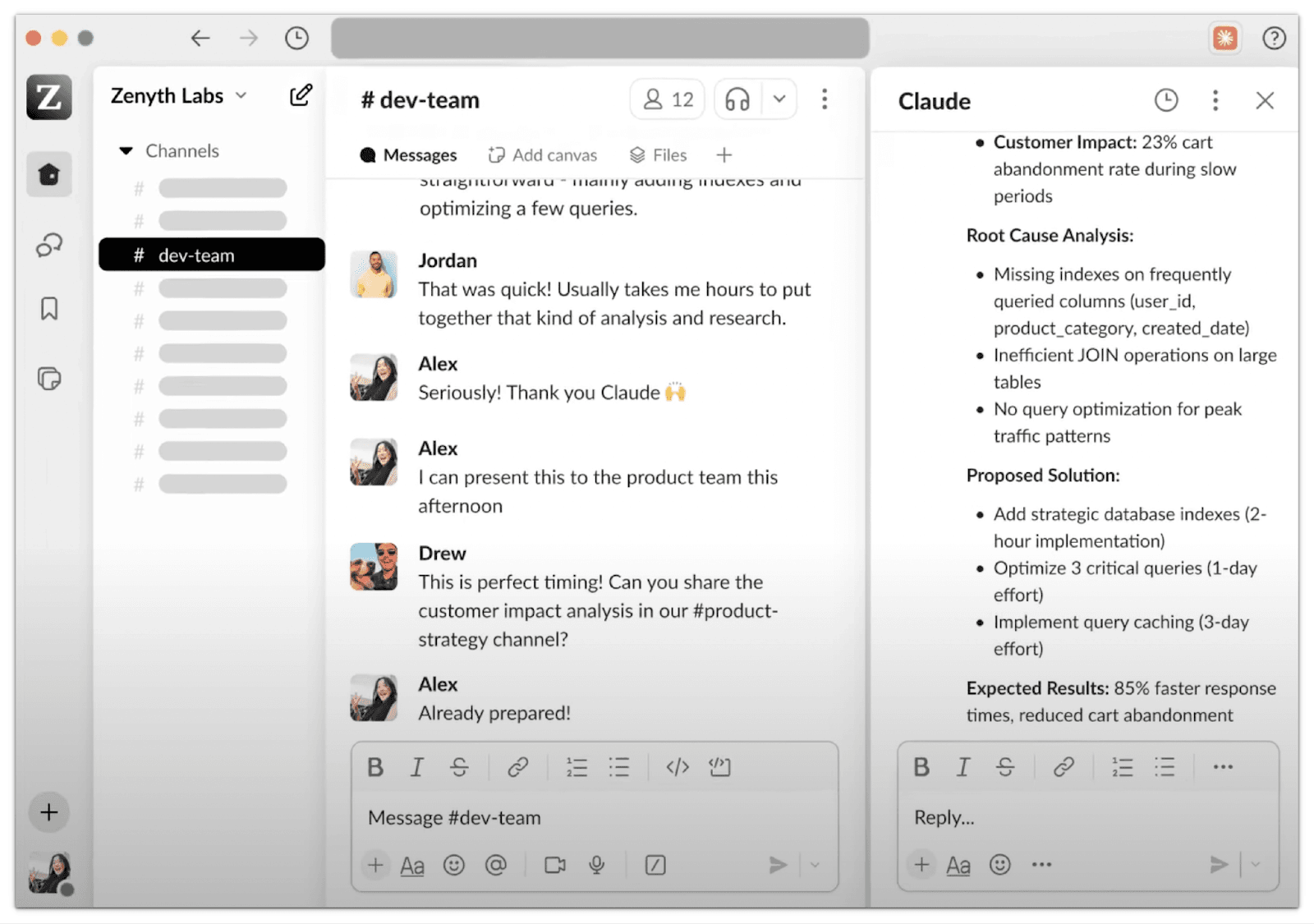
With this integration, Claude becomes a true collaborator within Slack, helping you draft thoughtful replies, summarise lengthy conversations, analyse shared files, or gather context from previous discussions before meetings. Whether you’re managing projects, preparing reports, or conducting research, Claude can instantly surface the information you need without switching between tools.
Pricing Models - Cursor vs Claude code
Cursor offers a generous free tier and simple flat subscriptions. Claude Code requires at least the Pro plan ($17/mo) for individuals or the Premium team seat ($150/mo) for corporate use. In practice, heavy users often opt for Cursor’s fixed-rate plans for predictability. In contrast, Claude Code users must watch token usage (the Anthropic API pricing is per token beyond included quotas). Both tools have enterprise/custom options for large-scale deployments.
Using Cursor & Claude Code with CodeRabbit - AI Code Reviews
Vibe check your code before it ships.
As AI coding assistants (like Cursor and Claude Code) accelerate feature delivery, teams face a new risk: “vibe-coded” features and snippets generated quickly but never stress-tested, slipping into production. CodeRabbit provides a critical safety net: free, context-aware AI code reviews directly in your IDE or CLI, ensuring speed never comes at the cost of reliability.
Why Pair CodeRabbit with Cursor and Claude?
- Review in flow : Cursor keeps you coding in the editor, Claude Code handles reasoning-heavy tasks, and CodeRabbit acts as the backstop that reviews changes without breaking your flow.
- Catch AI slop : CodeRabbit flags hallucinations, logical errors, code smells, or missing unit tests that AI assistants may overlook.
- Context-aware reviews : By analysing dependencies and project structure, CodeRabbit delivers senior engineer-level comments tailored to your codebase.
- Free inline reviews : Works directly in Cursor, VS Code, and Windsurf; every line of code can be reviewed before it even reaches a pull request.
IDE + AI Agent Workflow
With Cursor, as you generate or refactor code using Cursor’s inline agent, CodeRabbit reviews changes live in the IDE, providing inline suggestions and one-click fixes.
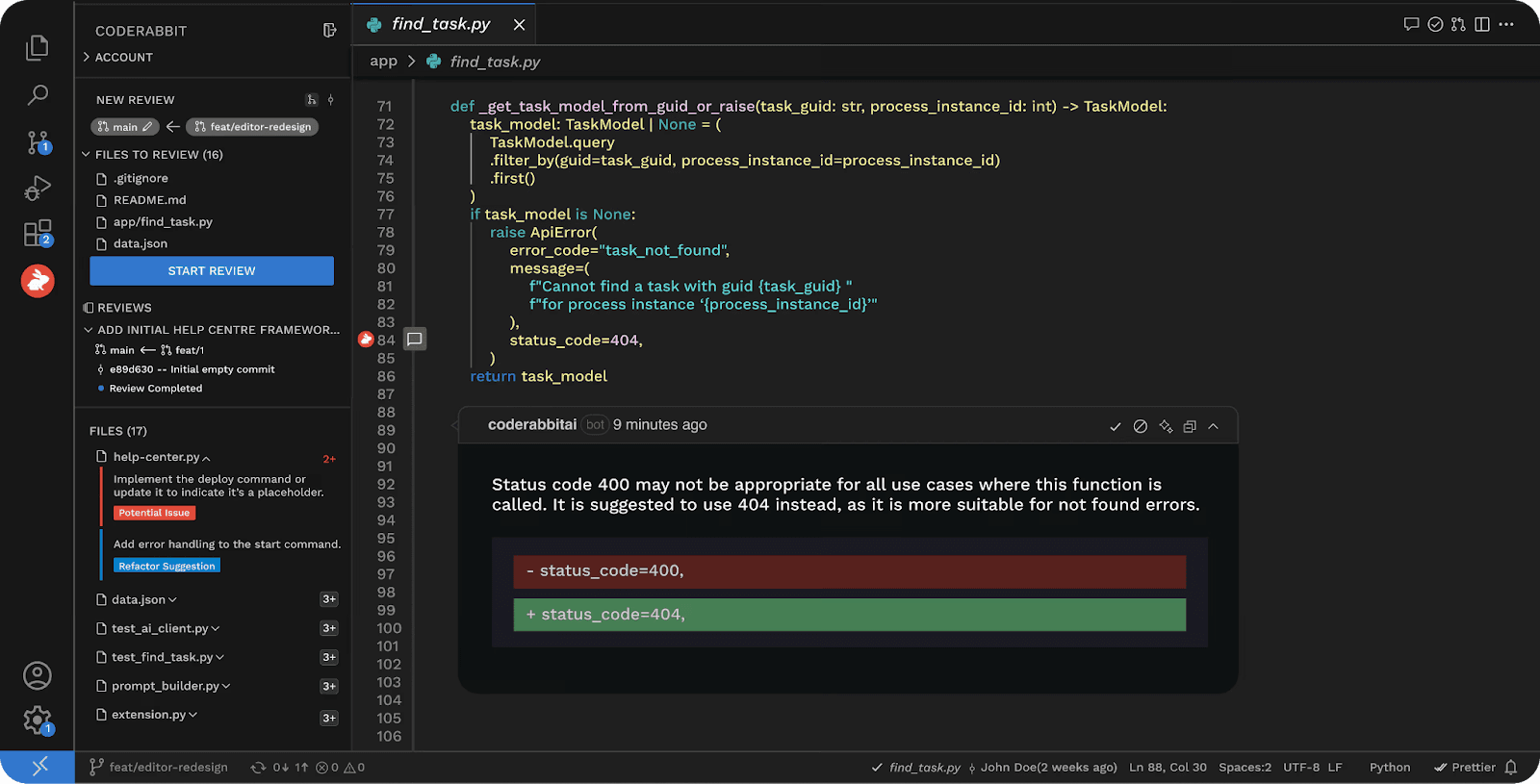
Claude’s agent can plan multi-file changes or generate refactors, then CodeRabbit reviews these changes in the IDE/CLI for accuracy and maintainability. This pairing closes the loop between generation, review, and validation.
Using the CodeRabbit CLI, developers can run
coderabbit review --plainto turn Claude Code or Cursor CLI into a complete generate–review–iterate cycle.
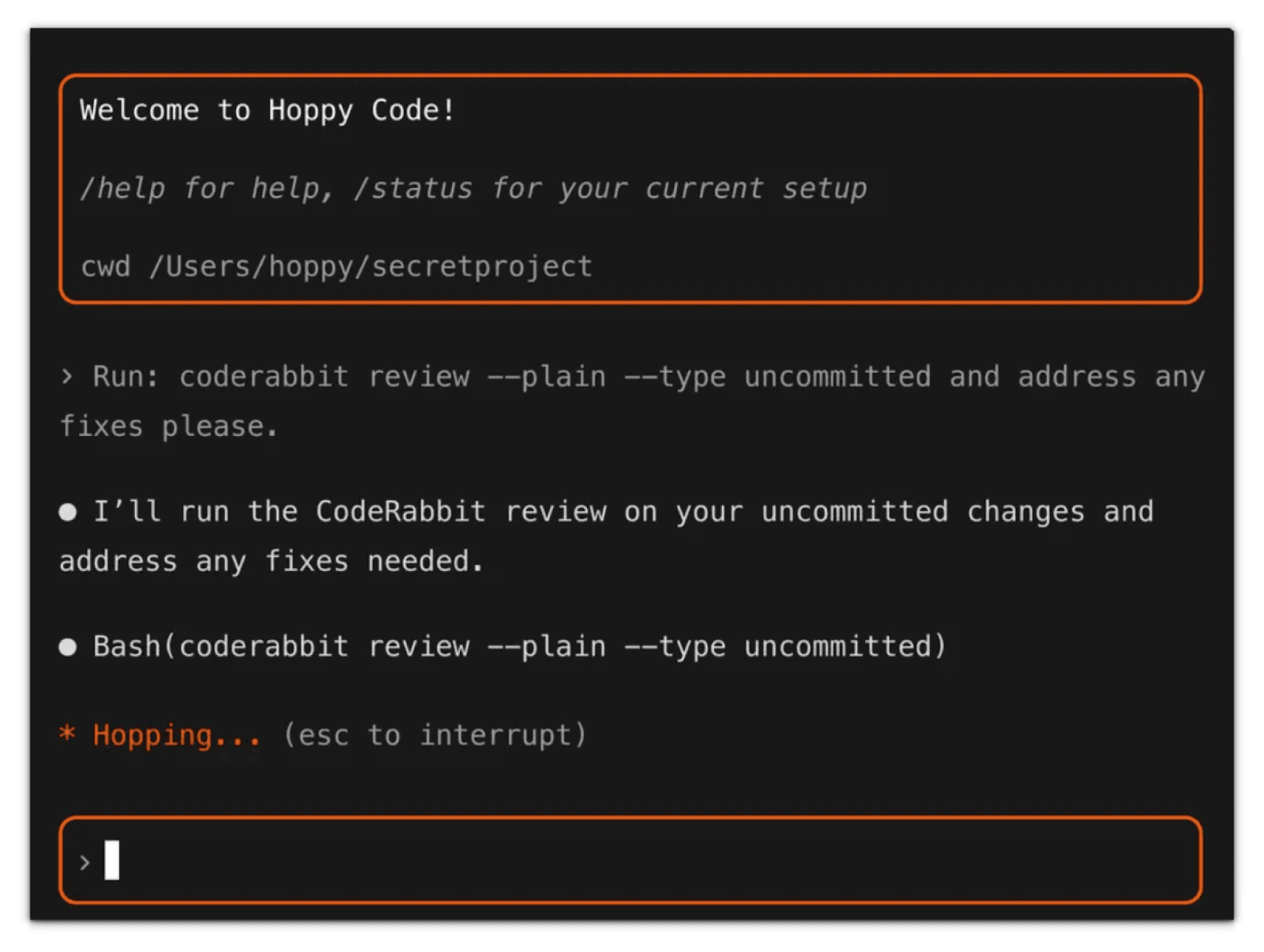
Getting started with CodeRabbit CLI
CodeRabbit CLI is available now. Install and try your first review:
#install CodeRabbit
curl -fsSL https://cli.coderabbit.ai/install.sh | sh
#Run a review in interactive mode
coderabbit
In the past few months, AI-assisted coding has moved from novelty to necessity, but speed without safety can be costly. Cursor gives developers speed and flow, Claude adds depth and reasoning, and CodeRabbit provides the quality gate that keeps "vibe-coded" bugs out of production.
Together, they create a balanced AI development workflow: Cursor for creation, Claude for cognition, and CodeRabbit for correction. Whether you're building solo or scaling a dev team, pairing these tools ensures you move fast and ship with confidence.
Conclusion: Cursor or Claude Code?
Both Cursor and Claude Code are good with AI development but they excel in different scenarios:
Choose Cursor if:
- You want a complete IDE replacement with AI deeply integrated
- You prefer unlimited autocomplete and inline editing
- You need a predictable flat-rate pricing model ($20-$200/mo)
- You're looking for the fastest coding experience with Tab completions
- Your workflow centers on rapid iteration within the editor
Choose Claude Code if:
- You prefer using your existing editor (VS Code, Vim, etc.)
- You need advanced reasoning for complex architectural decisions
- Terminal/CLI workflow is important to you
- You want Slack integration for team collaboration
- You're already invested in the Claude ecosystem
Use both if:
- You're a power user who values both speed (Cursor) and depth (Claude)
- Budget allows for multiple tools
- Your team needs different tools for different use cases
Brands Our Founder Previously Worked With: