CodeRabbit vs Others: Which is the Right AI Code Review Tool
Choose the right AI code review tool
 Ankur TyagiCode Review
What is Code Review
The term “code review” can refer to various activities, from simply reading code over your teammate’s shoulder to a 10-person meeting where you dissect code line by line. I use the term to refer to a formal and written process, but not so heavyweight as a series of in-person code inspection meetings.
In this article, I’ll compare AI code review tools such as CodeRabbit, Bito AI Code Review Agent, CodeAnt AI, and Korbit AI.
The article will compare the AI code review tools based on factors such as:
- Integration with development tools
- Code quality analysis
- Actionable code suggestions
- Chat functionality
- Security and privacy
- Pricing model
Before we explore the AI code review tools, let's see an overview of each AI tool.
On Overview
As developers, we all know how important it is to have multiple sets of eyes review our code to identify potential issues and bugs and address them early. However, the traditional code review process can be time-consuming, inefficient, and prone to human bias.
With 15 years in tech and participating in many code reviews, I observed several pain points I shared in Why is Doing Code Reviews Hard?
This is where AI-powered code review tools come in. The AI code review tools do not rely on human reviewers but use artificial intelligence to analyze your code and provide detailed feedback.
Let’s see the AI code review tools mentioned earlier one by one.
What is CodeRabbit?
CodeRabbit is an AI-powered code review tool that delivers context-aware feedback on pull requests within minutes. It reduces the time and effort needed for manual code reviews by providing a fresh perspective and catching issues that are often missed, enhancing the overall review quality.
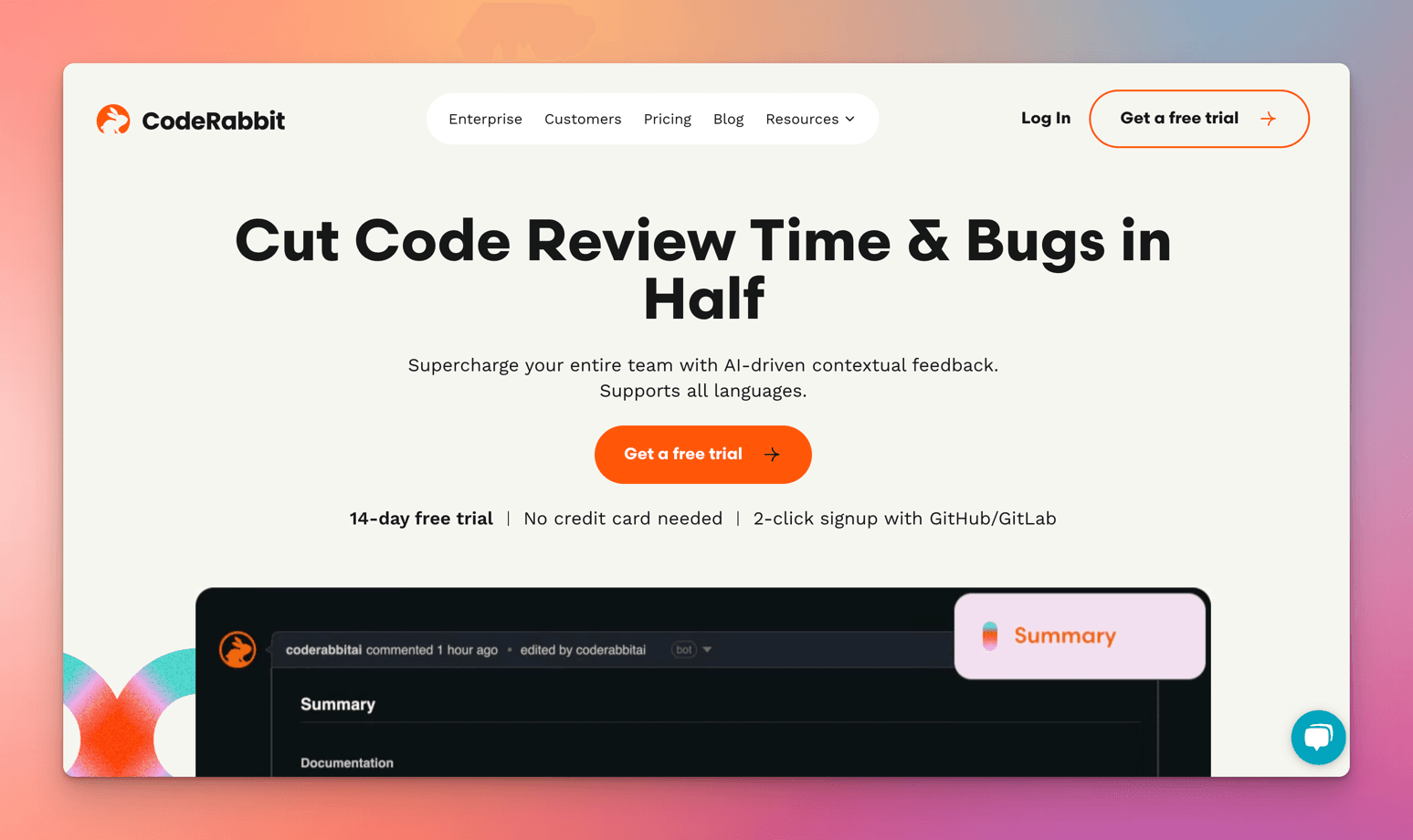
Key features of CodeRabbit:
- Pull Request Summary
- Code Review feedback
- Chat with CodeRabbit
- Issue Validation
- Sequence Diagrams
- Commitable Suggestions
- Learnings
CodeRabbit supports multiple programming languages, including JavaScript, Typescript, C#, Golang, Java, Kotlin, Rust, Python, and C.
What is Bito AI Code Review Agent?
Bito AI Code Review Agent is an automated AI assistant that reviews code to spot bugs, issues, code smells, and security vulnerabilities in Pull or Merge Requests. It is the first agent built with Bito’s AI Agent framework and engine.
Key features of Bito AI Code Review Agent:
- Pull Request (PR) Summary
- Static Code Analysis
- Open Source Security Vulnerabilities
- Real-time code reviews in VS Code and JetBrains
Programming languages supported by the Bito AI Code Review Agent are JavaScript, TypeScript, Python, PHP, C, C++, C#, Go, Java, Ruby, Scala, Swift, and Objective-C.
What is CodeAnt AI?
CodeAnt AI is an AI code reviewer that helps you find and fix critical code quality issues and security vulnerabilities in 30+ languages. The code reviewer uses AI + AST engines to detect and auto-fix code issues, including anti-patterns, dead & duplicate code, complex functions, security vulnerabilities, and more.
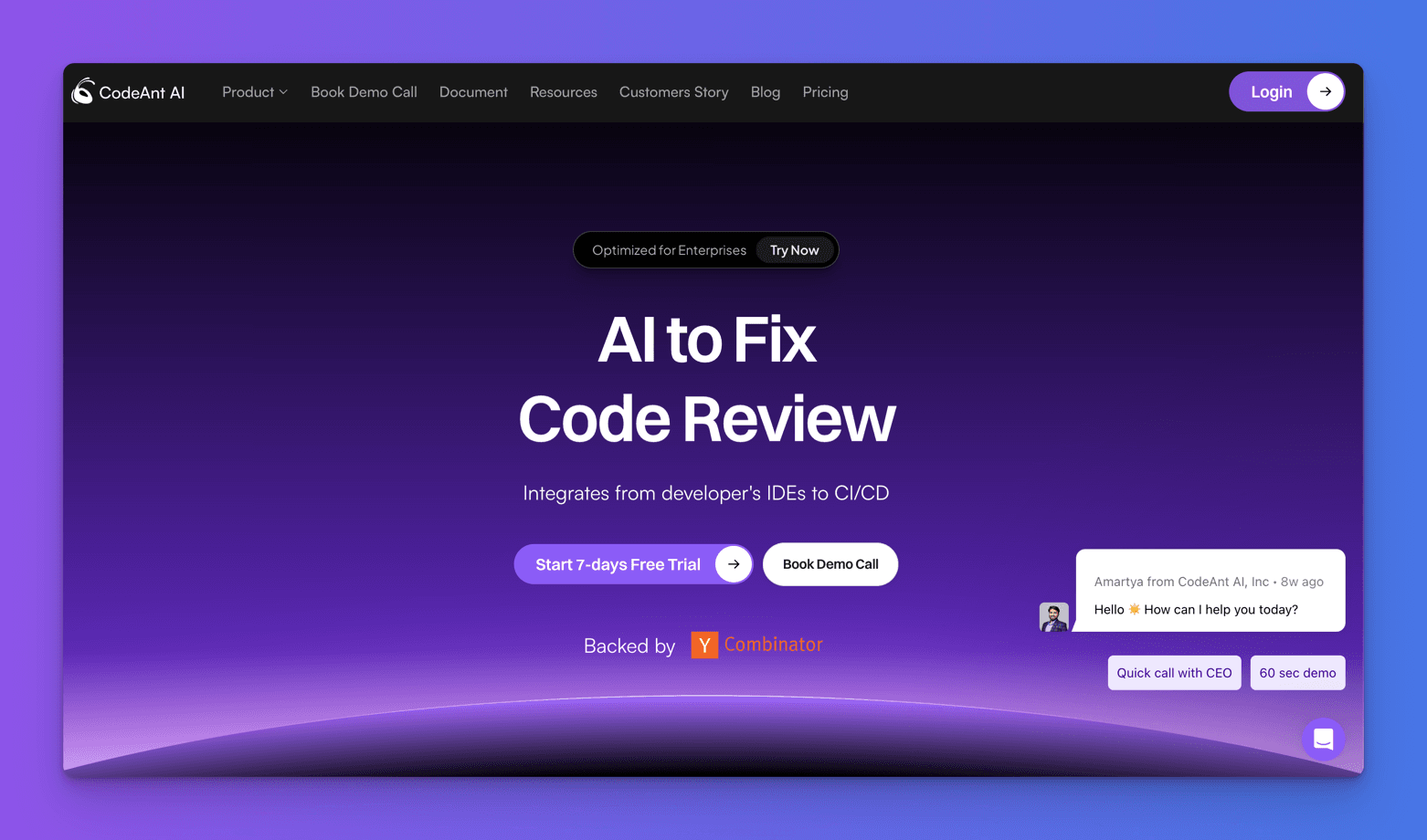
Key features of CodeAnt AI:
- Pull Request Summary
- Static Code Analysis
- Finding & Fixing Potential Bugs
- Code Complexity Analysis
- SOC2 Audit Reports
According to CodeAnt AI docs, more than 30 programming languages are supported.
What is Korbit AI?
Korbit is an AI code reviewer for GitHub and Bitbucket that detects code issues and provides interactive fixes. It generates clear PR descriptions and boosts developer productivity by freeing engineers up to focus on their work.
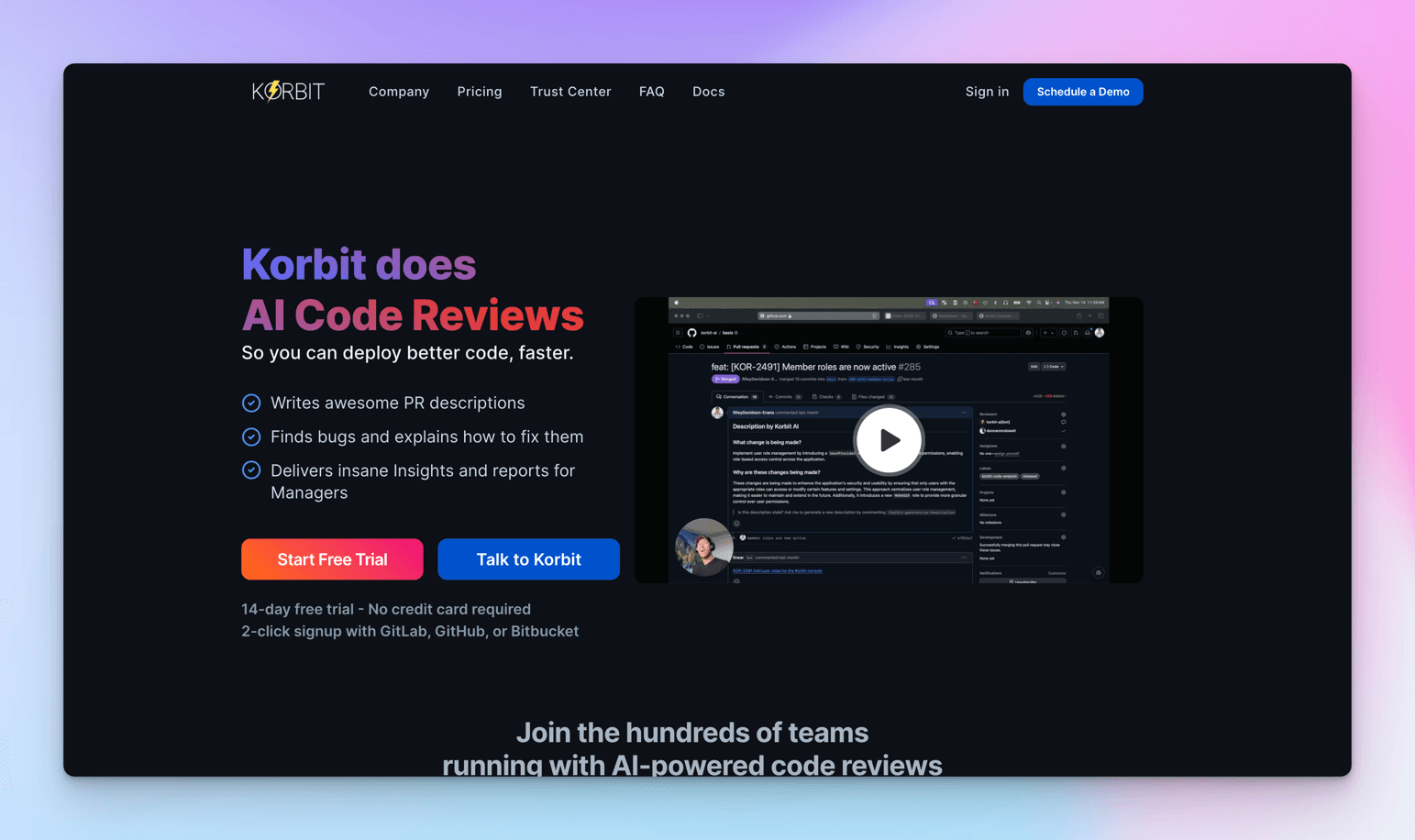
Key features of Korbit AI:
- Pull Request description
- Generating reports and docs
- Finding & Fixing Potential Bugs
- Code suggestions
Korbit AI supports the programming languages Javascript, Typescript, Python, Java, Groovy, PHP, C#, C, CPP, Go, Swift, Kotlin, Ruby, Dart, Rust, Scala, Shell, Vue, Fortran, Perl, and Pascal.
On Comparing Integration with Development Tools
In this section, I’ll compare how CodeRabbit, BitoAI, CodeAnt and Korbit AI integrate with popular development tools or platforms such as GitHub, GitLab, BitBucket and Azure DevOps.
Enough talking. Let’s create four repositories in my GitHub and compare.
Add the code below to create a JavaScript file named codereview.js in each repository.
Let's examine how different AI code review tools handle common JavaScript patterns.
Here's a sample code snippet that I'll use to compare the analysis capabilities:
// Function to calculate the sum of an array
function calculateSum(array) {
  let sum = 0
  for (let i = 0; i < array.length; i++) {
    sum += array[i]
  }
  return sum
}

// Function to fetch user data from an API
async function fetchUserData(userId) {
  const url = "https://jsonplaceholder.typicode.com/users/" + userId
  let response = await fetch(url)
  let data = await response.json()
  console.log("User Data:", data)
  return data
}

// Function to format a user's full name
function formatFullName(user) {
  return user.first_name + " " + user.last_name
}

// Test the functions
console.log("Sum:", calculateSum([1, 2, 3, 4]))
fetchUserData(1).then((user) => {
  console.log("Formatted Name:", formatFullName(user))
})
The code above has common issues with performance, best practices, and maintainability that we will try to fix by making a pull request.
Integrating CodeRabbit with Development Tools
You can seamlessly integrate CodeRabbit with GitHub, GitLab, and Azure DevOps repositories to get a review for each commit in a pull request (PR) or merge request (MR).
To integrate `CodeRabbit into your development workflow, visit coderabbit.ai and click the Get a free trial button.
Next, sign up with your Git provider. In this case, I will use GitHub as my Git provider.
Setting up CodeRabbit
- Authorize Access
- Visit CodeRabbit Dashboard
- Sign in with GitHub
- Click "Authorize"
- Add Your Repository
- Click
Add Repositoriesin top right - Select target repository
- Choose access level:
- Single repository
- All repositories
- Selected repositories
- Complete Installation
- Click
Install & Authorize - CodeRabbit starts reviewing new PRs automatically
Quick Tip: You can modify repository access anytime later.
Now, CodeRabbit is fully integrated into our repositories and ready to review code changes.
CodeRabbit has different configuration options that meet your requirements.
You can add configuration as per the below options, in order of precedence:
- Configure using CodeRabbit
YAMLfile - Configure using CodeRabbit
UIfor each repository - Configure using CodeRabbit
UIfor the organization
For example, to configure CodeRabbit using a YAML file, create a file named .coderabbit.yaml in the root of your repository. Then, add your configuration options to the file, as shown below. Finally, commit and push the file to your repository.
CodeRabbit Configuration Example
Here's a sample CodeRabbit configuration that showcases its customization capabilities:
language: "en-US"
early_access: false

reviews:
  profile: "chill"
  request_changes_workflow: false
  high_level_summary: true
  poem: true
  review_status: true
  collapse_walkthrough: false
  auto_review:
    enabled: true
    drafts: false

chat:
  auto_reply: true
In this docs page, they’ve covered the configuration using a YAML file.
You can see more curated examples of YAML config in this awesome repository.
Finally, once you have connected a repository, you can integrate CodeRabbit with Jira or Linear to plan, track, and ship awesome software.
Integrating Bito AI Code Review Agent with Development Tools
Compared to CodeRabbit, Bito AI Code Review Agent integrates with GitHub, GitLab, and BitBucket. Azure DevOps is not supported.
To integrate Bito AI into your workflow, visit bito.ai and click the Get Started for Free button.
Then, add your email to create a new account and click the Continue button. Then, follow the next steps to complete your account creation.
Once your account creation is complete, you will be redirected to your Bito AI dashboard. To get access to the Bito AI Code Review, click the Start 14-day free trial button.
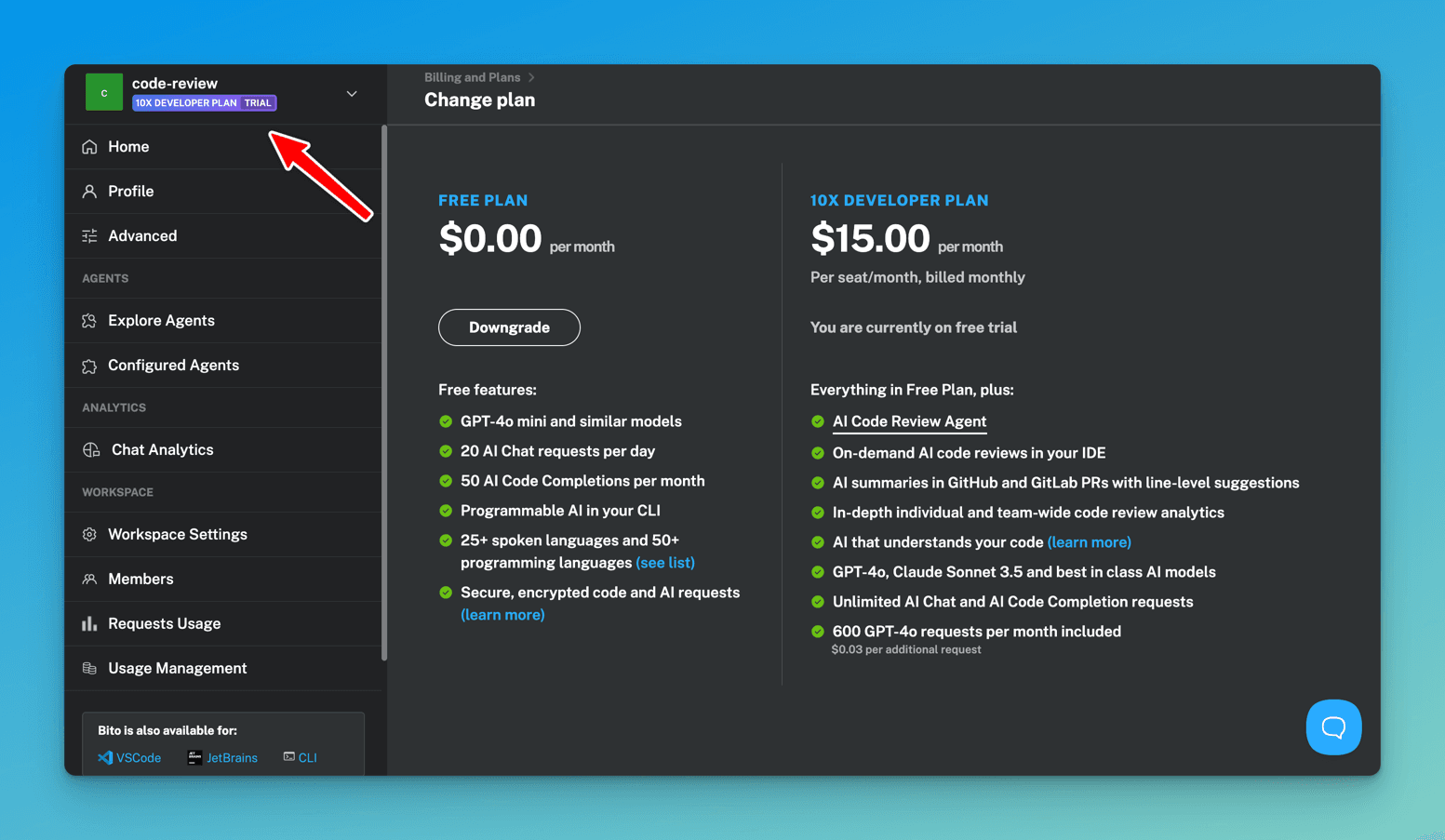
After your 10X Developer Plan has been activated, open the Explore Agents tab on the left sidebar.
Click the Create New Instance button on Code Review Agent in the Explore Agents tab.
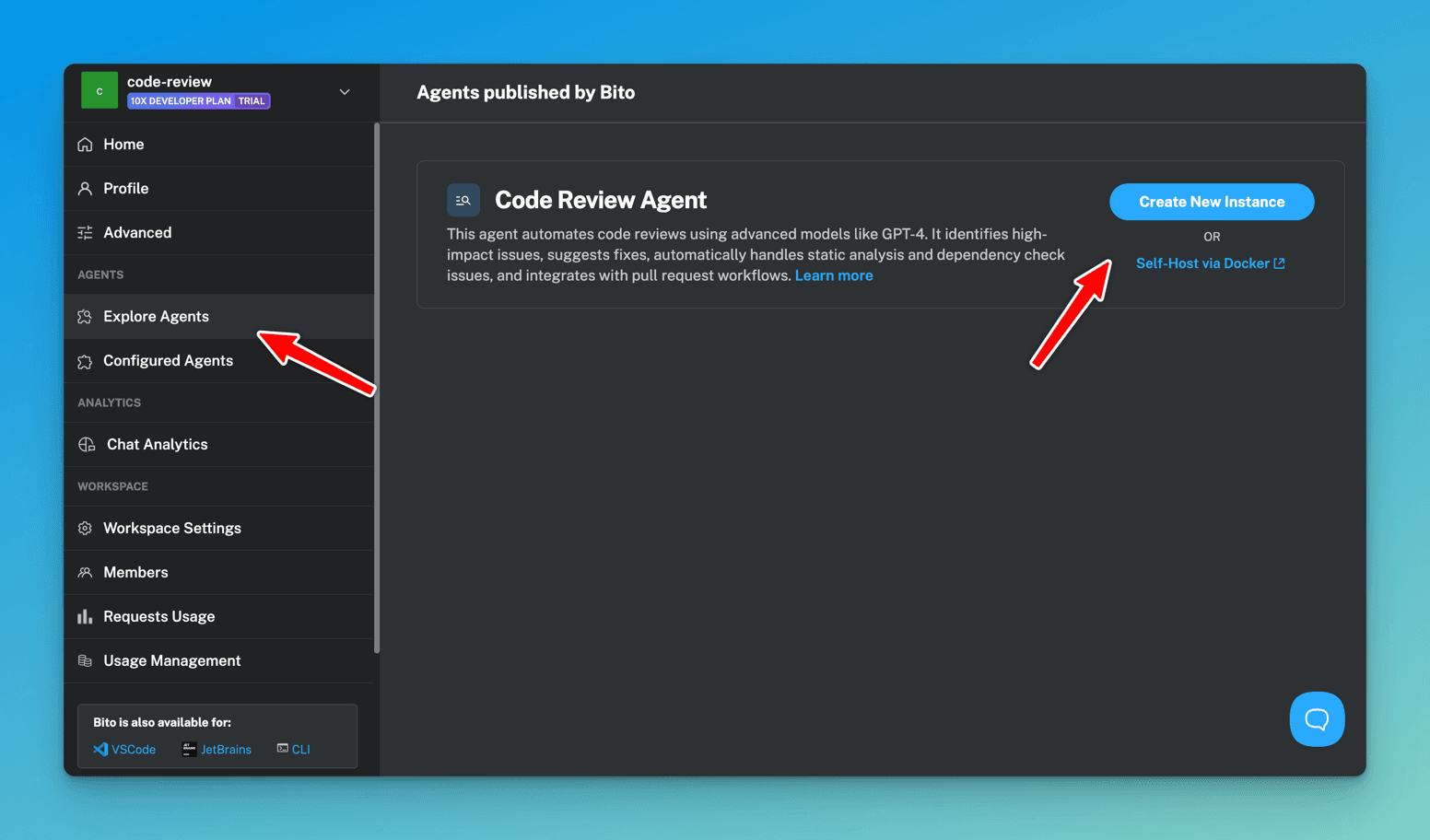
After that, configure the code review agent with your Git provider.
Today, I'll configure the agent with GitHub.
Then, scroll down to the Agent instance details section, set the name and `description of your Agent instance, and save the configuration.
Once you have successfully saved the configuration, go to the Configured Agents section and follow the Setup instructions for the code review agent instance you created.
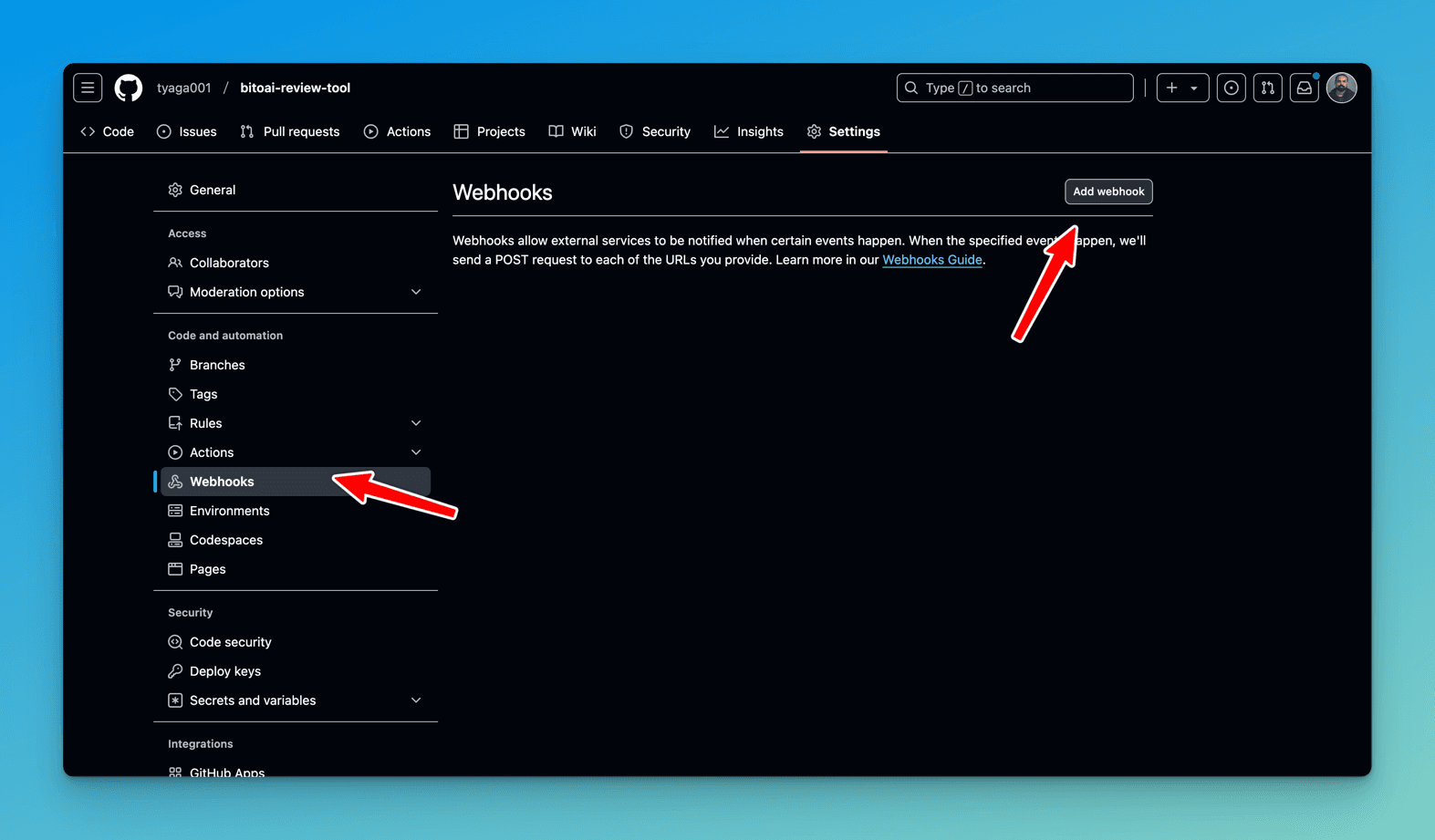
Next, Let’s connect the code review agent to a repo using `GitHub Webhooks.
- Go to
GitHubrepo settings, and clickWebhooks. - Then add a
Webhook.
Next, let's copy the
Payload URLandsecret tokenprovided in the code review agent instance setup instructions.
Add them in their respective fields and add webhook.
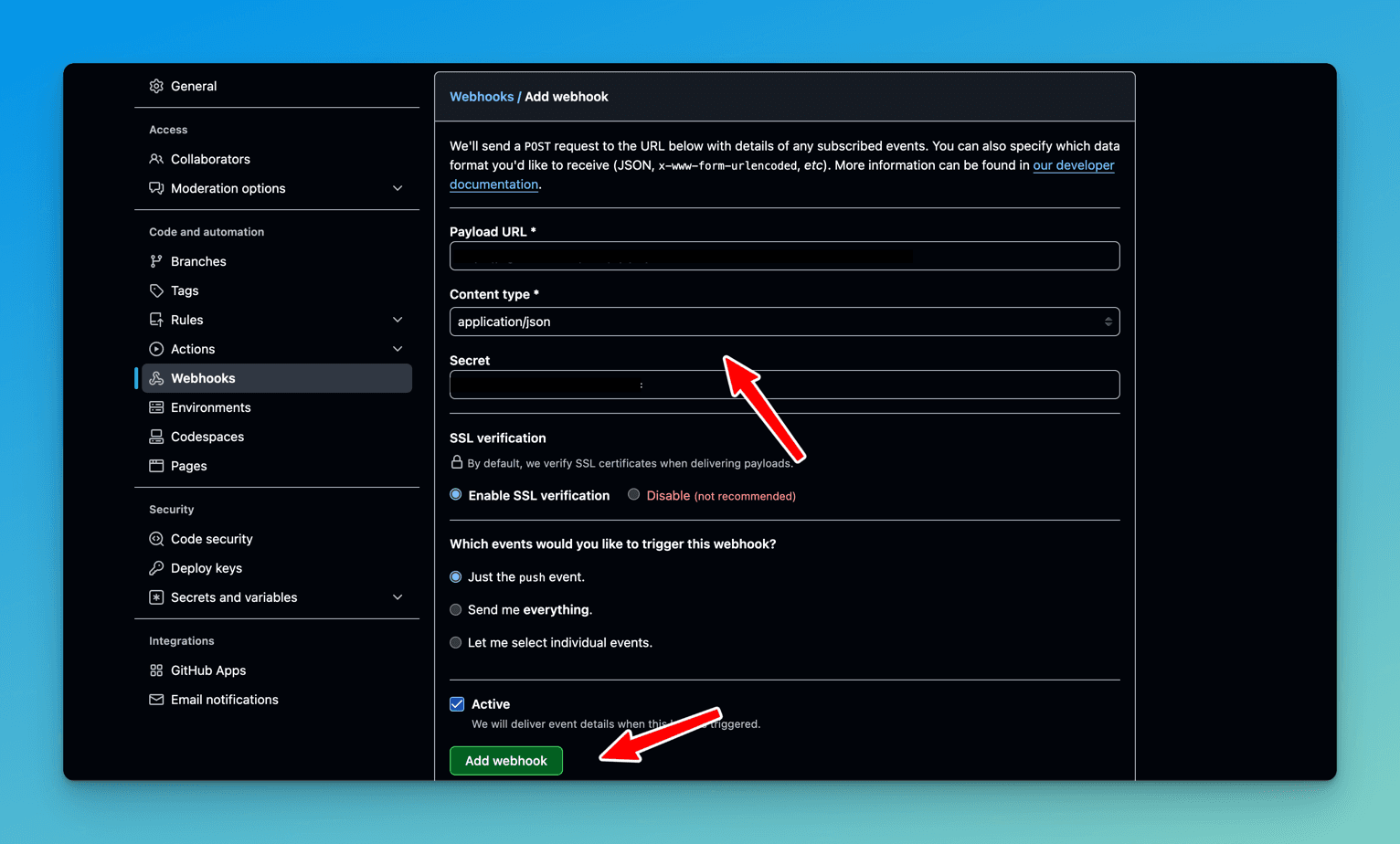
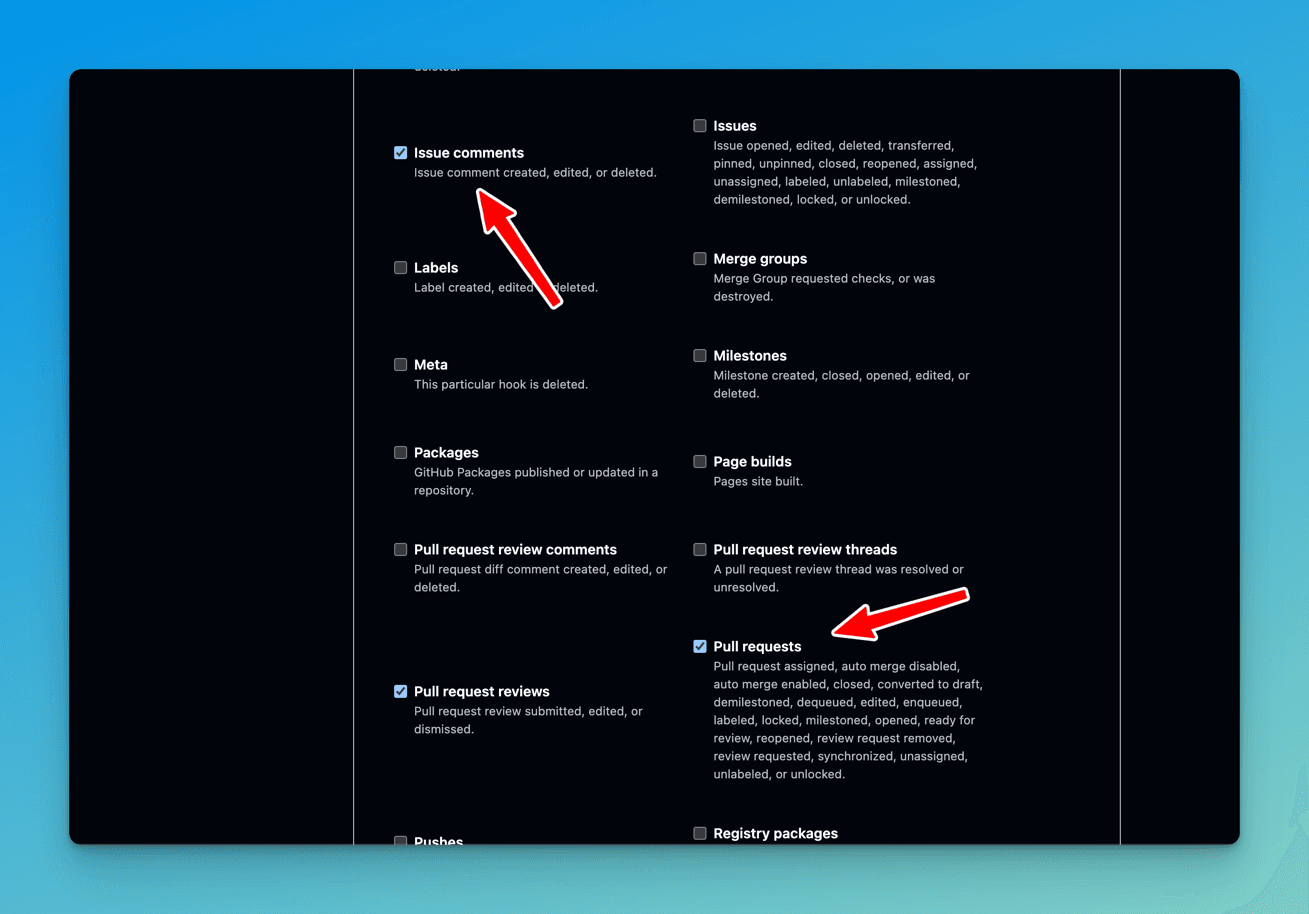
Don’t forget to select which events you want to trigger the webhook.
In this case, I selected the following options:
- Issue comments – To enable Code Review on-demand by issuing a command in the PR comment.
- Pull requests – To auto-trigger Code Review when a pull request is created.
- Pull request review comments – You can share feedback on the review quality using emoji reactions and comments.
Note - Once the webhook is set up, trigger the 'Code Review Agent' as follows:
- Issue Comments Event: Type /review in a pull request comment to prompt the agent for a review. Feedback will appear in a few minutes, depending on PR size.
- Pull Request Events: The agent automatically reviews new pull requests upon creation and posts feedback as a comment.
Integrating CodeAnt AI with Development Tools
CodeAnt AI integrates with GitHub, GitLab, BitBucket, and Azure DevOps.
To integrate CodeAnt AI into your workflow, visit codeant.ai and click the Login button.
Then, sign-up with your Git provider. In this case, I will sign up for GitHub.
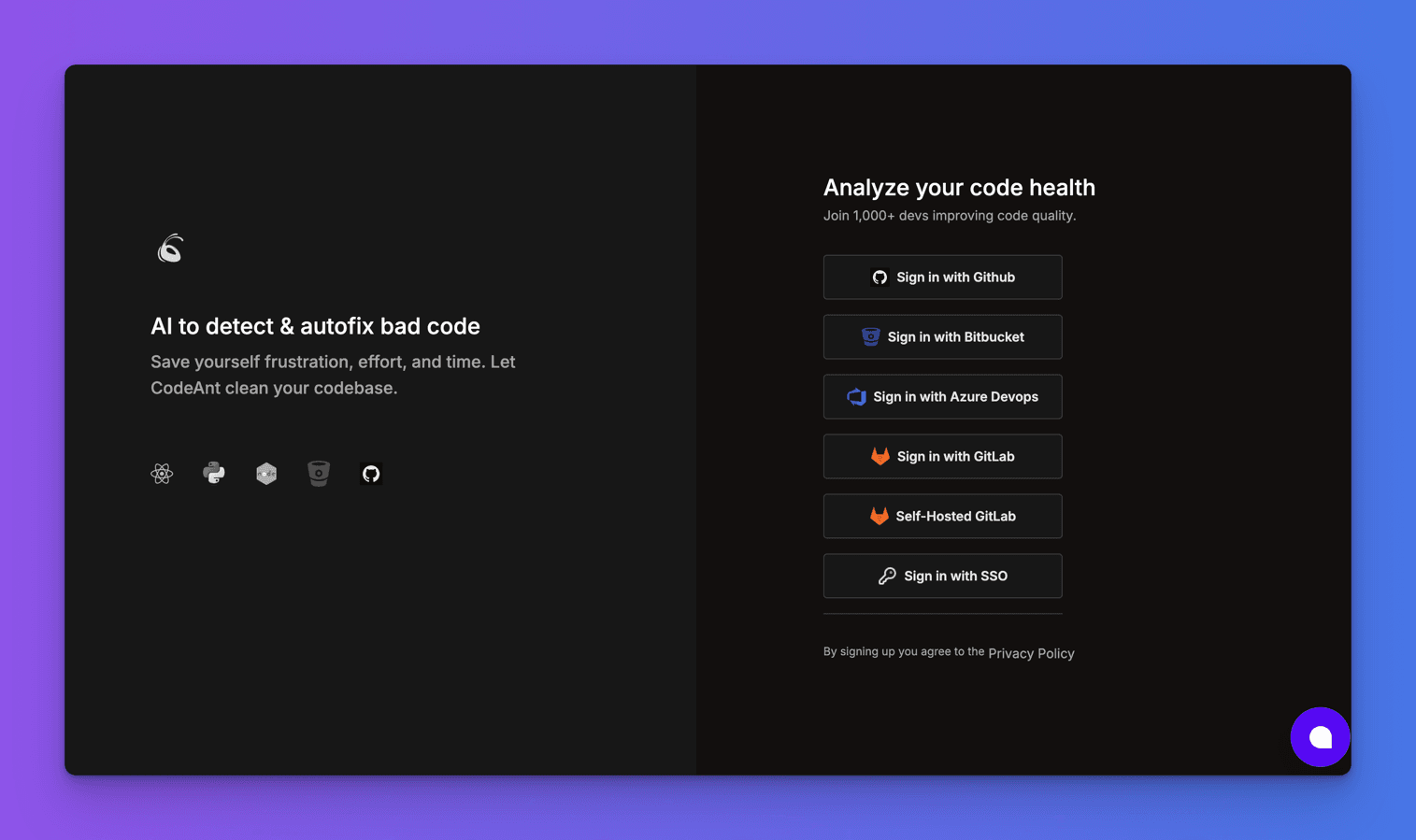
Next, authorize CodeAnt AI to access your GitHub account.
To connect your repo to CodeAnt AI, click the Add Repository on your dashboard.
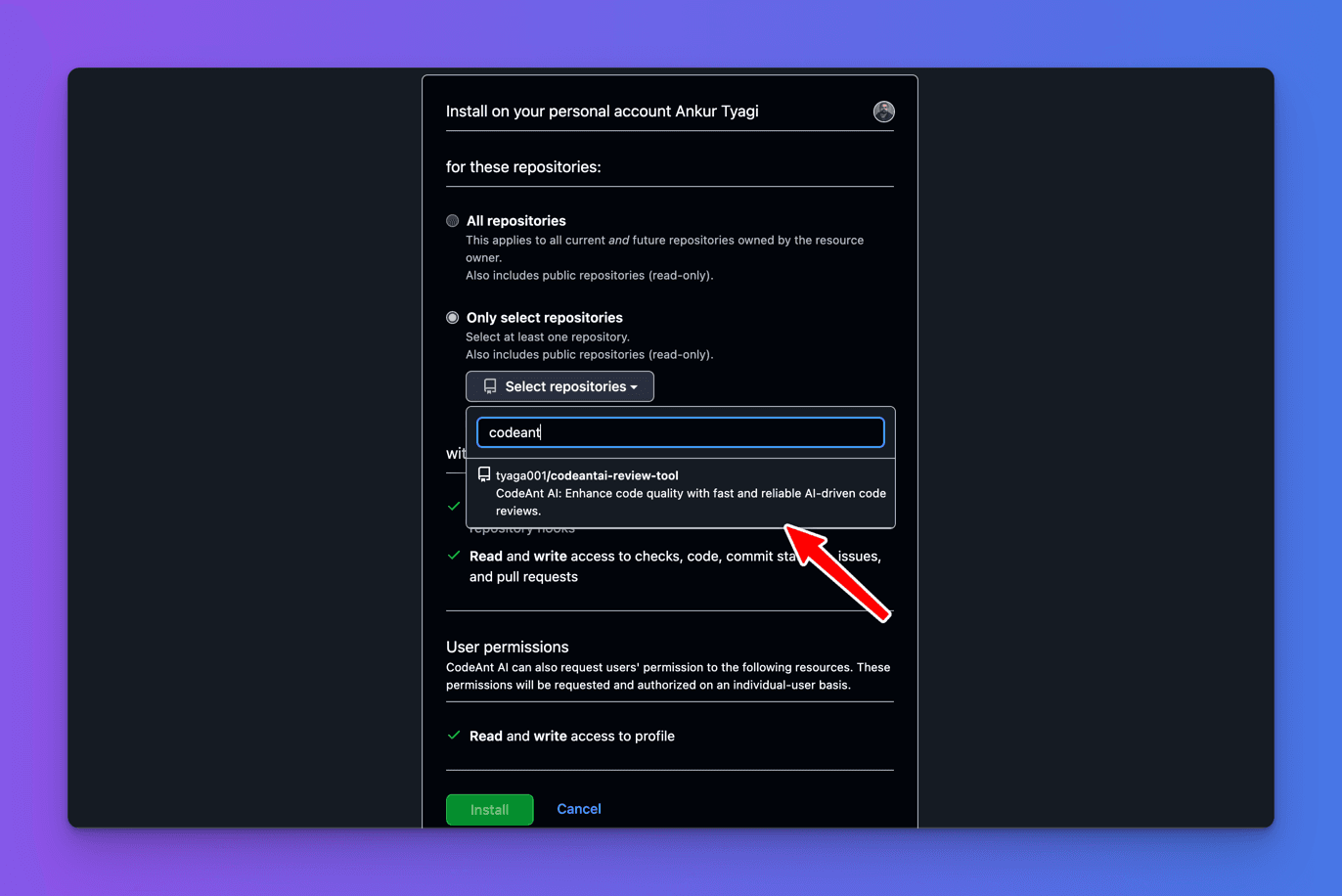
Next, select the repository you want to install `CodeAnt AI into and click the Install button.
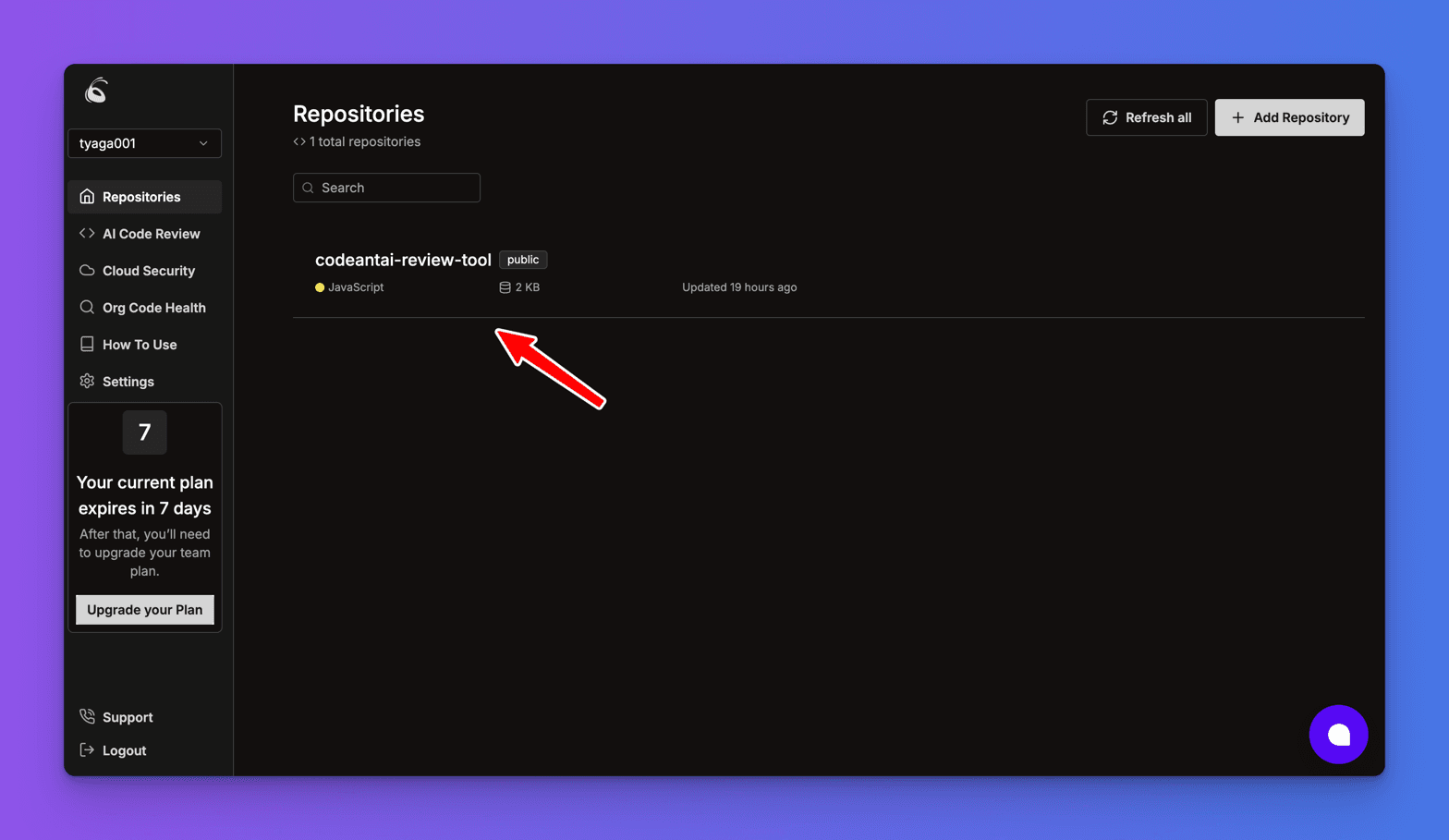
Next, Visit your CodeAnt AI dashboard to see that your repository was added.
Integrating Korbit AI with Development Tools
Korbit AI integrates with only GitHub, GitLab and BitBucket.
To integrate Korbit AI into your workflow, visit korbit.ai and click the Sign in button.
Next, sign up with your Git Provider. In this case, I'll use GitHub as my Git provider.
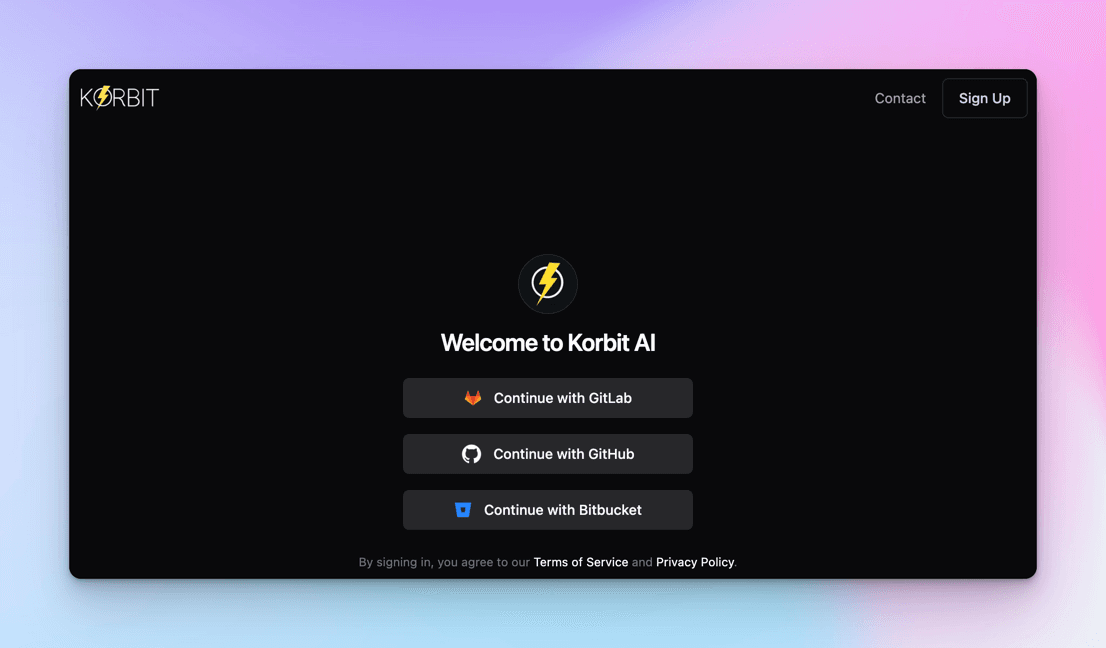
Next, authorize Korbit AI to access your GitHub account.
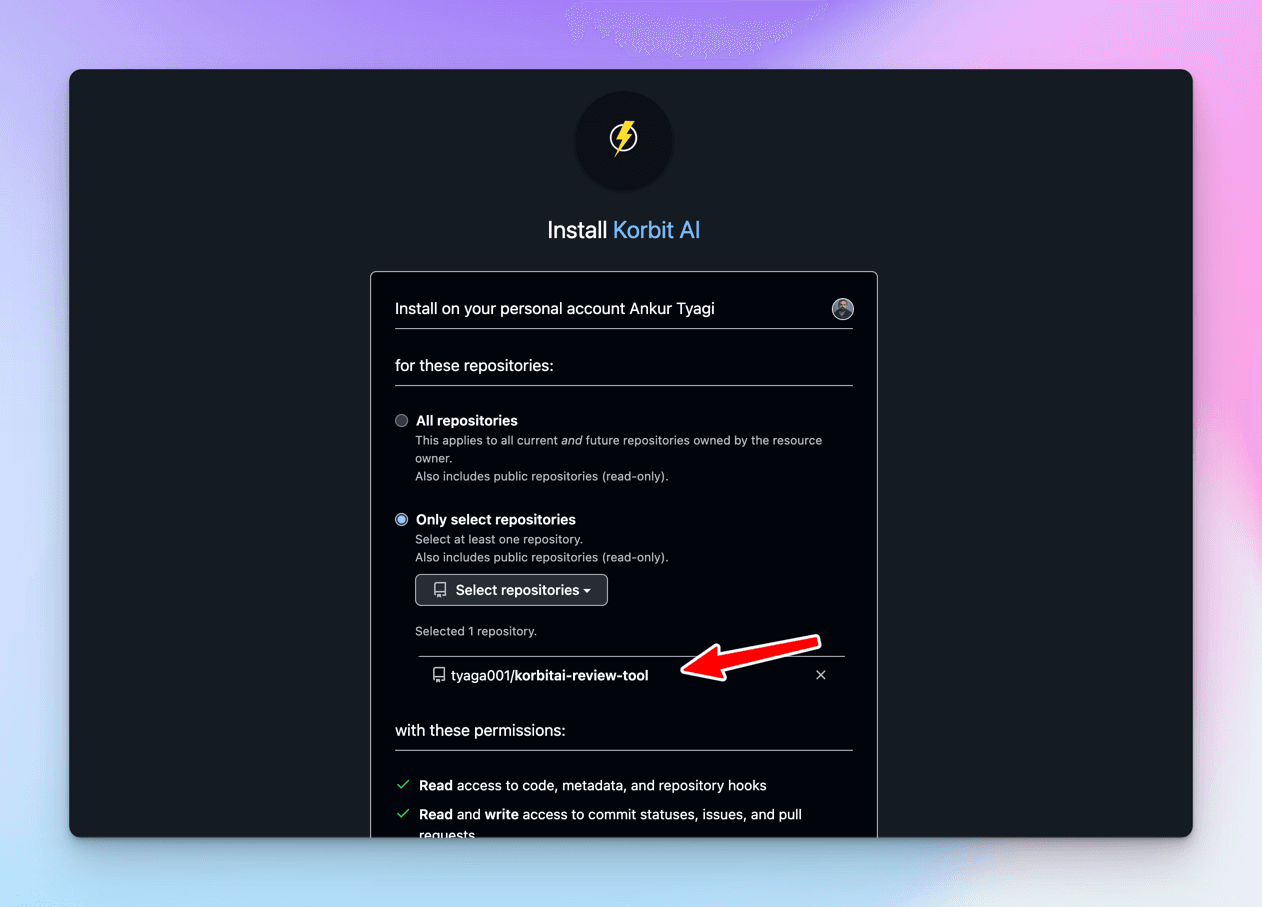
Select the repository you want to install `Korbit AI into and click the Install button.
On Comparing Code Quality Analysis
In this section, I’ll show how CodeRabbit, Bito AI Code Review Agent, CodeAnt AI, and Korbit AI evaluate code changes to identify issues or bugs and provide solutions.
To begin, create a new branch called test_code_review in each repository you created earlier.
Next, switch to the new branch and update the code in the codereview.js file using the code below and push the code changes to each repo.
// Base API URL (parameterized for better maintainability)
const API_BASE_URL = "https://jsonplaceholder.typicode.com"

// Function to calculate the sum of an array (using reduce for better readability)
function calculateSum(array) {
  if (!Array.isArray(array)) {
    throw new TypeError("Input must be an array of numbers.")
  }
  return array.reduce((sum, num) => sum + num, 0)
}

// Function to fetch user data from an API with error handling
async function fetchUserData(userId) {
  try {
    const url = `${API_BASE_URL}/users/${userId}`
    const response = await fetch(url)
    if (!response.ok) {
      throw new Error(`API call failed with status ${response.status}`)
    }
    const data = await response.json()
    console.log("User Data:", data)
    return data
  } catch (error) {
    console.error("Error fetching user data:", error.message)
    return null
  }
}

// Function to format a user's full name safely
function formatFullName(user) {
  if (
    !user ||
    typeof user.firstName !== "string" ||
    typeof user.lastName !== "string"
  ) {
    console.warn("Invalid user object. Returning 'Unknown User'.")
    return "Unknown User"
  }
  return `${user.firstName} ${user.lastName}`
}

// Function to process multiple users and calculate their total ID sum
async function processUsers(userIds) {
  const results = []
  for (const userId of userIds) {
    const user = await fetchUserData(userId)
    if (user) {
      const fullName = formatFullName(user)
      console.log("Processed User:", fullName)
      results.push({ id: user.id, fullName })
    }
  }
  const totalIdSum = calculateSum(results.map((user) => user.id))
  console.log("Total User ID Sum:", totalIdSum)
  return results
}

// Test the functions
;(async () => {
  try {
    const users = await processUsers([1, 2, 3])
    console.log("Processed Users:", users)
  } catch (error) {
    console.error("Unexpected error during processing:", error.message)
  }
})()
The code above fixes issues on performance, best practices, and maintainability in the previous code.
However, the code still has some issues. So, let us test each AI code review tool and see if they will provide the following feedback:
- Bug Detection: Identify potential bugs like
asynchronous race conditionsorinvalid type checks. - Optimization Suggestions: Recommend replacing
for loopswith more modern patterns likePromise.allfor concurrentAPIcalls. - Security Warnings: Flag
logging full user datato the console as a potential risk in production. - Performance Improvements: Highlight the inefficiency of
sequential APIcalls inprocessUsersand recommend batching them.
Code Quality Analysis in CodeRabbit
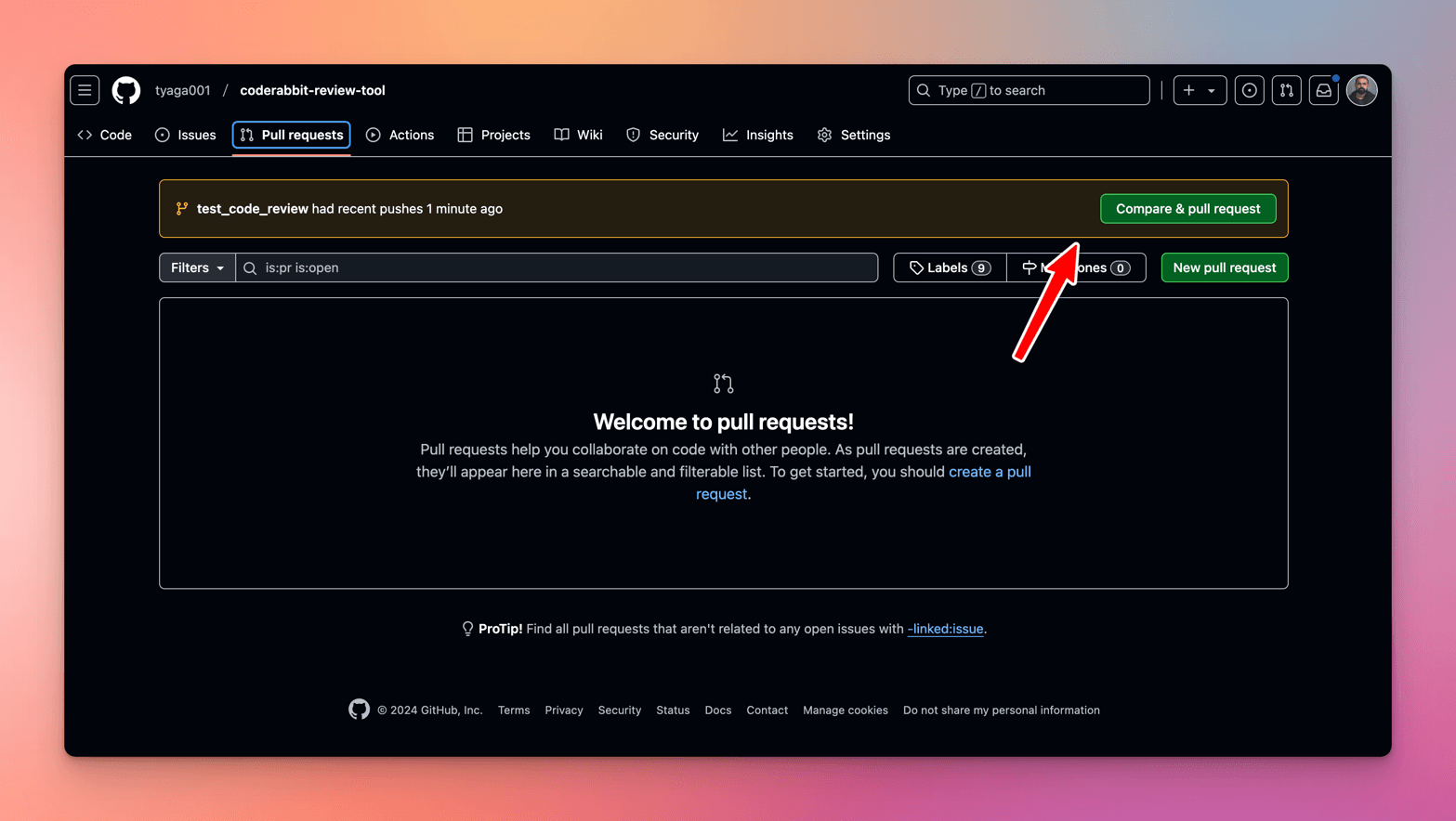
After pushing the code changes to the CodeRabbit repo, click the Compare & Pull Request button if you are using GitHub as your Git provider.
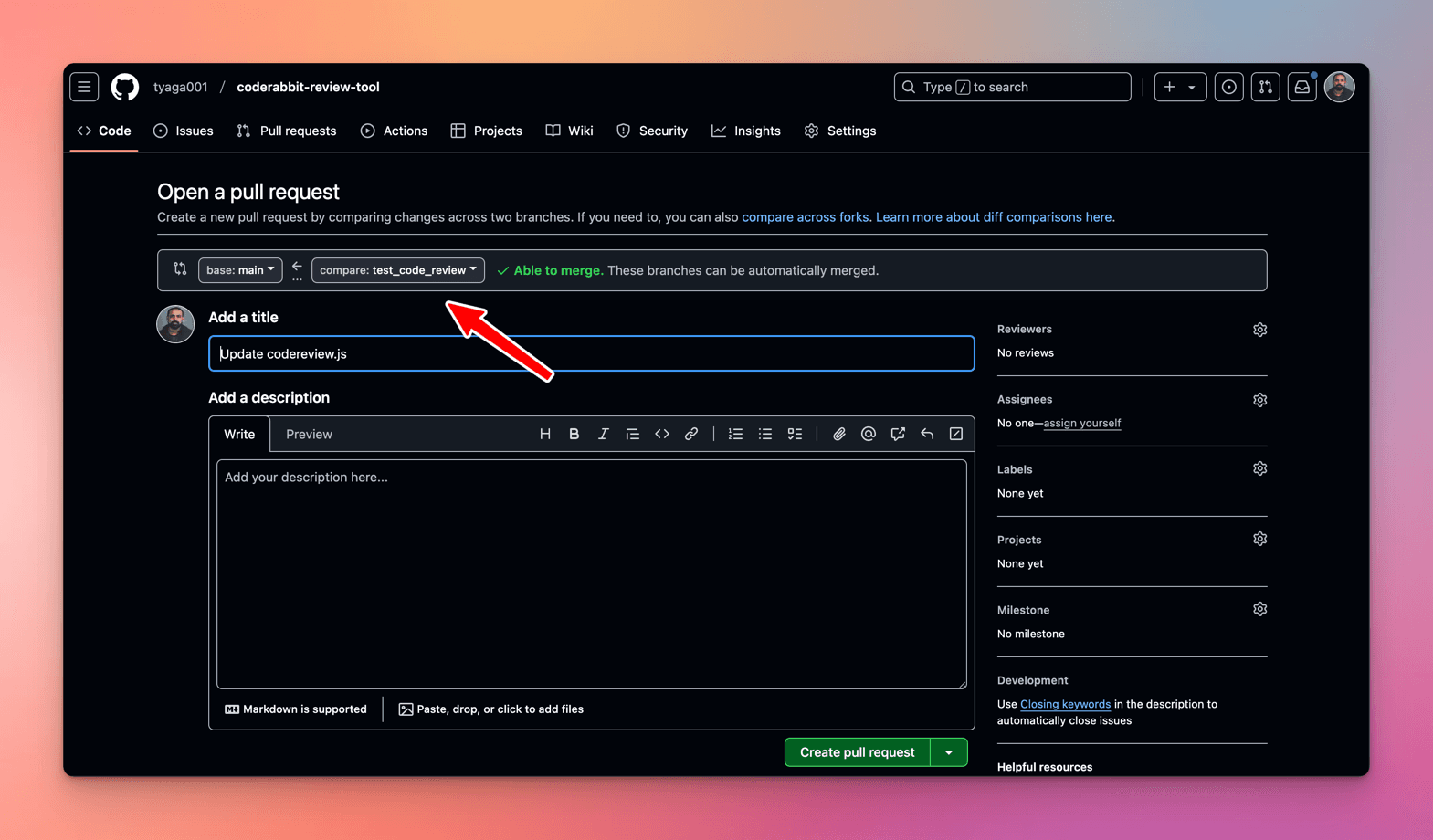
Next, let's create the pull request.
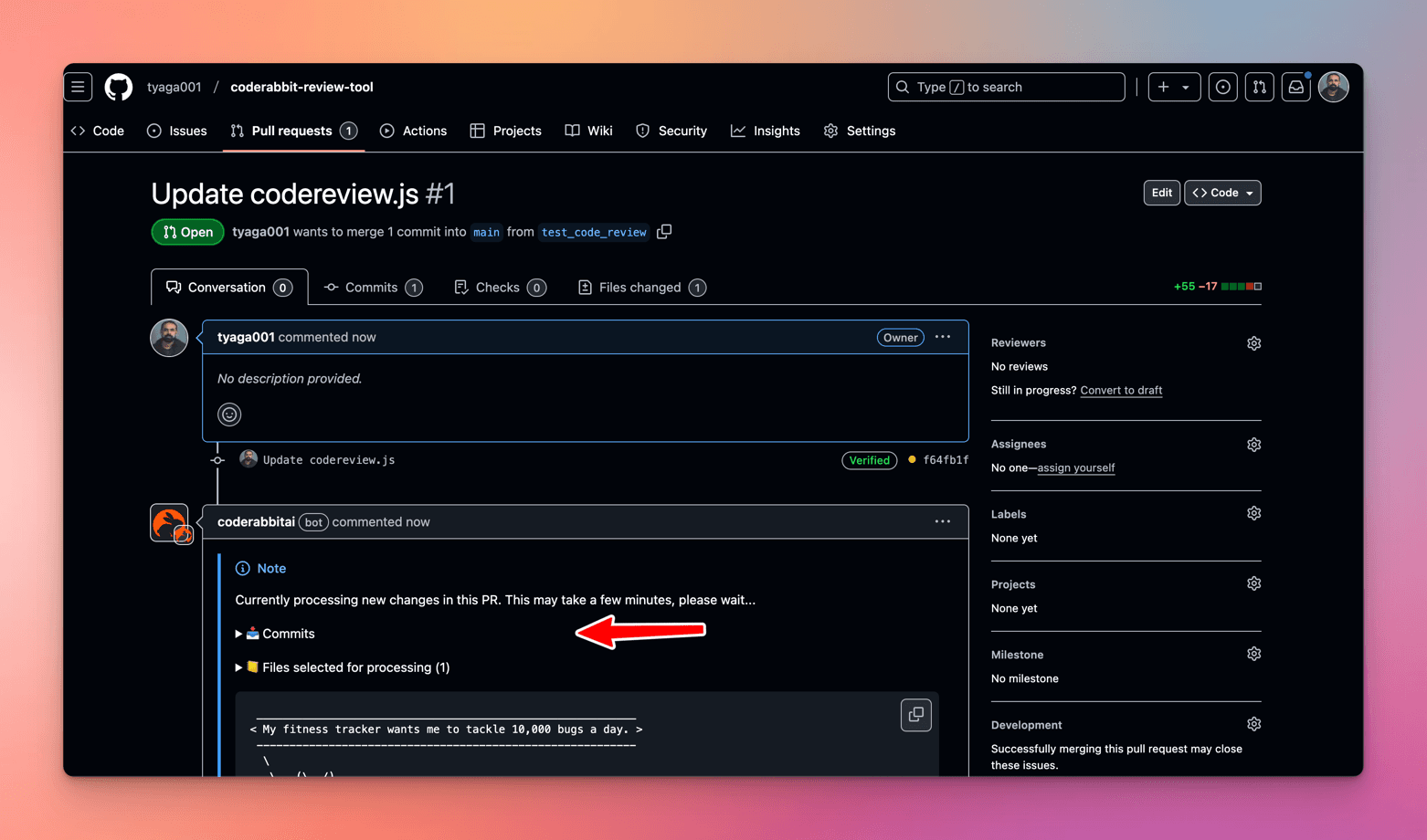
Once you have created the pull request, wait for the CodeRabbit to process code changes.
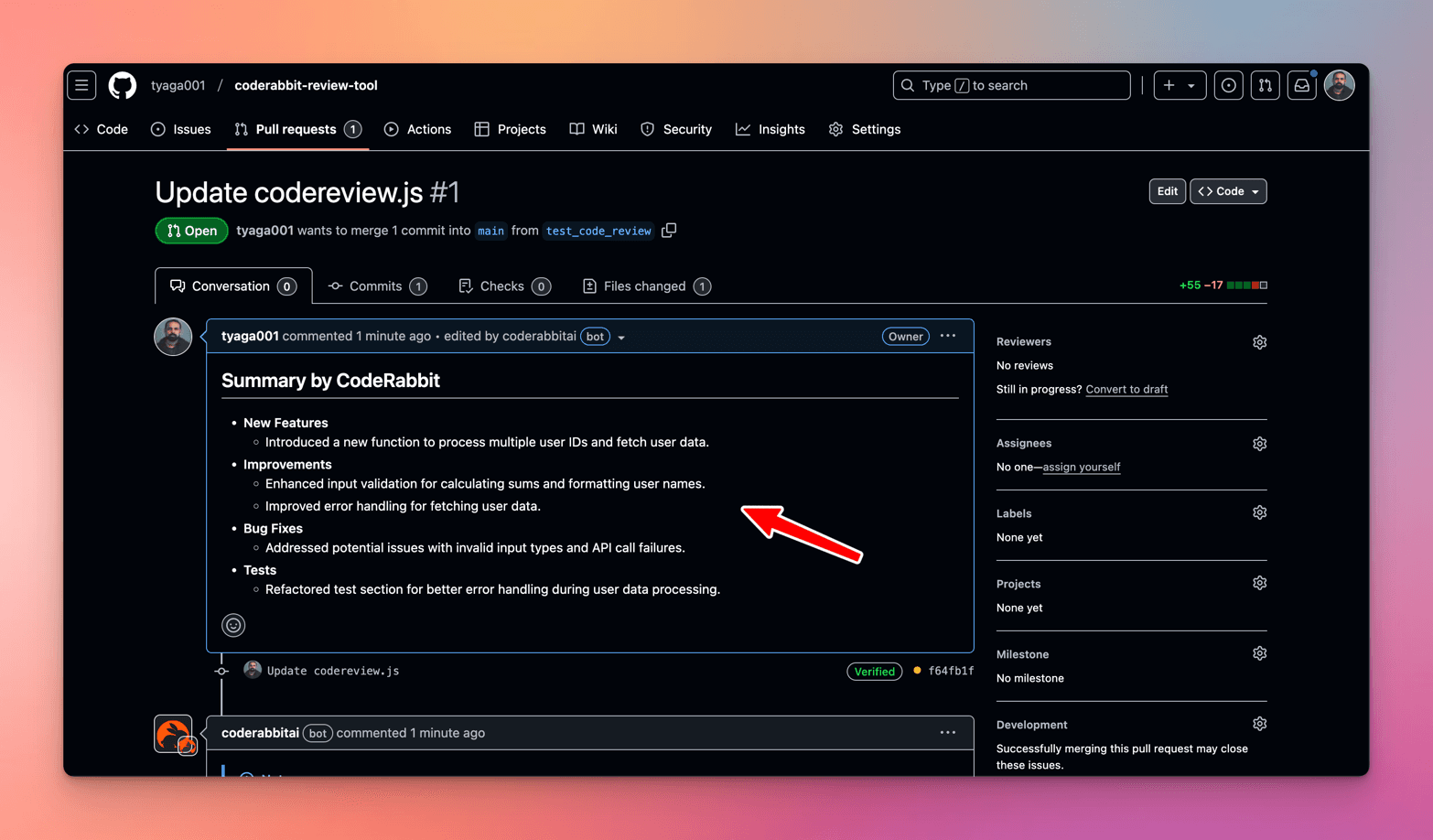
After the CodeRabbit bot processes new code changes, CodeRabbit automatically generates a comprehensive pull request summary.
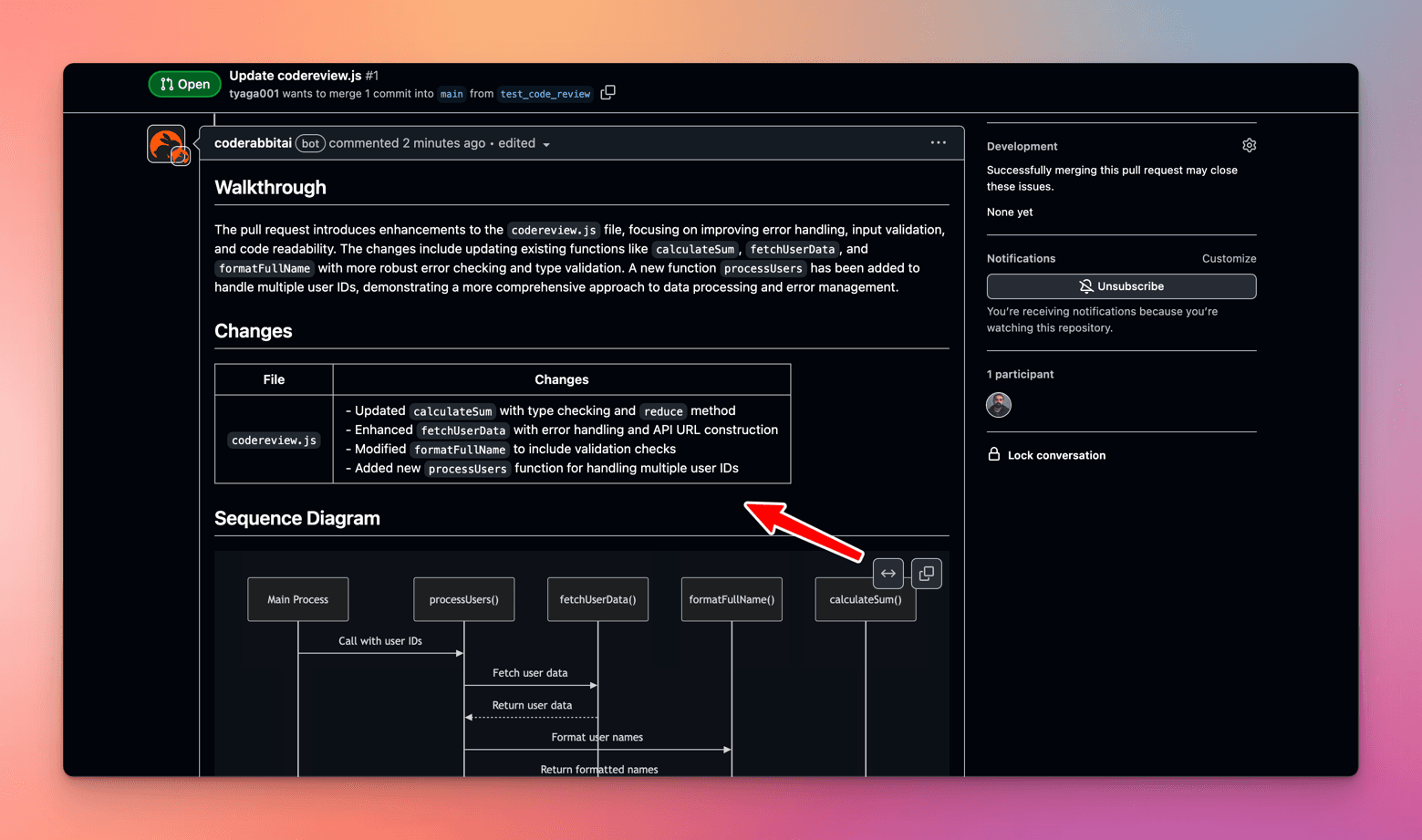
Next, CodeRabbit provides a detailed walkthrough that breaks down the code changes introduced and organizes them by file or directory.
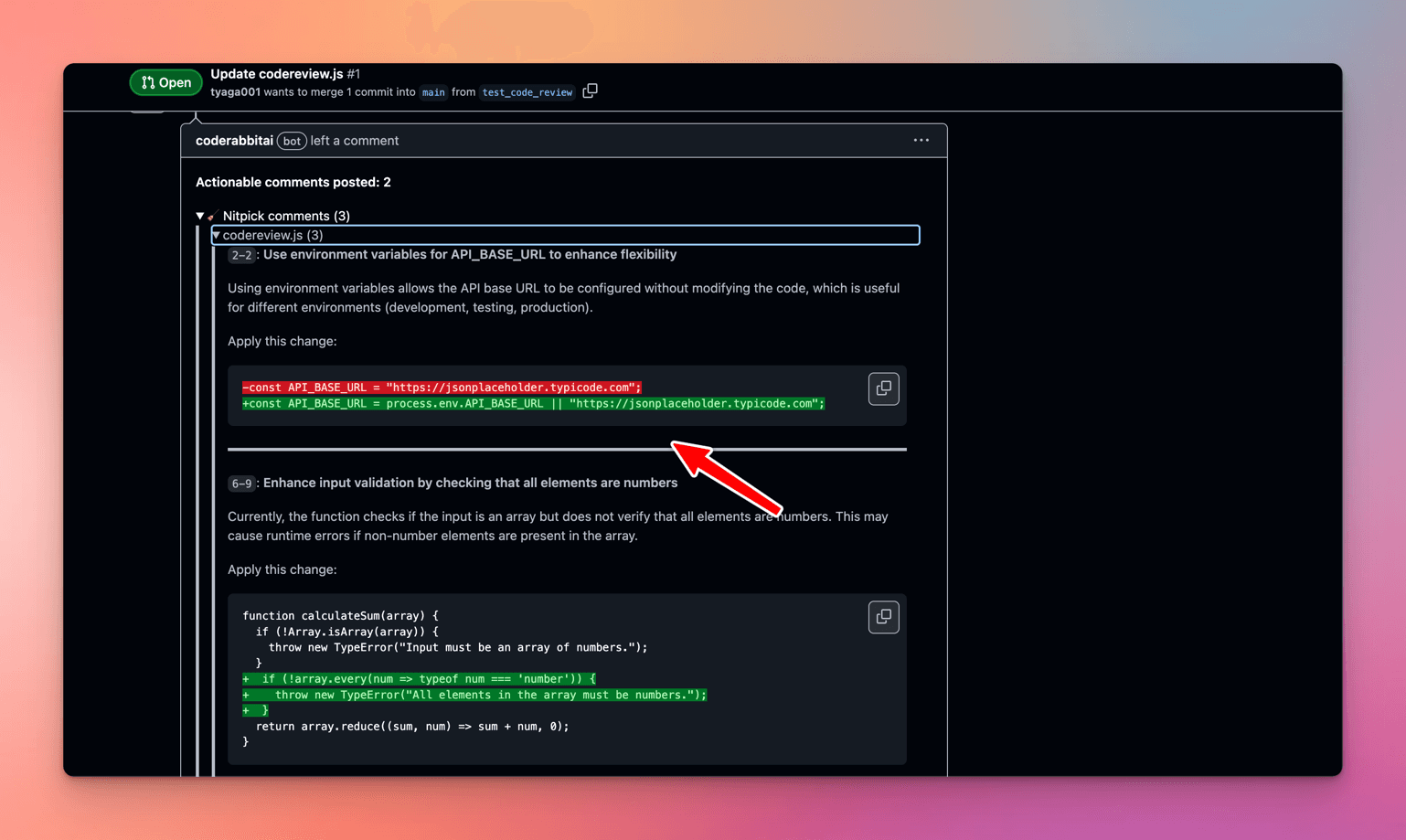
Next, CodeRabbit identifies the first issue with the API\_BASE\_URL variable and suggests externalizing the variable for better configurability.
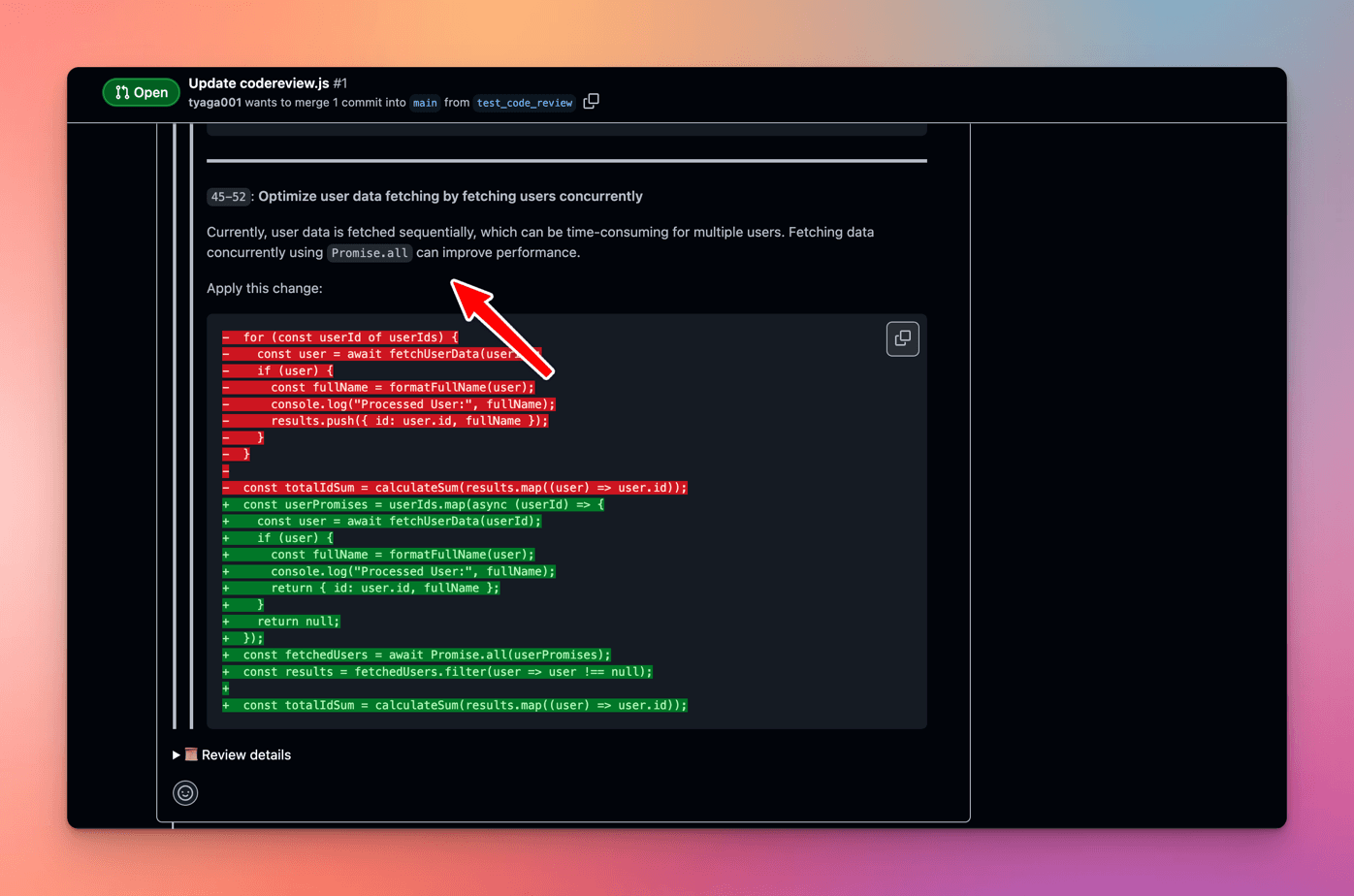
Then, CodeRabbit identifies a performance issue and suggests fetching user data concurrently using Promise.all to improve performance when dealing with multiple users.
Next, CodeRabbit identifies a bug in the formatFullName function and suggests fixing property access to match the API response structure.
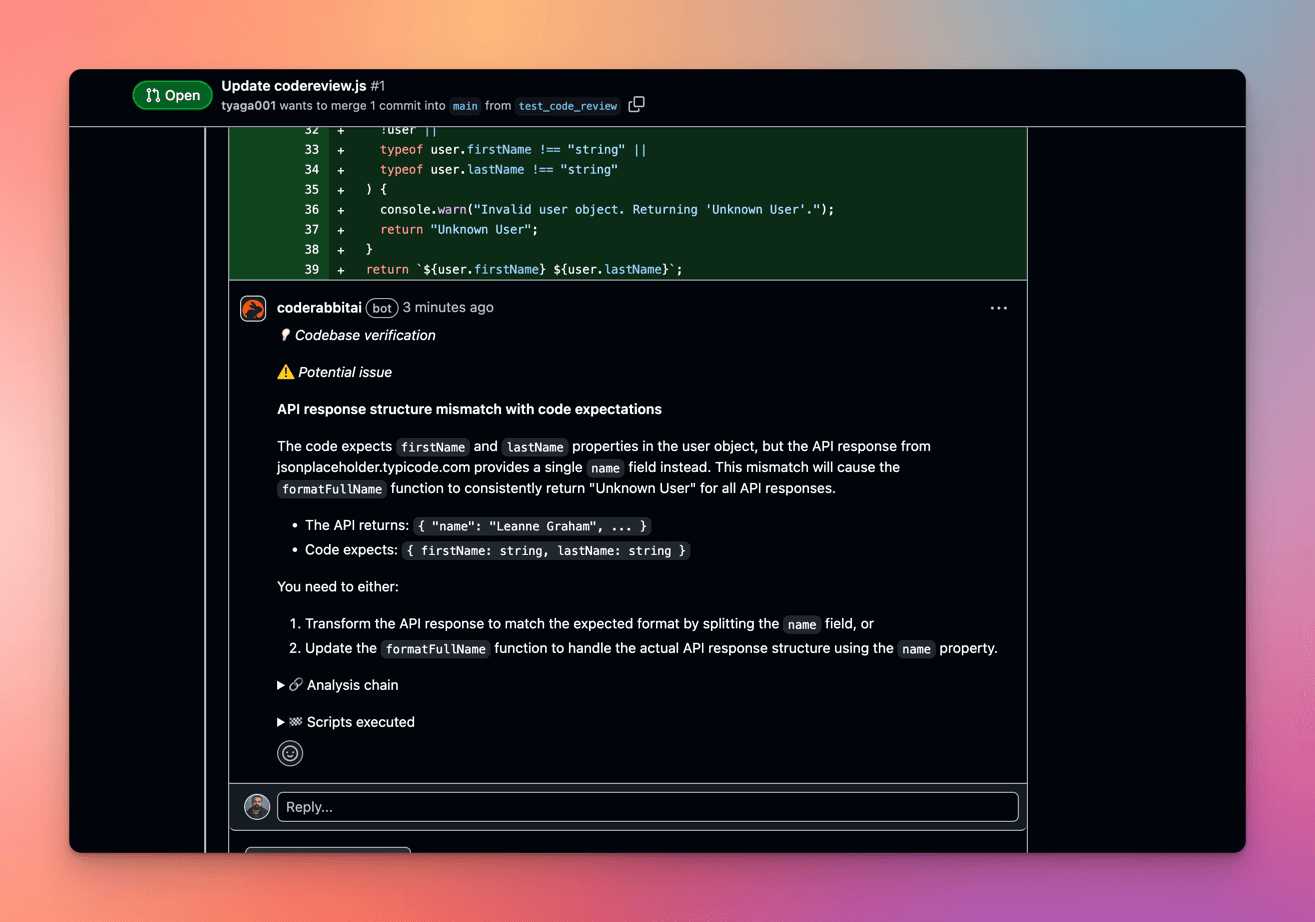
Finally, CodeRabbit identifies a security issue and suggests avoiding logging entire user data to prevent potential exposure of sensitive data.
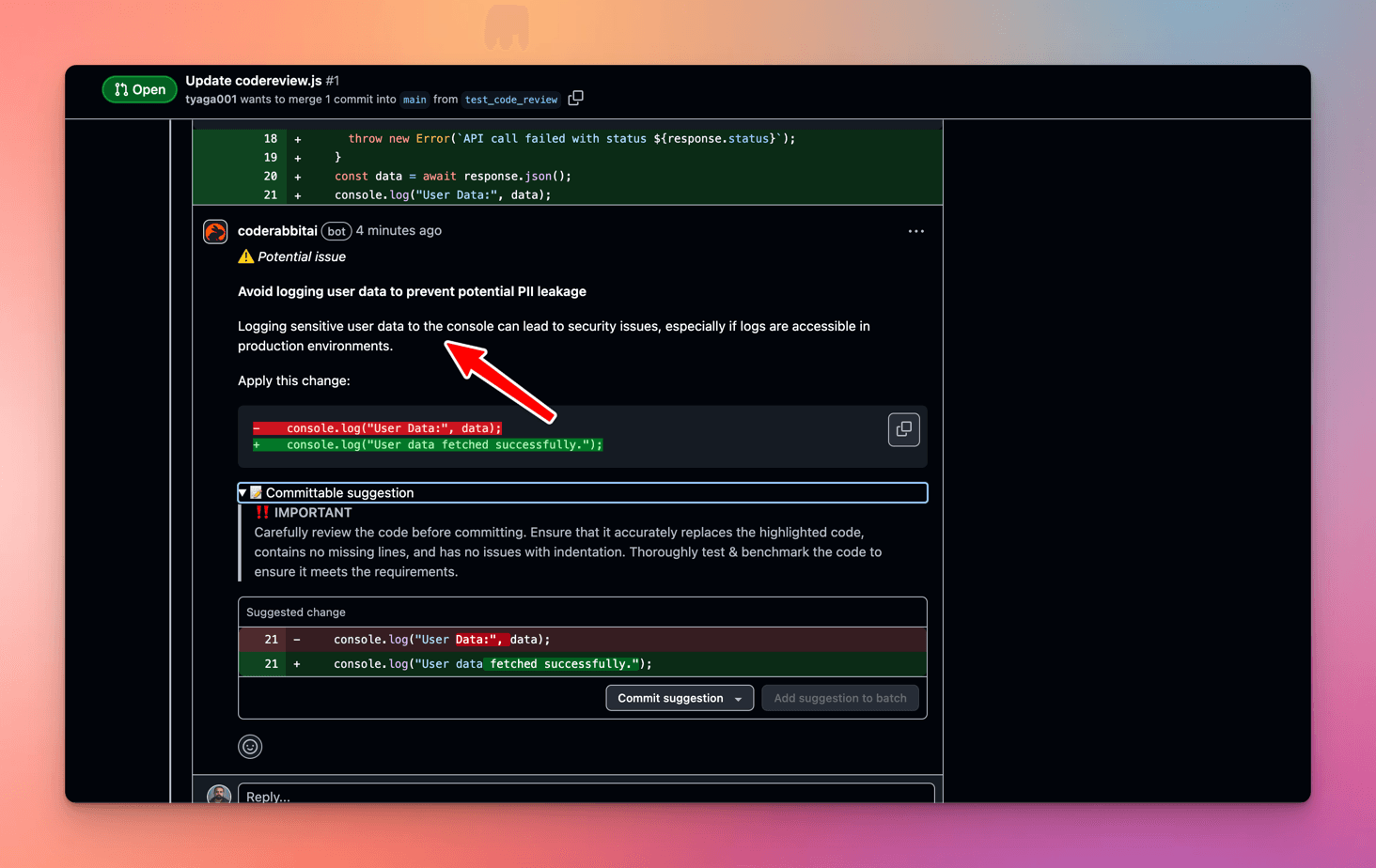
Click here to view the complete Pull Request code review using CodeRabbit.
Code Quality Analysis in Bito AI Code Review Agent
After pushing the code changes to the BitoAI repository, click the Compare & Pull Request button if you are using GitHub as your Git provider.
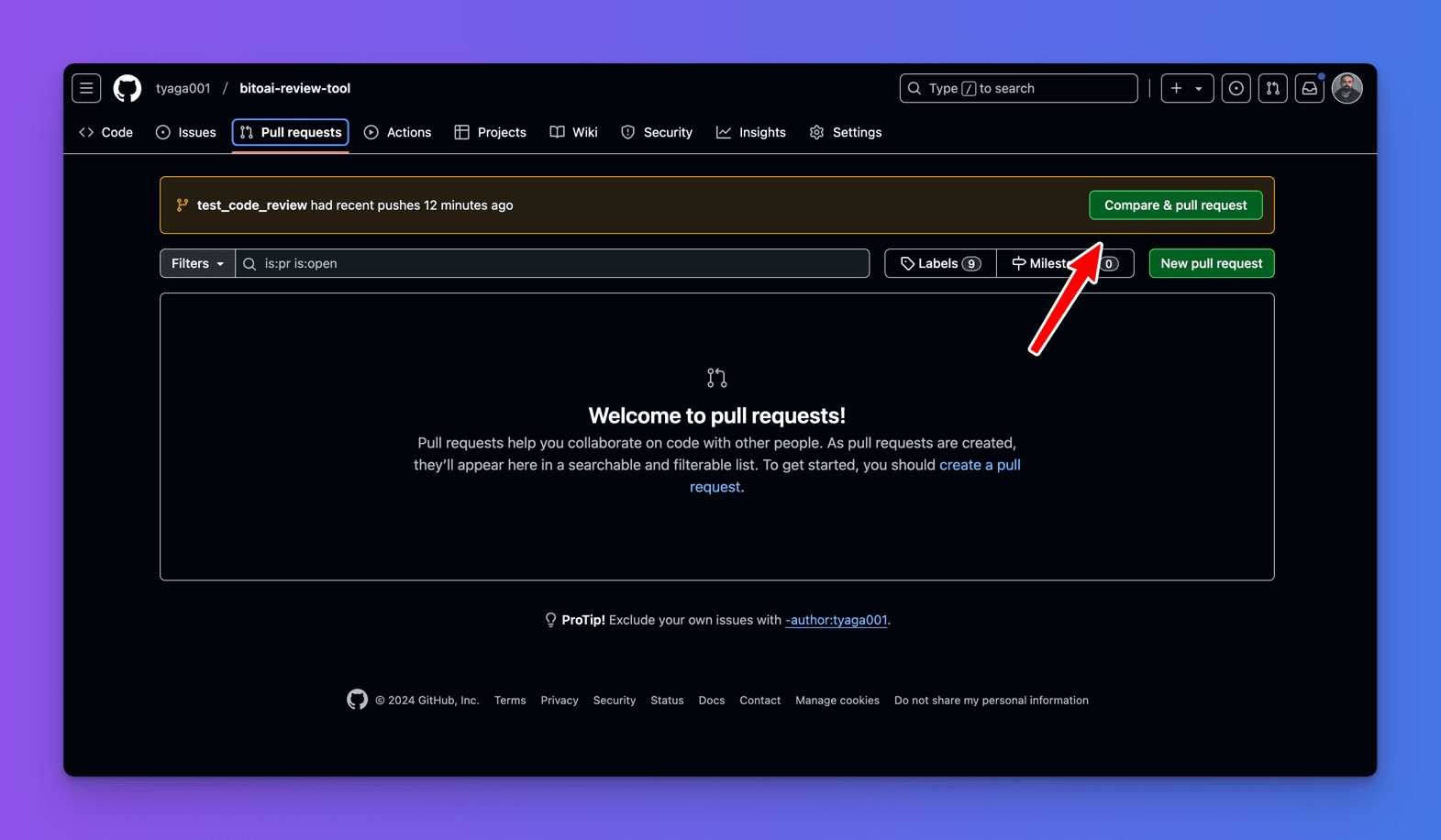
Then, create the pull request by clicking the Create Pull Request Button.
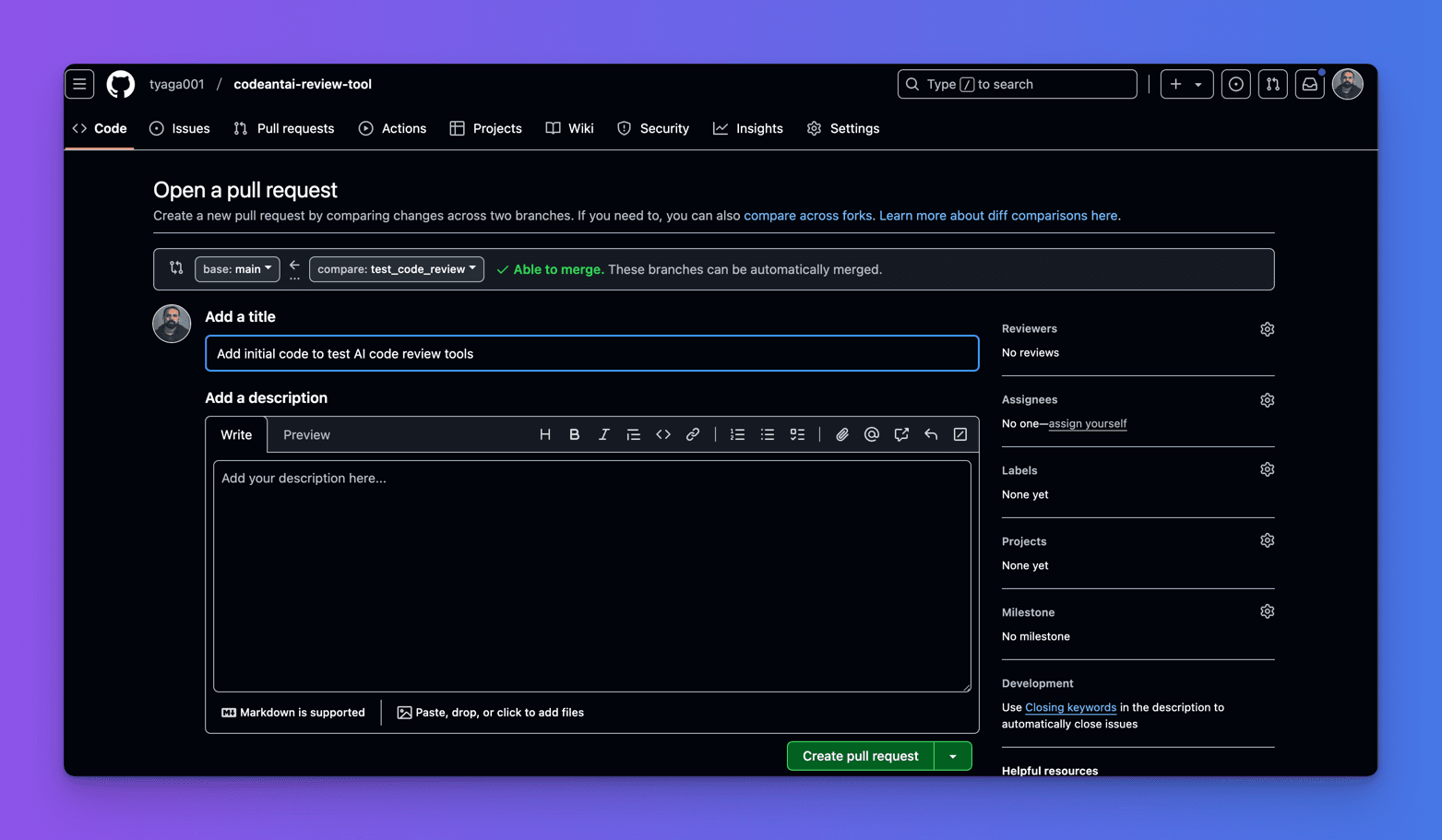
Once you have created the pull request, you can initiate a code review by typing/reviewing it in the comment box and submitting it.
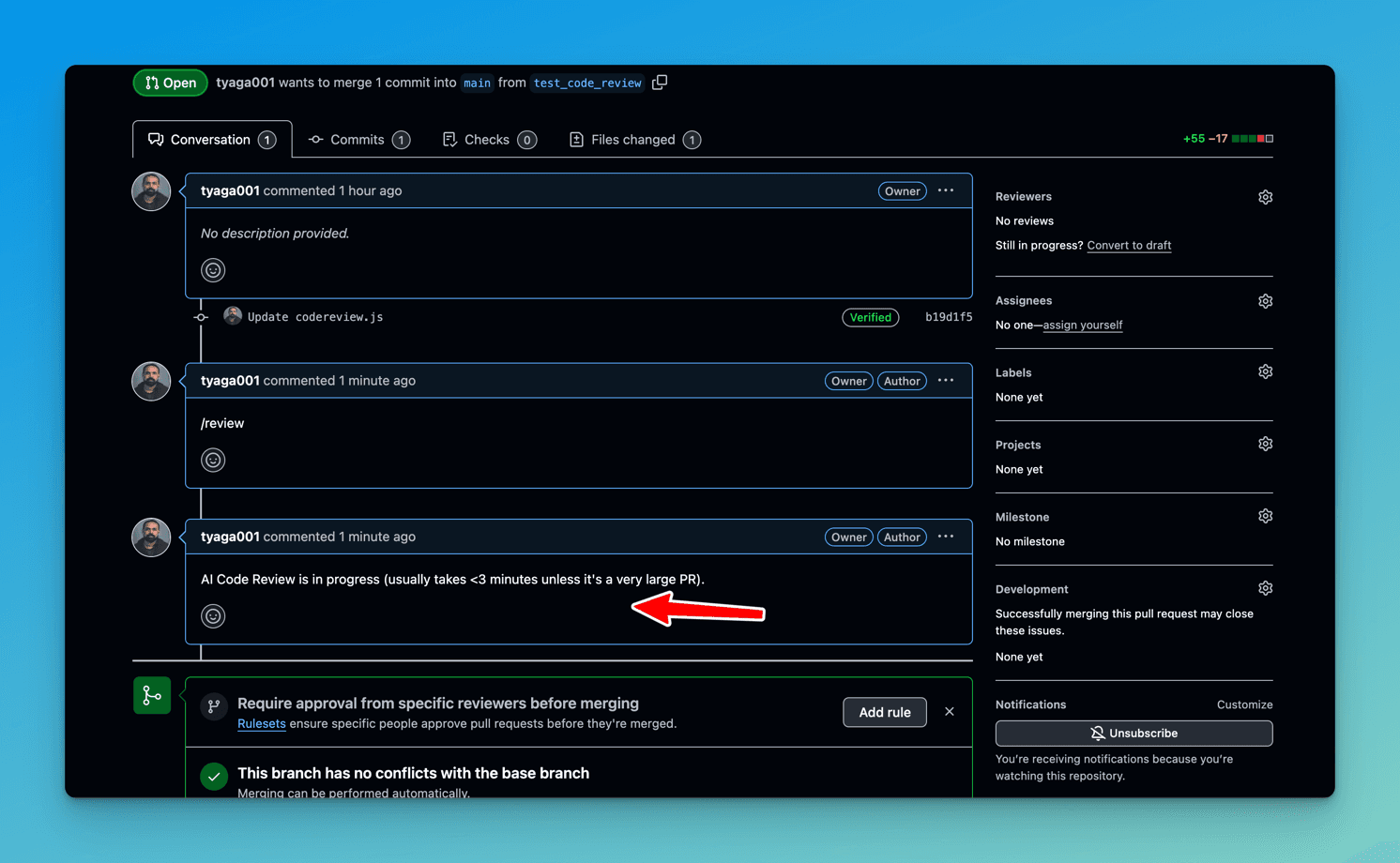
After Bito AI processes new code changes, it automatically generates a simple summary of the pull request, which is not as comprehensive as the CodeRabbit summary.
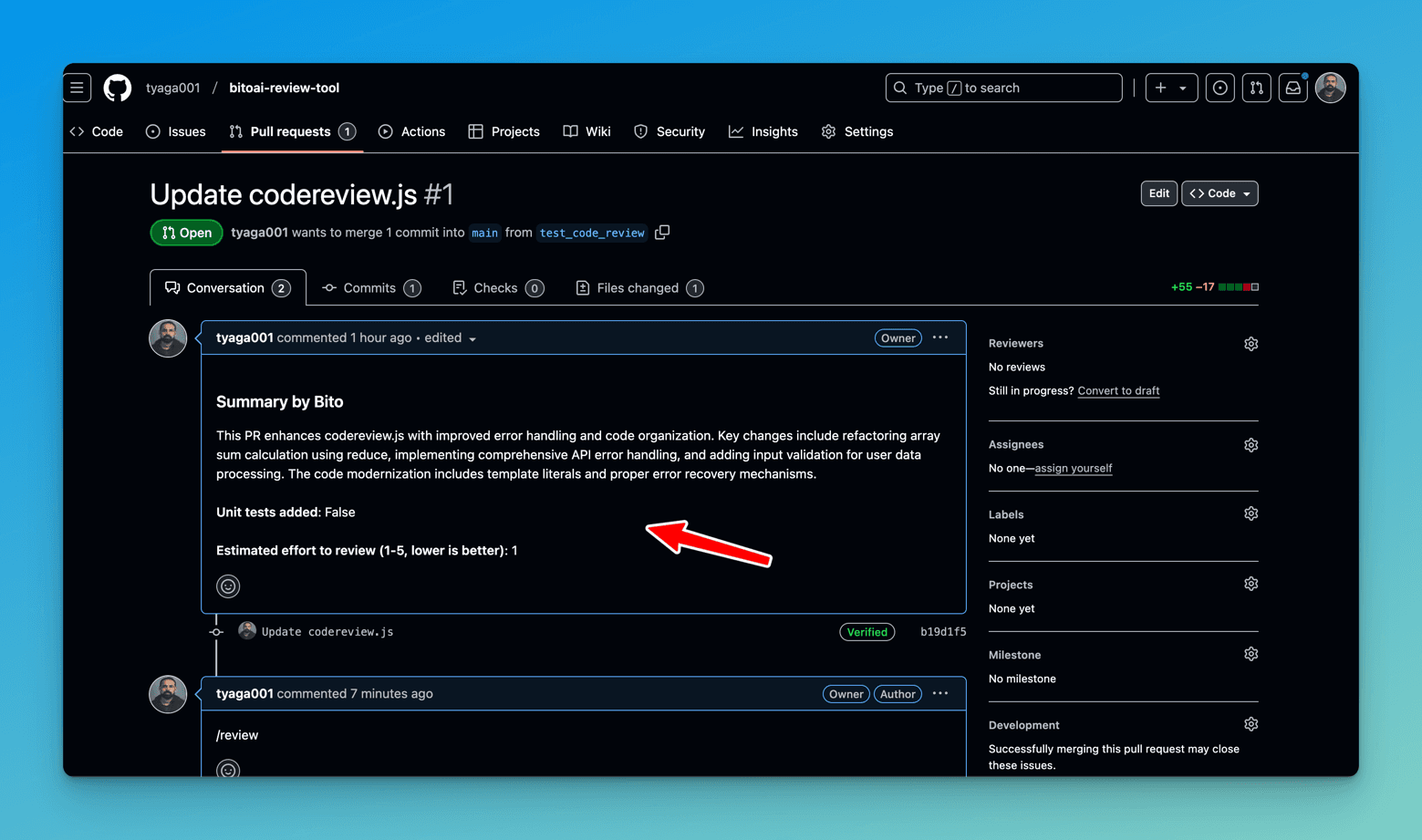
- Bito AI does not provide a detailed walkthrough that breaks down the code changes compared to CodeRabbit.
- Bito AI provides a changelist that displays key changes in a pull request.
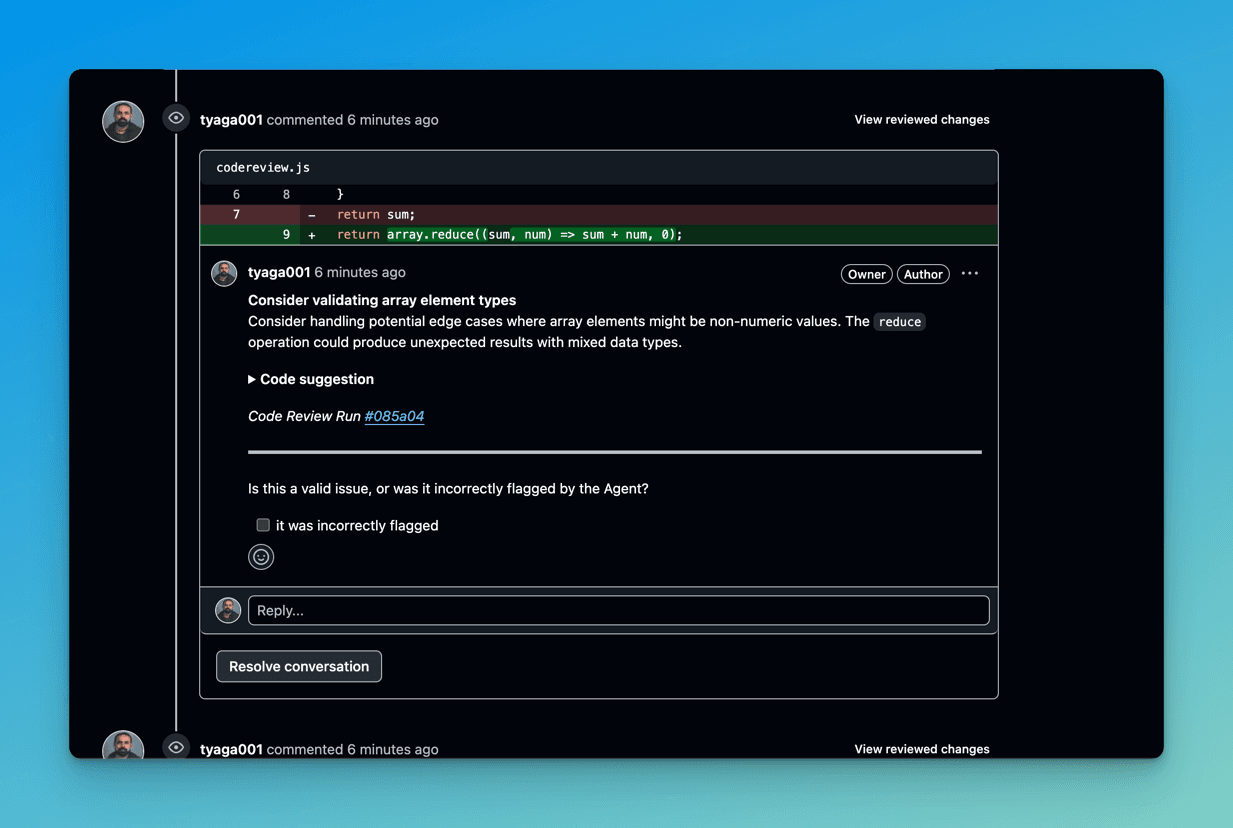
After that, the Bito AI Code Review Agent identifies the first issue in the calculateSum function and suggests adding array element type validation.
- Bito AI agent identifies an issue with error logging and suggests providing more detailed error information to help with debugging.
- Bot suggests extracting sum calculation logic from the
processUsersfunction to maintain the single responsibility principle.
Also, the code review agent suggests using named function over the IIFE pattern.
To perform an in-depth analysis of your code to identify vulnerabilities, type /review security in the comment box on the pull request and submit it to initiate a code security review.
After that, Bito AI provides a code security review that suggests implementing URL validation to prevent potential Server-Side Request Forgery (SSRF) attacks.
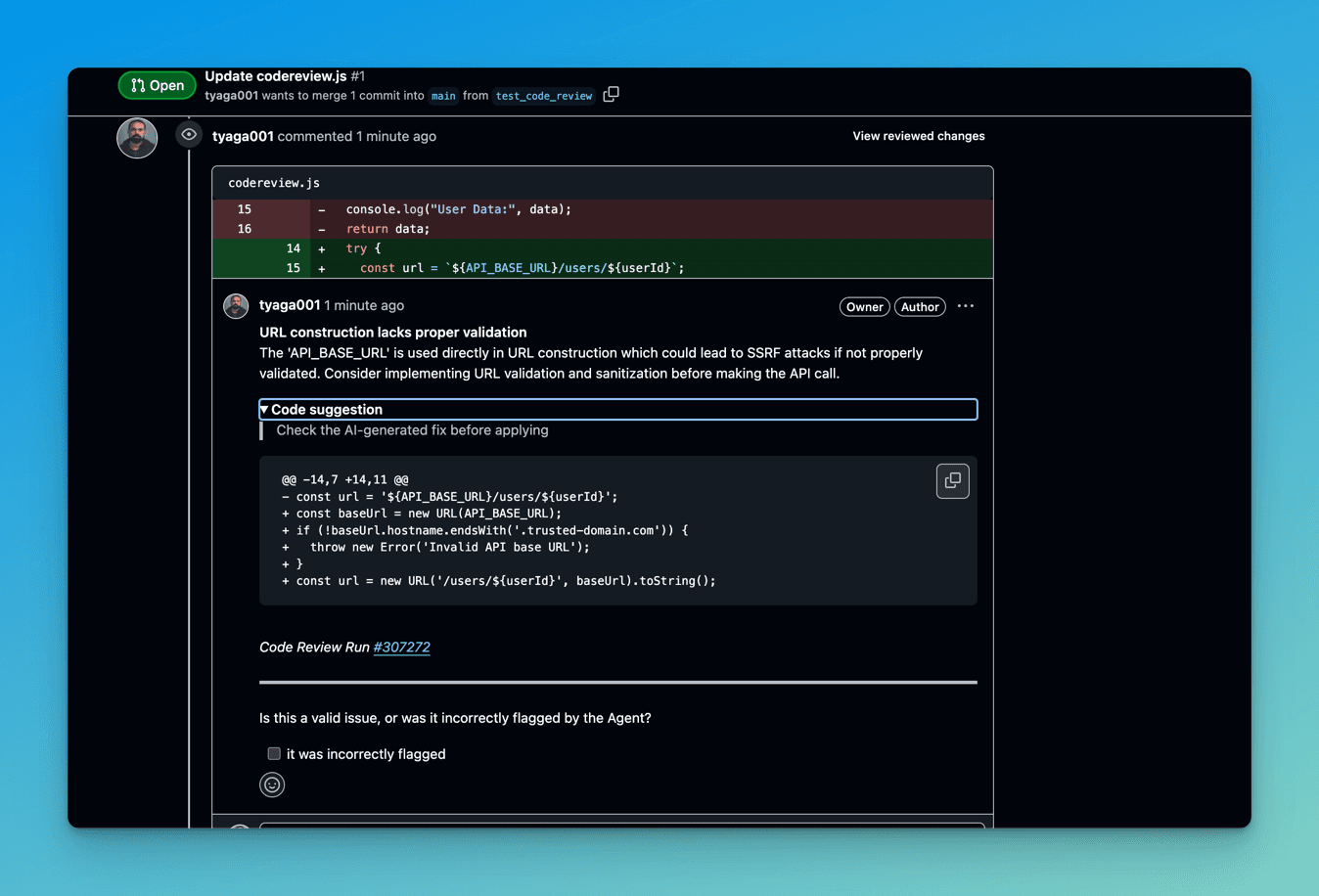
Unlike CodeRabbit, the code review agent does not recommend avoiding logging entire user data to prevent potential exposure to sensitive data.
Unlike CodeRabbit, Bito AI code review agent suggests validating 'userId' before making API calls to avoid potential injection attacks.
To evaluate the code's performance by pinpointing slow or resource-intensive areas and identifying potential bottlenecks, type "/review performance" in the comment box on the pull request and submit it to initiate a code performance review.
After that, Bito AI provides a code performance review that suggests caching the API responses from 'API_BASE_URL' to reduce network calls.
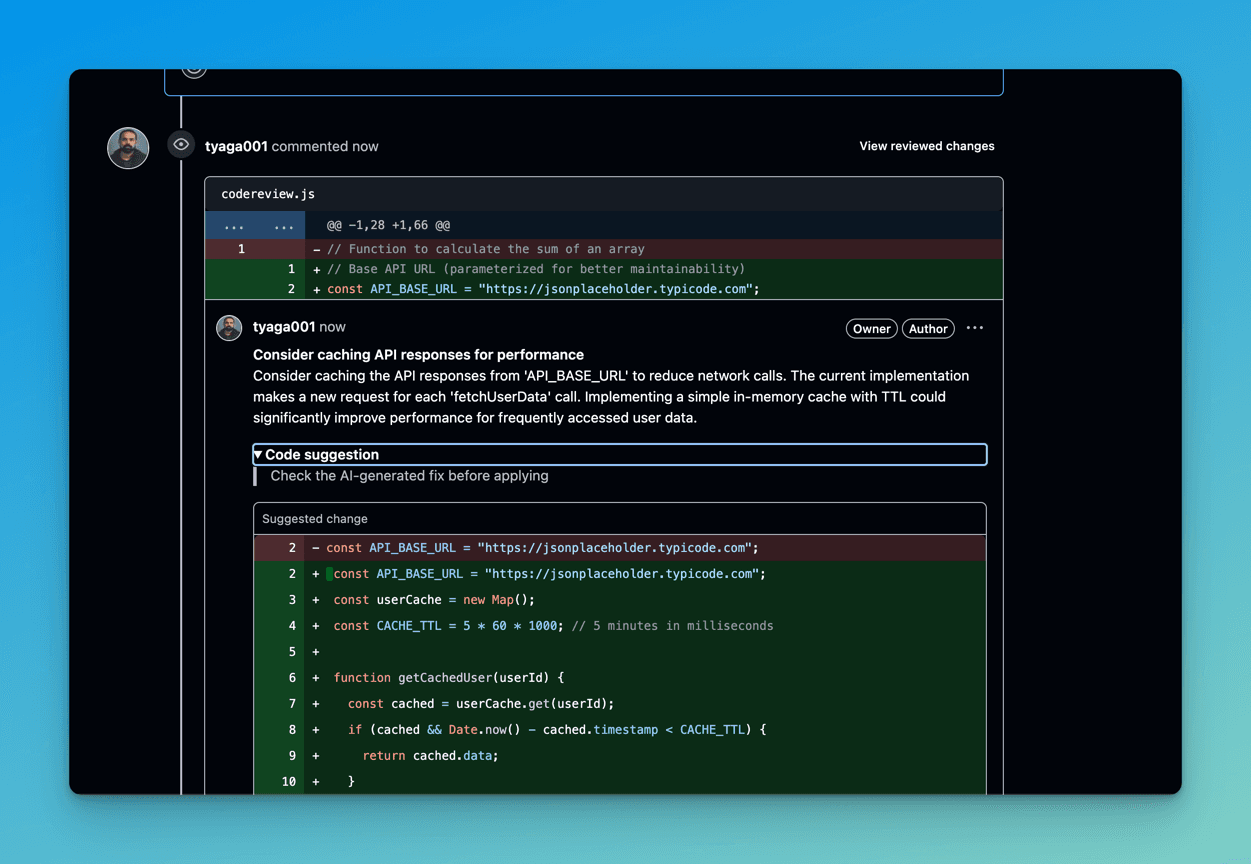
Also, similar to CodeRabbit, the Bito AI code review agent suggests using `'Promise.all()' for parallel execution of user data fetching instead of sequential processing in the 'for...of' loop to improve performance.
Note: Make sure you select the three options below only because I accidentally selected multiple extra checkboxes, which made it hard to understand the issue. Even though the config and webhook were correct, the bot didn’t trigger any code reviews. It also took longer to start the review than the other three tools.
You can click here to view the complete Pull Request code review using Bito AI Code Review Agent.
Code Quality Analysis in CodeAnt AI
After pushing the code changes to the CodeAntAI repository, click the Compare & Pull Request button if you are using GitHub as your Git provider.
Next, create the pull request by clicking the Create Pull Request Button.
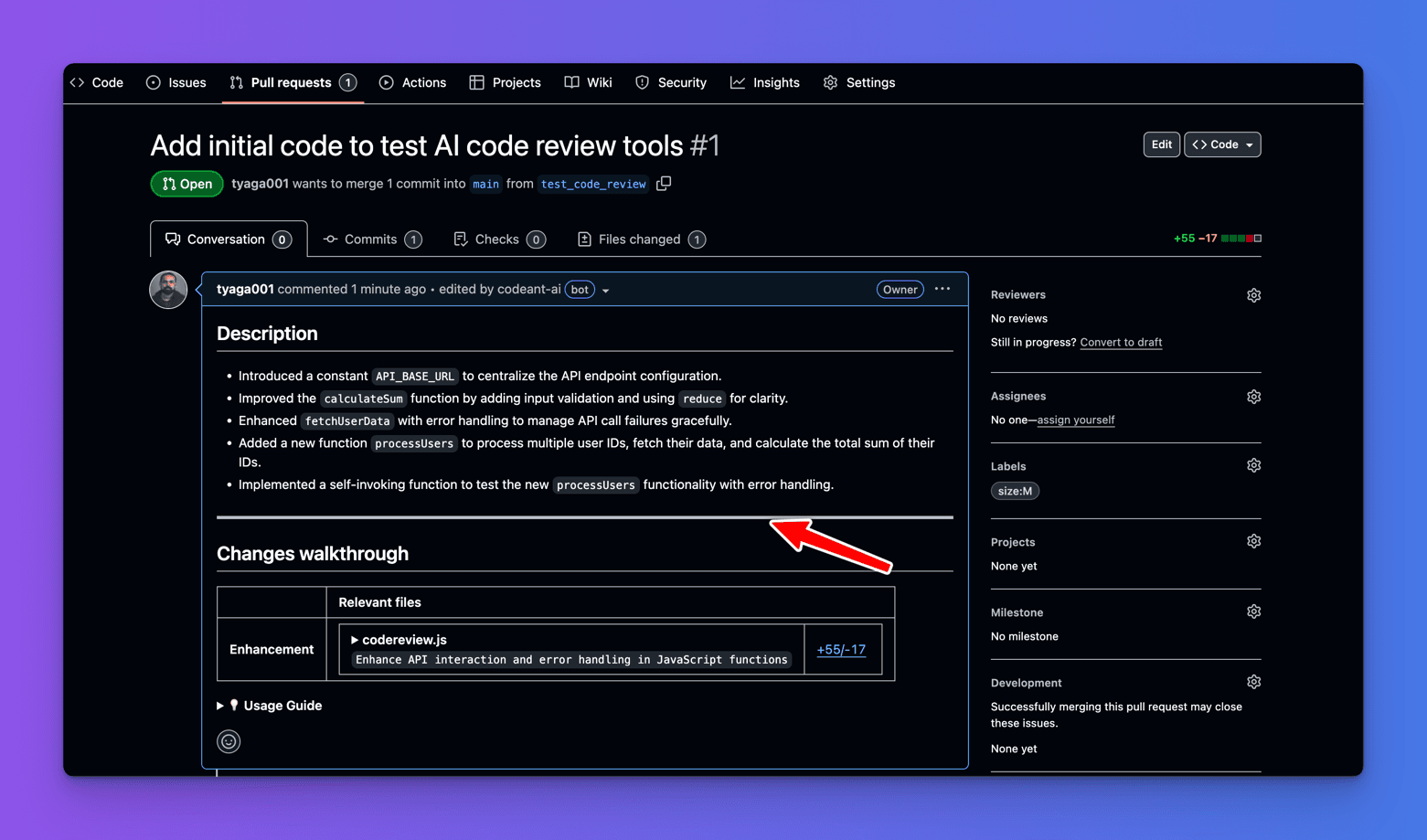
Next, CodeAnt AI bot processes the new code changes and automatically generates a comprehensive description of the pull request and changes walkthrough.
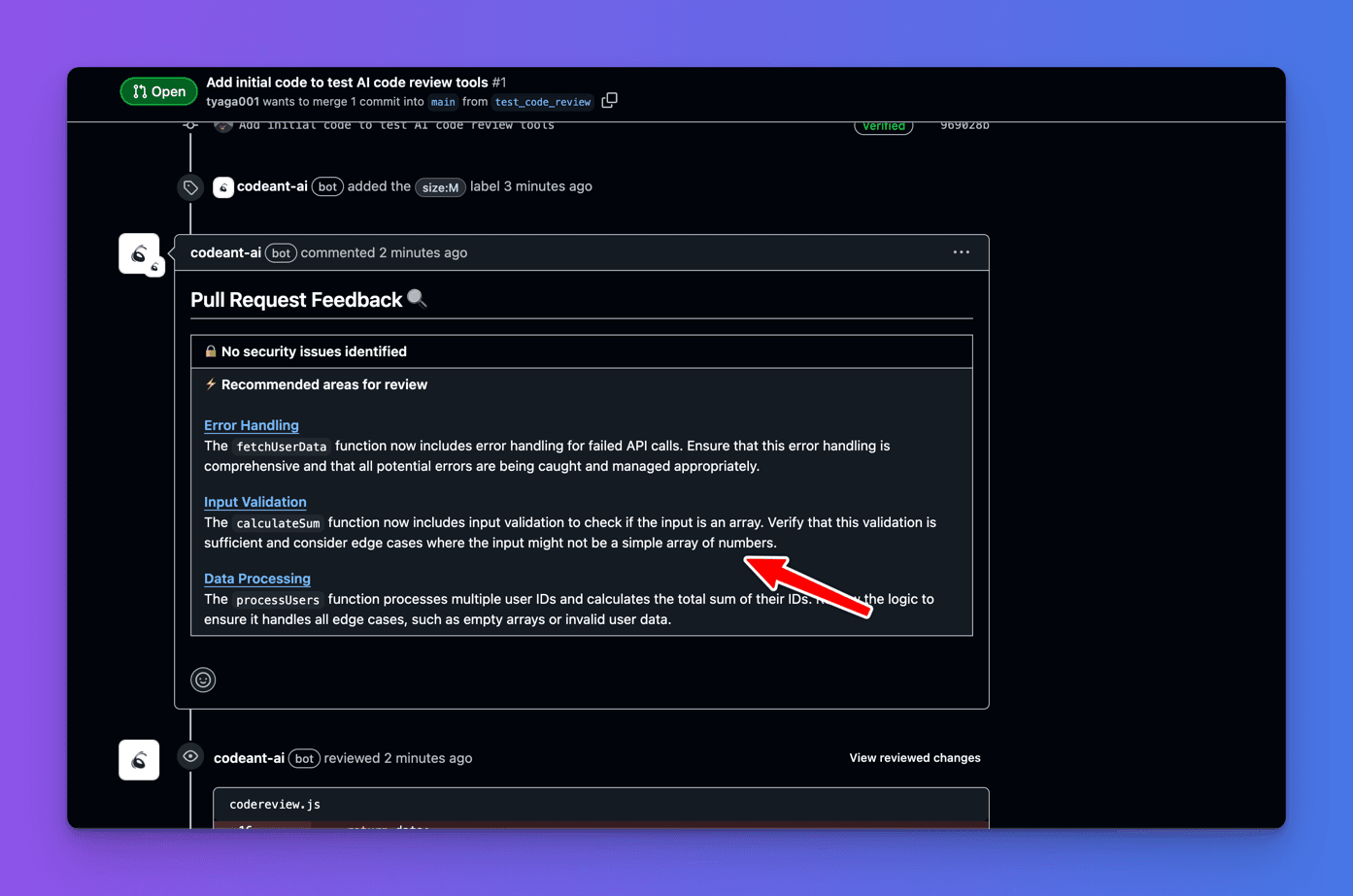
Also, CodeAnt AI provides a list of things to consider to improve the quality of your code.
After that, CodeAnt AI suggests adding a check to ensure that userId is a valid number before making the API call to prevent unnecessary network requests.
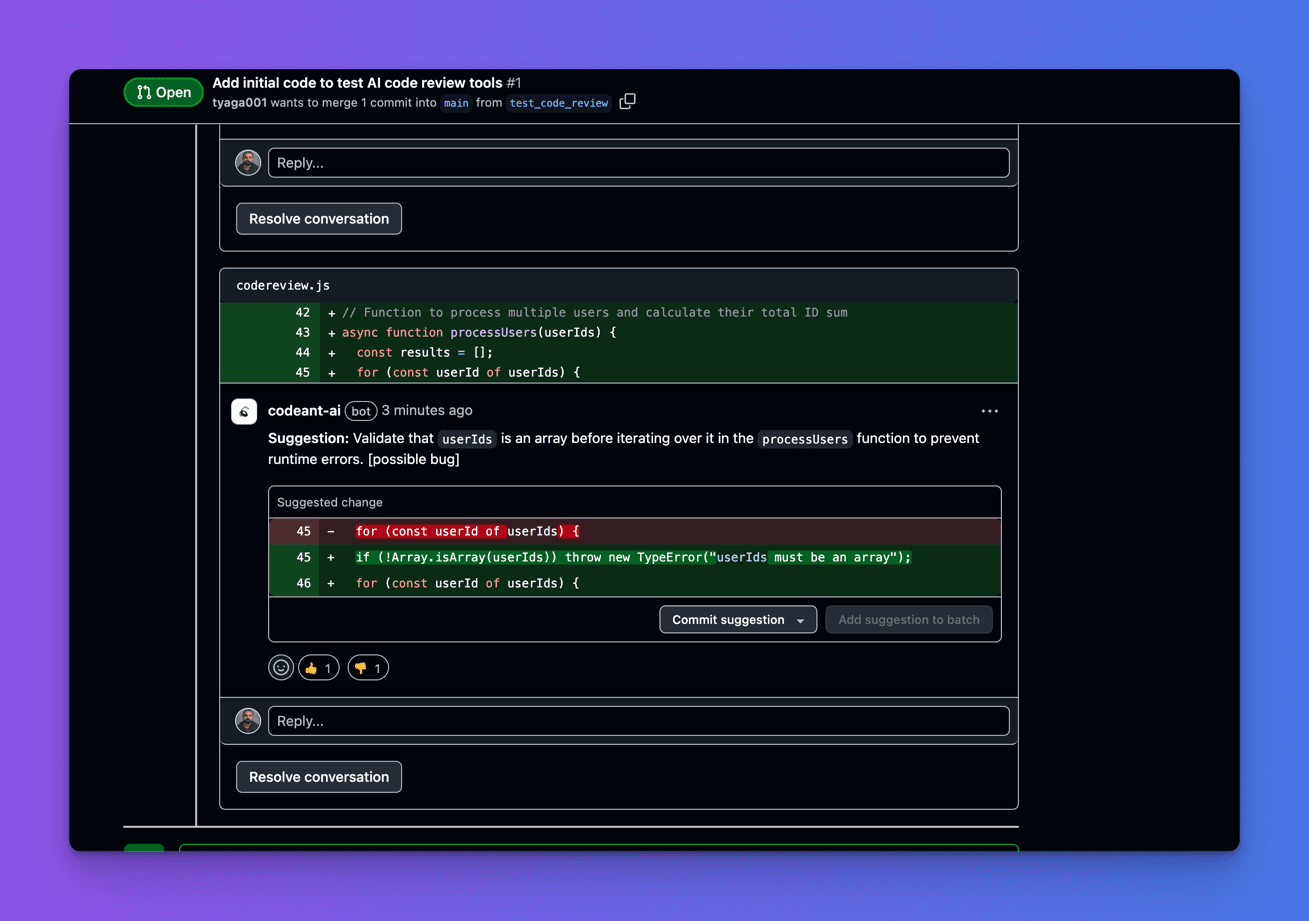
Then, similar to CodeRabbit and Bito AI Review Agent, CodeAnt AI suggests optimizing the processUsers function by using Promise.all to fetch user data concurrently, improving performance when making multiple user requests.
Finally, CodeAnt AI suggests ensuring that the calculateSum function handles non-numeric values in the array to prevent potential runtime errors.
Unlike CodeRabbit and Bito AI Review Agent, CodeAnt AI does not give any security warnings in the code changes.
Click here to view the complete Pull Request code review using CodeAnt AI.
Code Quality Analysis in Korbit AI
After pushing the code changes to the KorbitAI repository, click the Compare & Pull Request button if you are using GitHub as your Git provider.
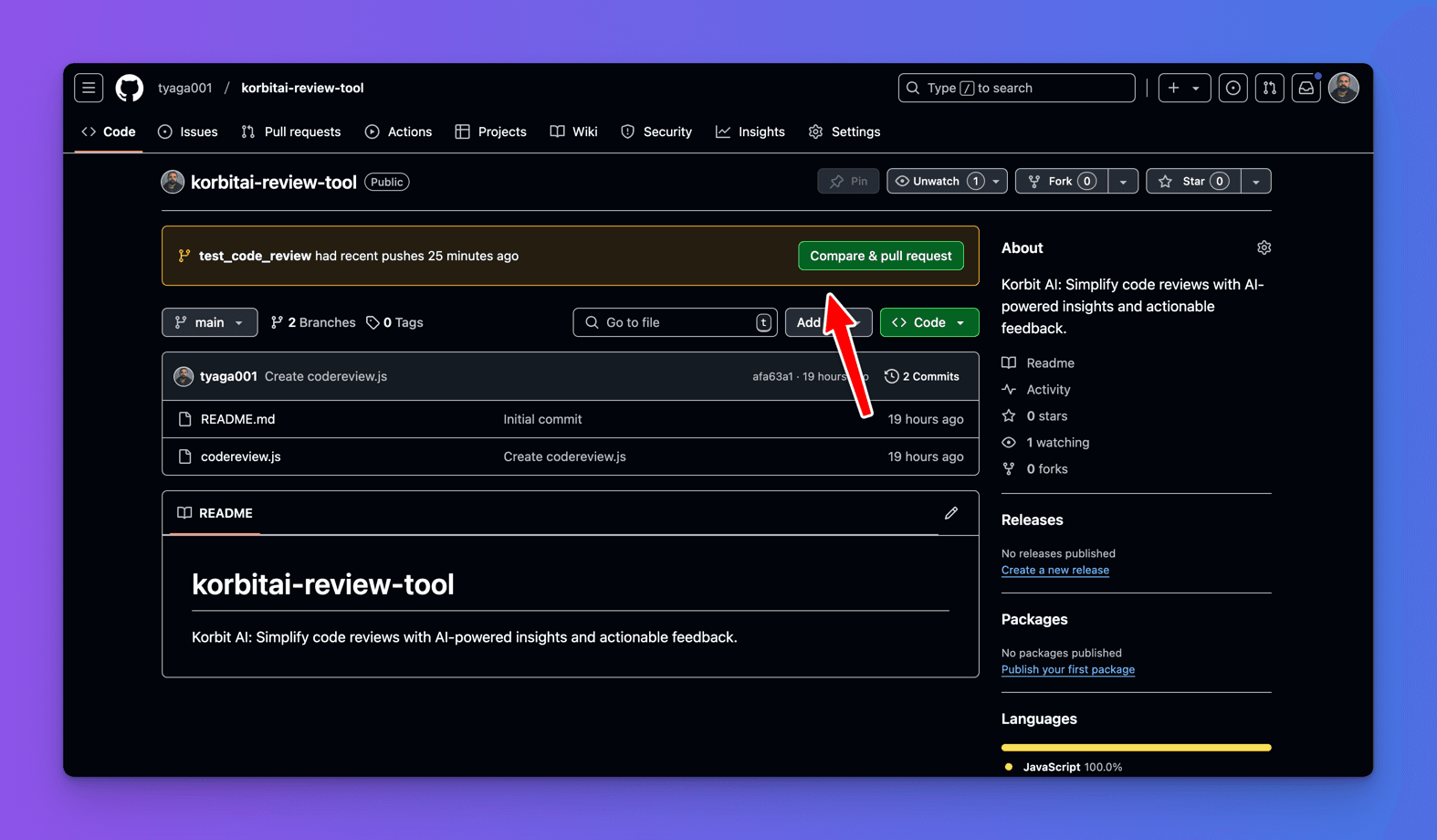
After that, create the pull request by clicking the Create Pull Request Button.
After that, the Korbit AI bot processes the new code changes and automatically generates a pull request description, but there is no change walkthrough.
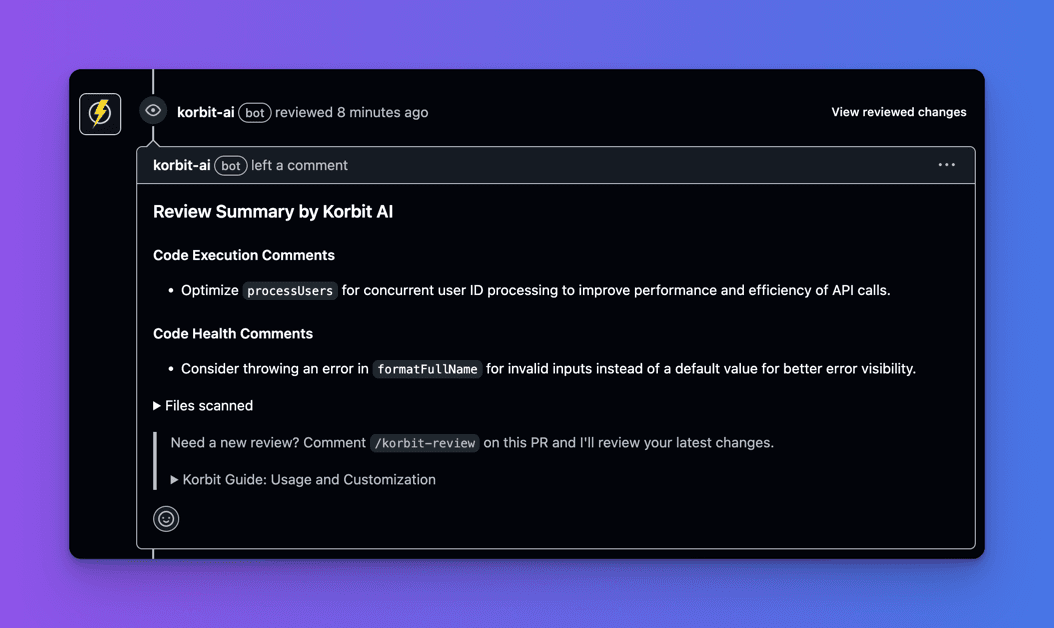
- Korbit AI suggests adding more context to error logs in the
fetchUserDatafunction. - Korbit AI suggests enhancing
console.warnmessage for invalid user object. - Korbit AI suggests adding a stack trace to error logs.
Then, similar to CodeRabbit, Bito AI Code Review Agent, and CodeAnt AI, Korbit AI suggests optimizing the processUsers function with Promise.all() to improve performance.
Finally, Korbit AI suggests enhancing log messages.
Like CodeAnt AI, Korbit AI does not issue security warnings about code changes.
Click here to view the complete Pull Request code review using Korbit AI.
On Comparing Actionable Code Suggestions
In this section, let us compare how CodeRabbit, Bito AI Code Review Agent, CodeAnt AI, and Korbit AI suggest code changes that you can add to your code to address potential issues and vulnerabilities.
Actionable Code Suggestions in CodeRabbit
CodeRabbit provides actionable suggestions, including a Committable Suggestion feature that allows you to apply suggested changes directly by clicking the Commit Suggestion button.
For example, CodeRabbit provides a code snippet you can add to your code to fix.
Note: You can read a more in-depth review of CodeRabbit and how it can help you in this article - How to Perform Code Reviews in Tech – The Painless Way
Actionable Code Suggestions in Bito AI Code Review Agent
Similar to CodeRabbit, Bito AI Code Review Agent provides actionable suggestions where but does not include a Committable Suggestion feature that allows you to apply suggested changes directly.
For example, Bito AI Code Review Agent provides a code snippet that you can add to your code to validate array element types.
Actionable Code Suggestions in CodeAnt AI
Similar to CodeRabbit, CodeAnt AI provides actionable suggestions. It includes a Committable Suggestion feature, which allows you to apply suggested changes directly by clicking the Commit Suggestion button.
For example, CodeAnt AI provides a code snippet you can add to your code.
Actionable Code Suggestions in Korbit AI
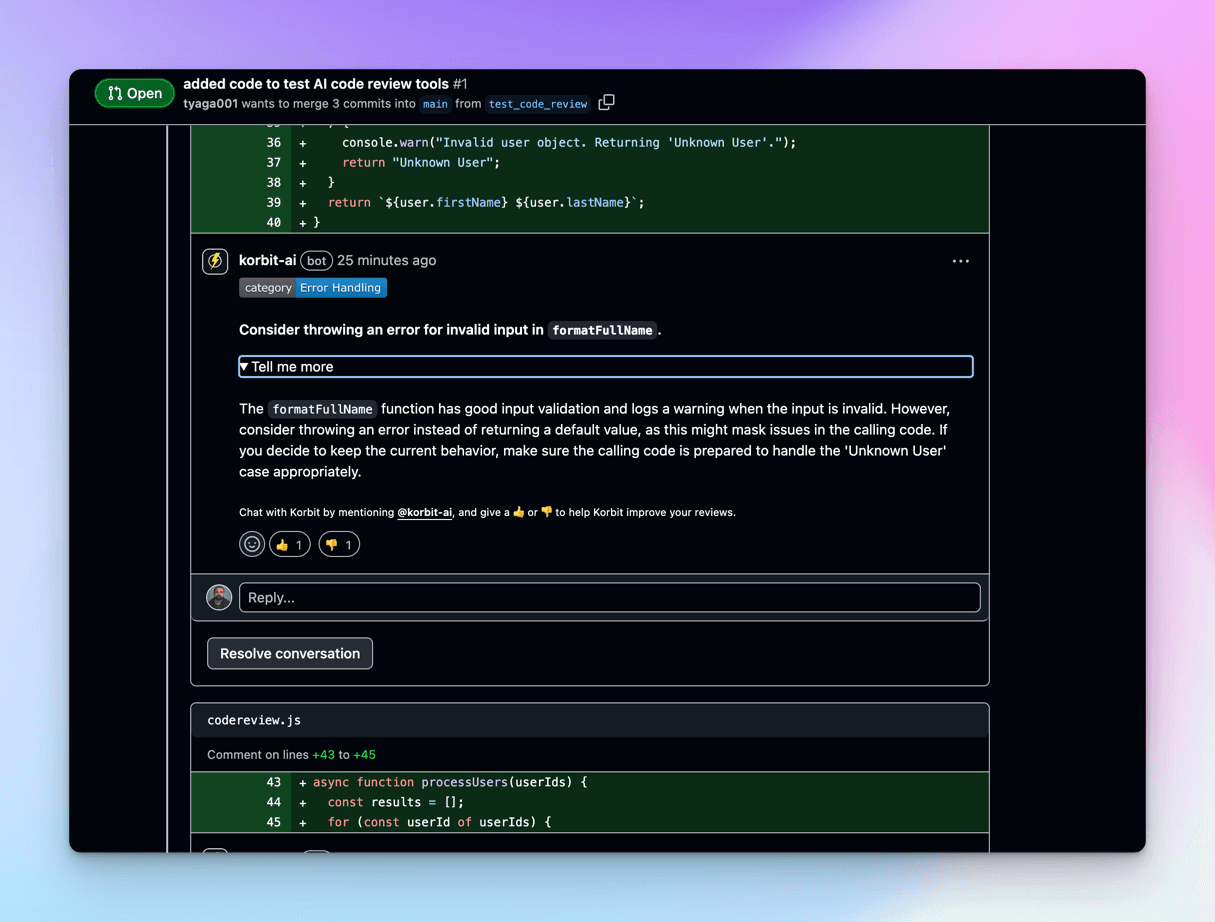
Unlike CodeRabbit, Bito AI Code Review Agent, and CodeAnt AI, Korbit AI does not provide actionable suggestions.
For example, Korbit AI here does not provide a code snippet you can add to your code to optimize the processUsers function with Promise.all() to improve performance.
On Comparing Chat Functionality
In this section, let us compare chat functionality in CodeRabbit, Bito AI Code Review Agent, CodeAnt AI, and Korbit AI, where you can ask for detailed explanations about suggested changes.
Chat Functionality in CodeRabbit
CodeRabbit provides chat functionality. There are three ways to chat with the CodeRabbit bot.
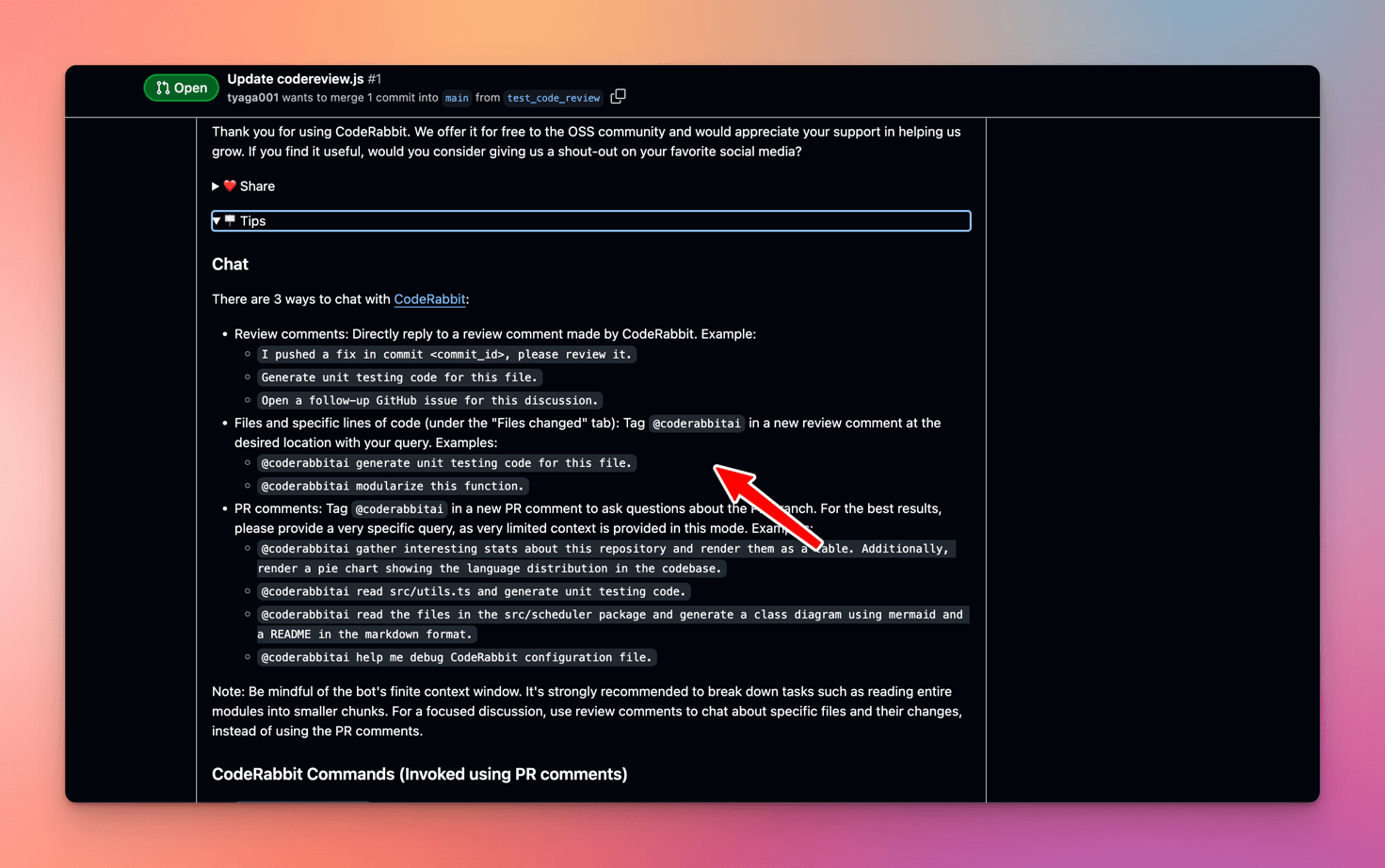
For example, let’s ask CodeRabbit to give me a detailed explanation of the suggested change.
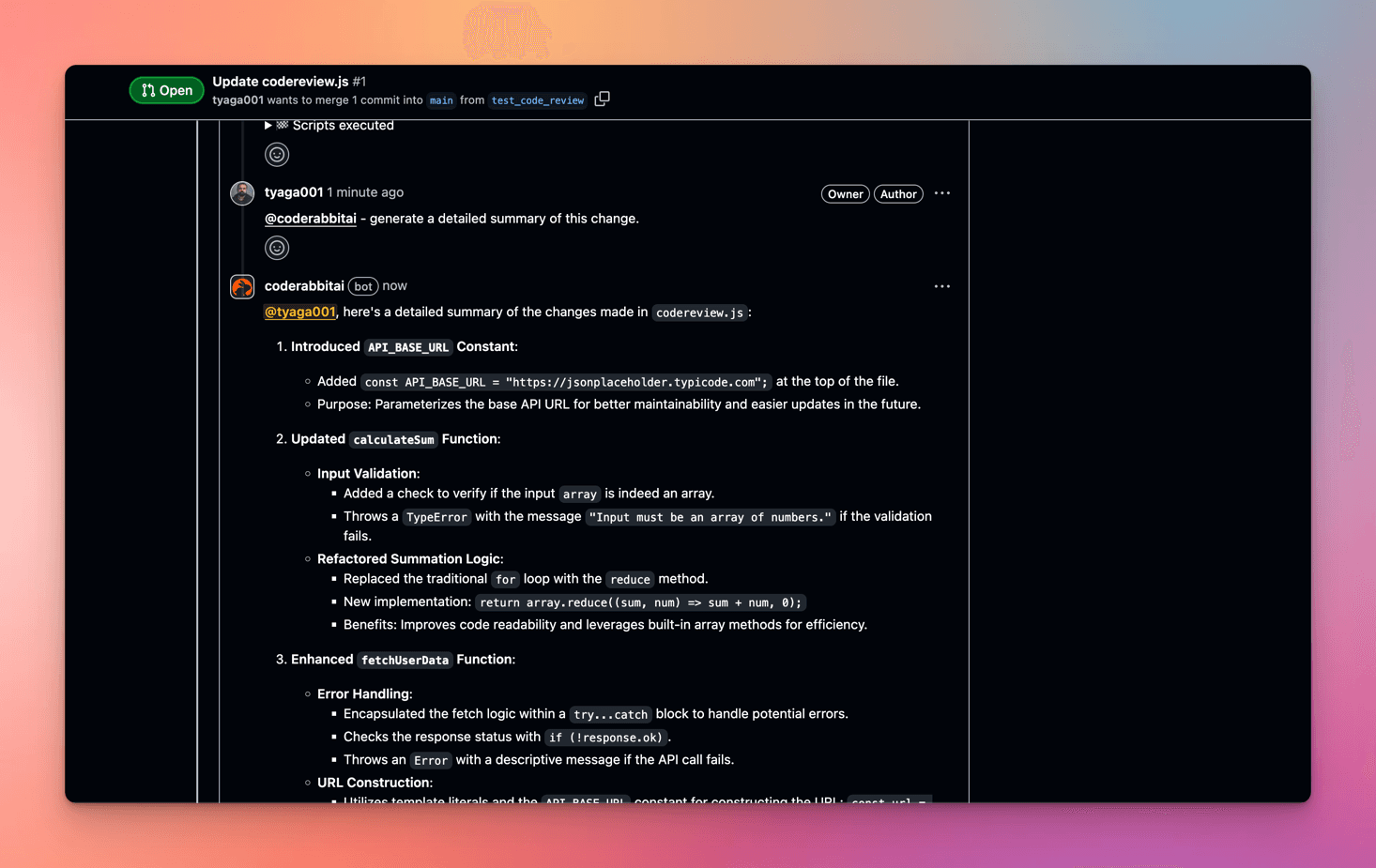
Next, CodeRabbit bot will reply with an in-depth explanation of the suggested changes.
Chat Functionality in Bito AI Code Review Agent
Bito AI Code Review Agent supports a chat-like interaction model. You can initiate reviews by typing commands such as /review, in comments in PRs.
However, unlike CodeRabbit, Bito AI Code Review Agent does not provide a command to request detailed explanations about the suggested change.
Chat Functionality in CodeAnt AI
Like CodeRabbit, you can chat with the CodeAnt AI bot and ask for detailed explanations about the suggested changes.
For example, I have asked CodeAnt AI to give me a detailed explanation of the change suggested below.
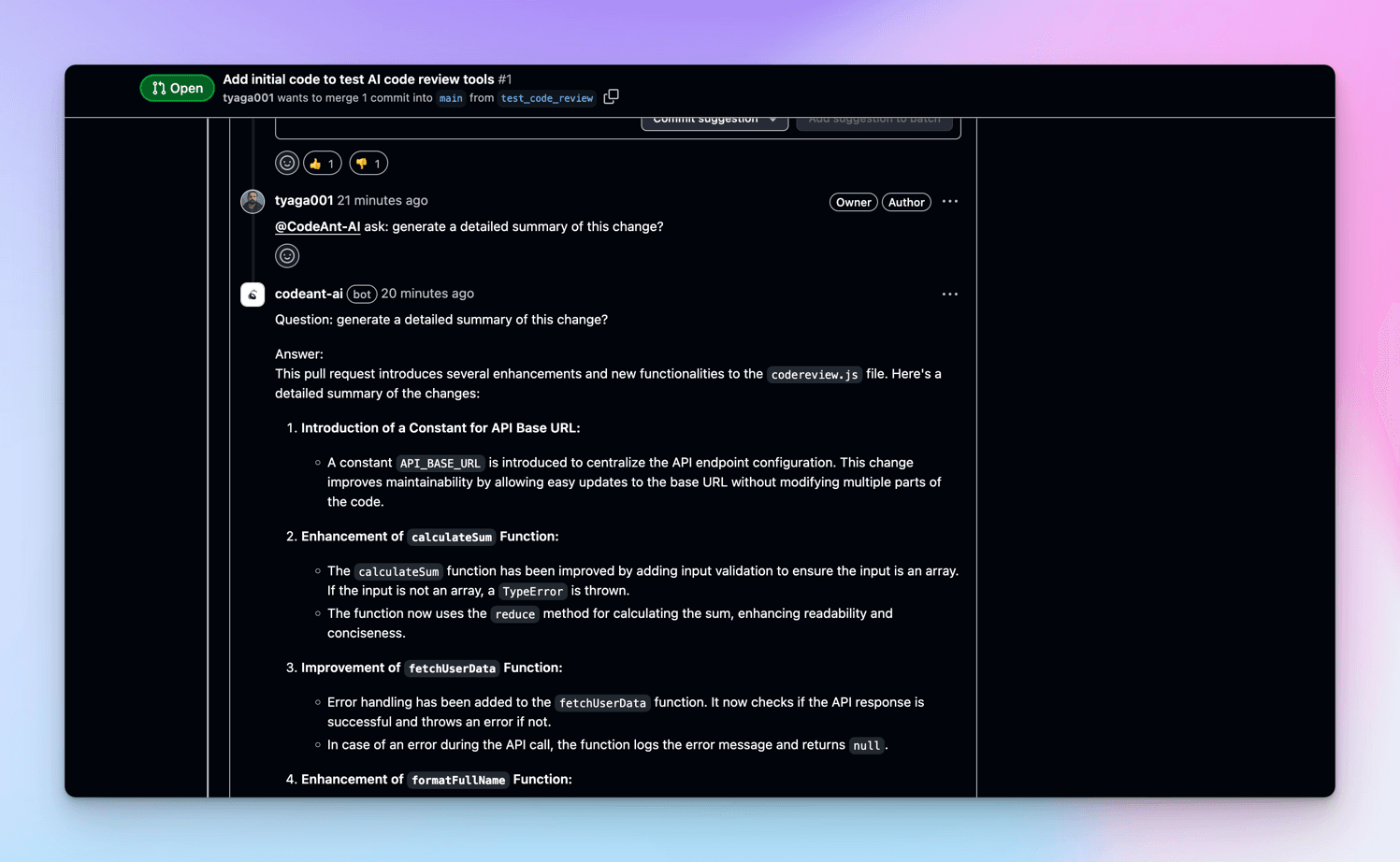
And, CodeAnt AI bot will reply with an in-depth explanation of the suggested changes.
Chat Functionality in Korbit AI
Like CodeRabbit and CodeAnt AI, the Korbit AI bot allows you to chat with it and ask for explanations about the suggested changes.
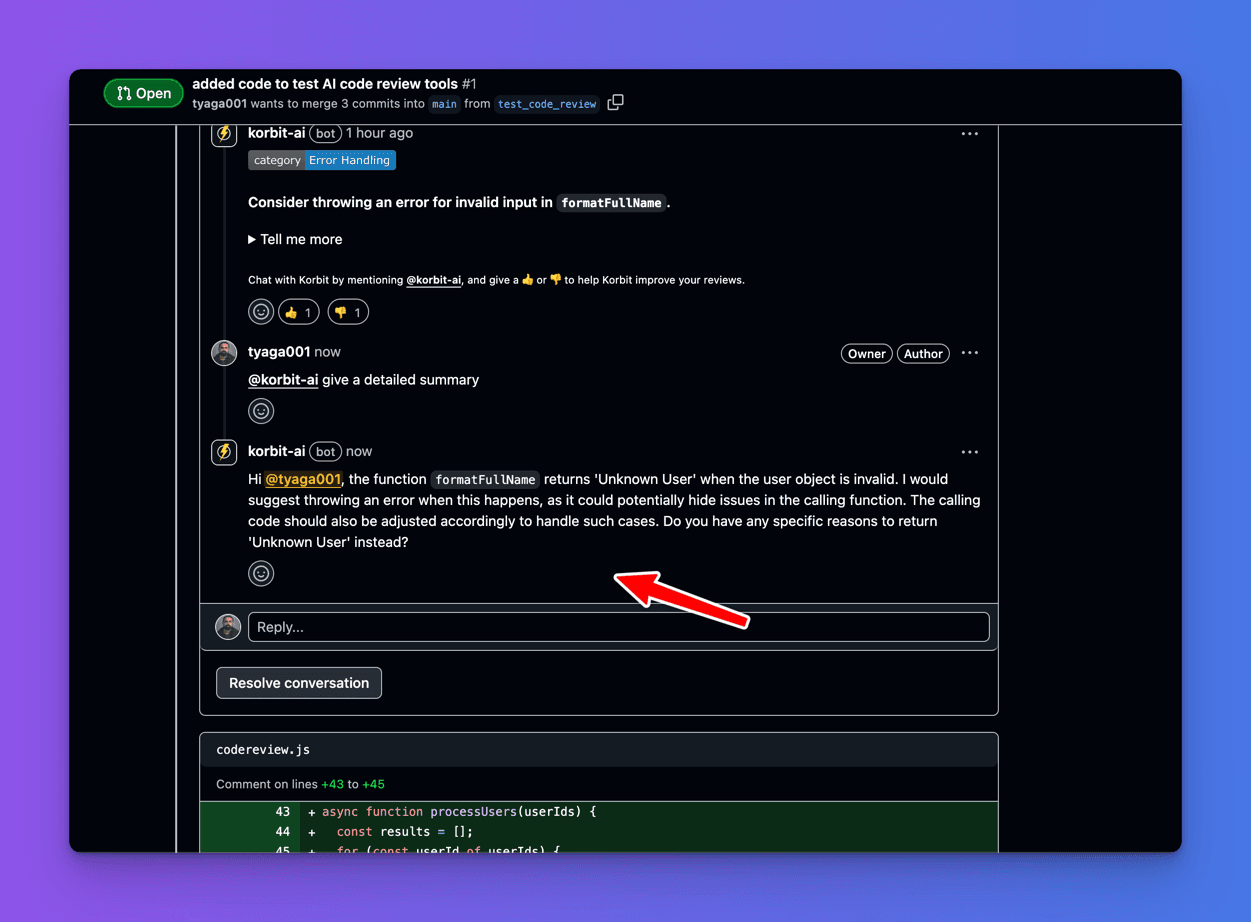
For example, I have asked Korbit AI to give me a detailed explanation of the change suggested below.
However, Korbit AI does not reply with a detailed explanation of the suggested changes compared to CodeRabbit and CodeAnt AI.
On Comparing Security and Privacy
In this section, we will compare the security and privacy of CodeRabbit, Bito AI, CodeAnt AI, and Korbit AI.
Before we begin, note that a good AI code review tool should prevent AI model data leakage and not use data collected from code reviews to train their AI models.
Also, the code reviewer should have zero persistent code storage, end-to-end encryption, code deletion after analysis, and `compliance with global data regulations.
Security and Privacy in CodeRabbit
On Data Privacy and Security, CodeRabbit does not use data collected from code reviews to train or influence its models. All queries to large language models (LLMs) are temporary, with zero retention, and no data is shared with third parties.
- Code is temporarily stored in memory during the review process and deleted afterwards. While the code isn’t stored, CodeRabbit stores
embeddingsbased on chat conversations and workflow systems (Linear, Jira, GitHub/GitLab issues) to improve future reviews. - In CodeRabbit, all data is kept confidential, isolated by the organization, and complies with
SOC2 Type IIandGDPRstandards.
Read an official statement on the Data Protection Addendum here.
Security and Privacy in Bito AI
On Data Privacy and Security, BitoAI allows you to decide where to store your code: locally on your machine, in your cloud, or on Bito’s cloud.
- Bito AI does not store any code,
codesnippets,indexesorembedding vectorson Bito’s servers unless you expressly allow that. Importantly, their AI partners do not store any of this information. All requests are transmitted overHTTPSand are fully encrypted. - In Bito AI, your code or AI requests are not used for
AI modeltraining. Also, your code or AI requests are not stored by their AI partners. - In Bito AI, all data is kept confidential, isolated by the organization, and complies with
SOC2 Type IIstandards.
Security and Privacy in CodeAnt AI
On Data Privacy and Security, CodeAnt AI has not specified whether it uses data collected from code reviews to train or influence its AI models.
Also, CodeAnt AI has not specified whether it stores your code on its servers during and after the code review process.
However, CodeAnt AI complies with SOC2 Type II, HIPAA, MISRA and GDPR data compliance standards.
Security and Privacy in Korbit AI
On Data Privacy and Security, Korbit AI protects all data transmitted to the AI models with TLS encryption.
Your code remains confidential at Korbit AI and is never used to train AI models. Korbit AI has zero-day retention policy contracts with OpenAI and Anthropic to ensure your data is safe and secure.
With Korbit AI, all the code used in the review process is deleted to ensure your intellectual property remains safe and secure.
However, Korbit AI collects message data (excluding your code) to enhance the quality of their responses.
Korbit AI compliance with global data regulations is not specified.
On Comparing Pricing Models
This section will compare pricing models between CodeRabbit, Bito AI, CodeAnt AI, and Korbit AI.
Before we compare, note that cost efficiency is crucial for teams, especially startups or smaller teams.
Pricing Model in CodeRabbit
When it comes to pricing, CodeRabbit offers a per-seat pricing model that scales with your team size, ensuring you pay for what you need.
Every developer who submits a pull request is assigned a separate seat. Seats can be purchased for all developers or a limited number of developers.
CodeRabbit offers four pricing models - the Free plan, the lite plan, the pro plan, and the Enterprise plan.
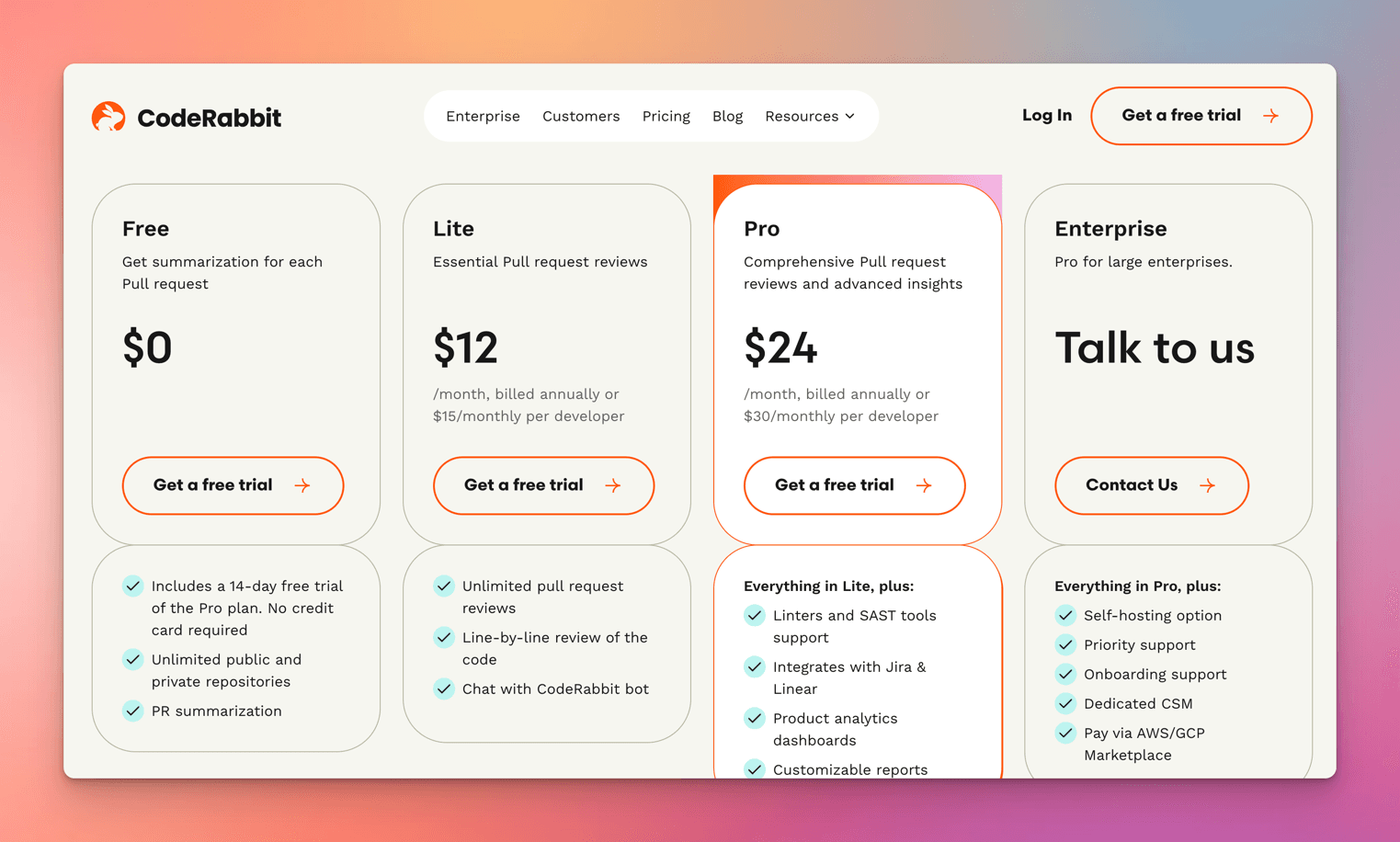
With CodeRabbit, all plans include a 14-day free trial, and no credit card is required.
Most importantly, CodeRabbit Pro is free for all open-source projects.
Pricing Model in Bito AI
Bito AI offers three pricing models: Free Plan, 10X Developer Plan, and Team Plan, as shown below.
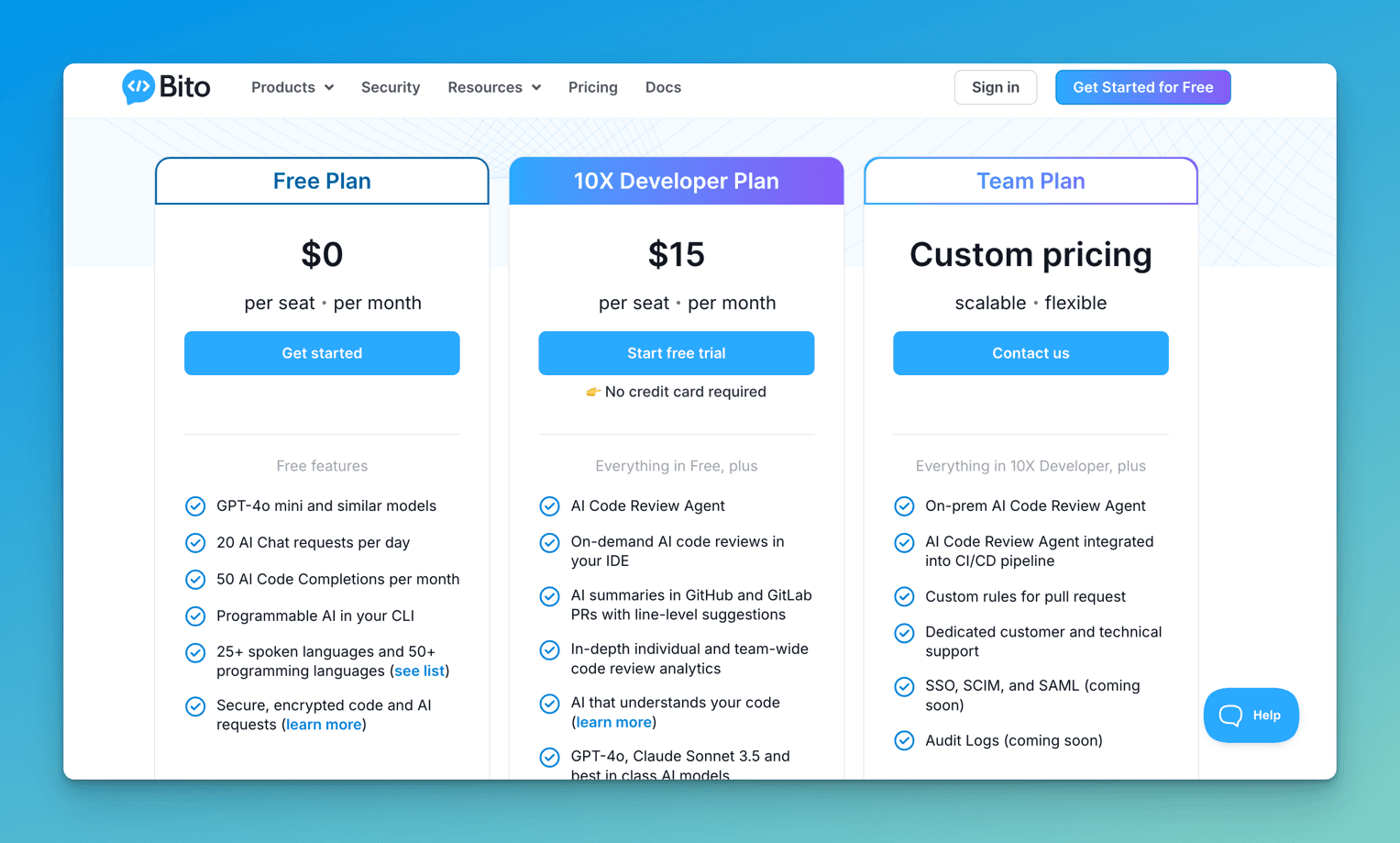
Similar to CodeRabbit, all plans in Bito AI include a free trial, and no credit card is required.
Pricing Model in CodeAnt AI
On pricing, CodeAnt AI charges $10 for AI code review, but it offers a seven-day trial, as shown below.
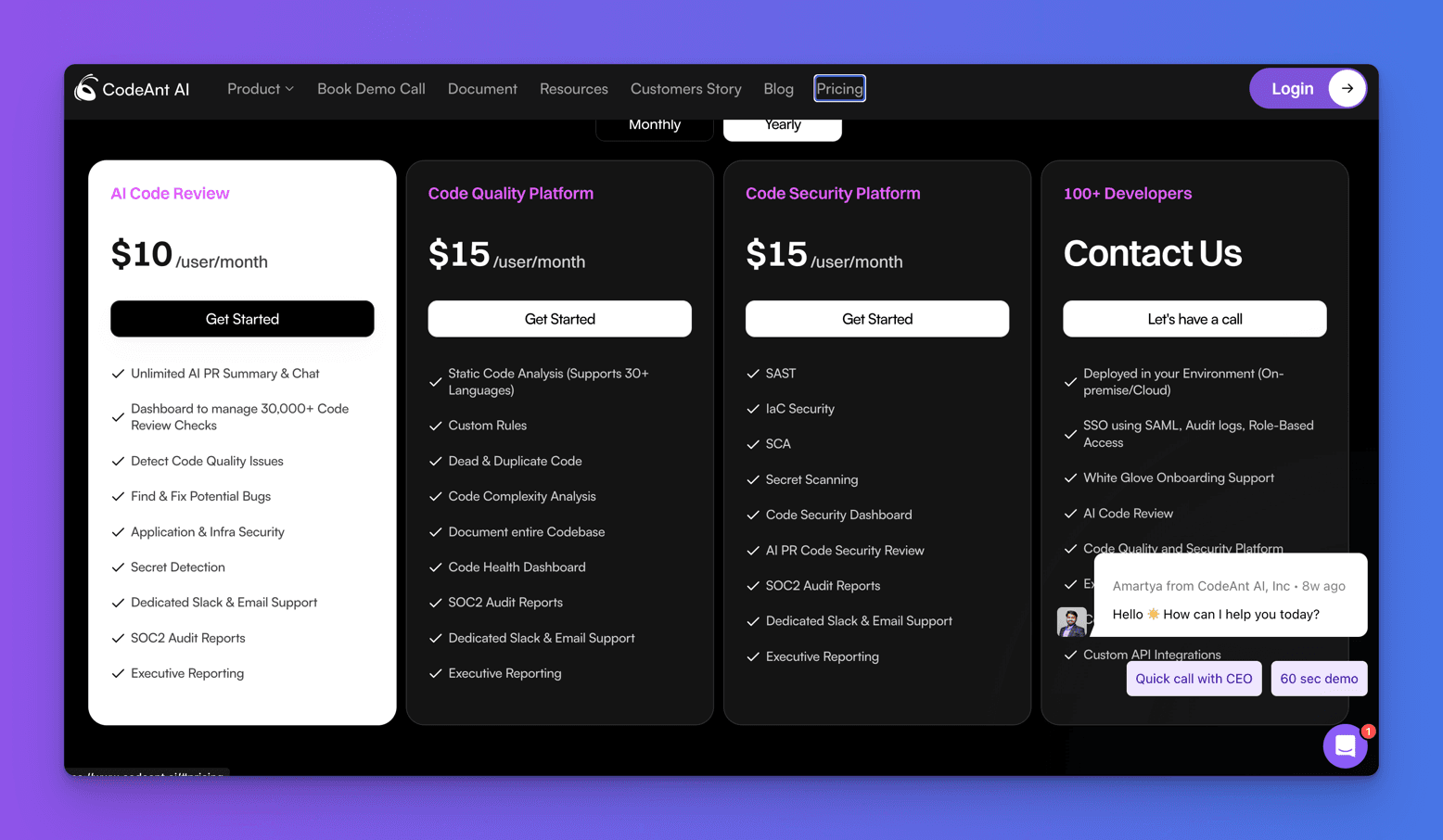
Similar to CodeRabbit and Bito AI, all plans in CodeAnt AI include a free trial and no credit card is required.
Pricing Model in Korbit AI
On pricing, Korbit AI offers two pricing models: Korbit Starter Free and Korbit Pro.
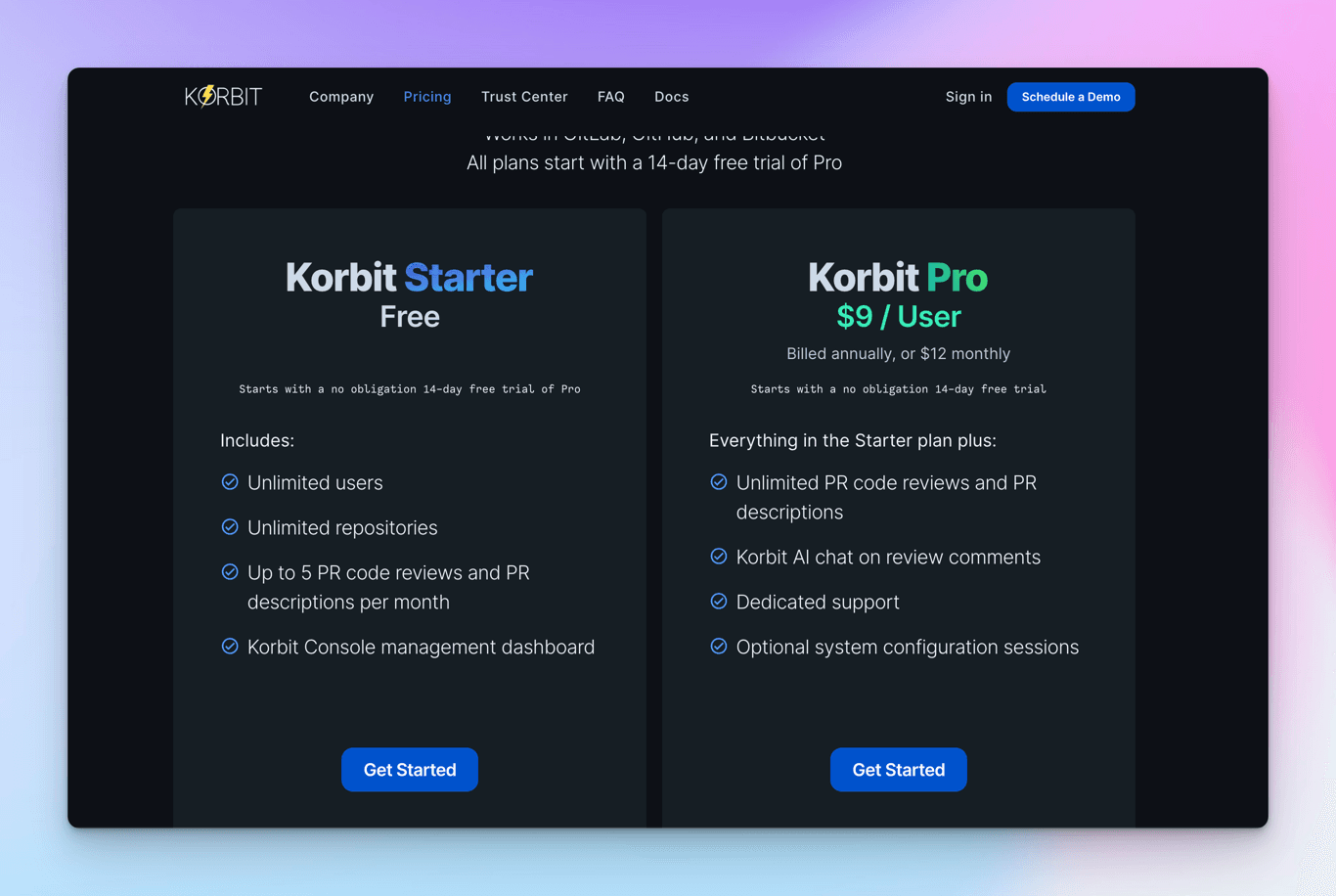
Like CodeRabbit, Bito AI, and CodeAnt AI, all Korbit AI plans include a free trial of the pro plan. No credit card is required.
Korbit Pro is also free for all open-source repositories.
Conclusion
Based on the comprehensive comparison of AI code review tools (CodeRabbit, Bito AI Code Review Agent, CodeAnt AI, and Korbit AI),
Here's my summary:
Integration Capabilities:
- CodeAnt AI offers more integrations, supporting GitHub, GitLab, BitBucket, and Azure DevOps.
- Bito AI and CodeRabbit support GitHub, GitLab, and Azure DevOps.
- Korbit AI has the most limited integration, supporting only GitHub and BitBucket.
Code Quality Analysis:
- CodeRabbit provides the most comprehensive and detailed code analysis.
- Bito AI offers in-depth reviews with security and performance-specific insights.
- CodeAnt AI provides good-quality suggestions.
- Korbit AI offers the least detailed analysis.
Actionable Code Suggestions:
- CodeRabbit and CodeAnt AI provide direct "Committable Suggestion" features.
- Bito AI offers actionable suggestions without direct commit options.
- Korbit AI lacks actionable code suggestions.
Chat Functionality:
- CodeRabbit and CodeAnt AI offer chat capabilities with detailed explanations.
- Bito AI has limited chat interaction.
- Korbit AI's chat functionality is the least developed.
Security and Privacy:
- CodeRabbit and Bito AI have strong data protection policies.
- Korbit AI provides basic data protection.
- CodeAnt AI has the least transparent privacy information (which, as a developer, I disliked)
Pricing:
- All tools offer free trials and similar pricing structures.
- CodeRabbit, Bito AI, and Korbit AI have multi-tier plans.
- CodeAnt AI has a simpler pricing model.
Recommendation:
- For comprehensive, painless code review: CodeRabbit is unmatched.
- For security-focused reviews: Bito AI is a good choice but has limited functionality.
- For broad platform support: CodeAnt AI is good choice but a significant concern on DPA.
However, the best tool depends on your team's needs, integration requirements, and budget constraints.
So, try them all and see which best suits your project and SaaS.
Other Posts
This article is part of our Developer Tools Series. Check out the related posts:
Brands Our Founder Previously Worked With: